Add an option in "Document Setup" to save current configuration as a new template option?
-
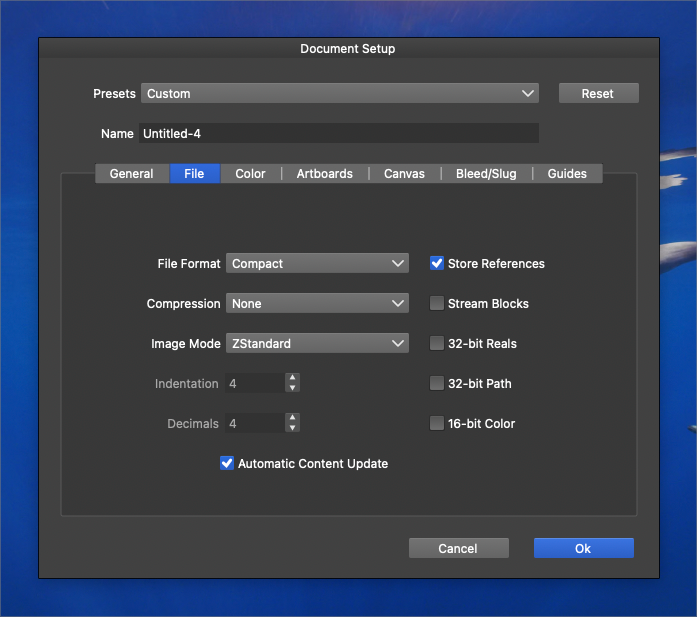
Could an option be added to the document setup panel to save the current document configuration as a preset to the New Document Panel presets?
So if I go in and rearrange the artboards and create new ones, etc... I could save that out as a template in the New Document Panel presets?
-
@Boldline This should work now, but it will add it to the "Document Presets" category.
-
@Boldline @VectorStyler I thought I'd insert myself in this thread to avoid creating a new one... hope you don't mind

I can be a bit slow on the uptake sometimes but I'm also a bit confused by all these saving possibilities when creating a new document. I understand all the paper formats, screen formats, etc., but between 'custom templates', 'document presets', 'template folders' & 'select folder'... for what situations would it be useful?
Thanks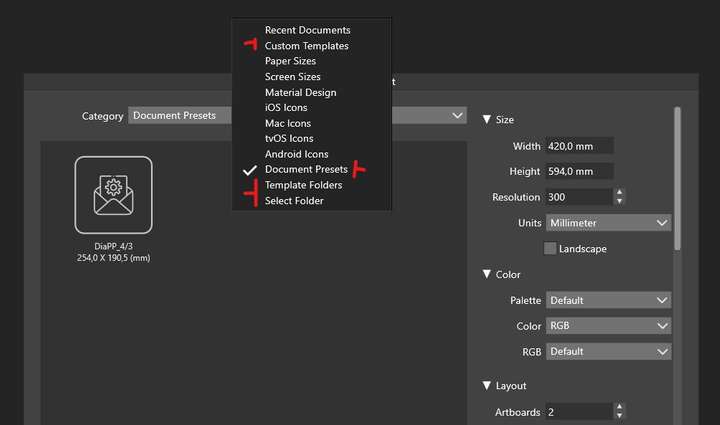
-
@Pat said in Add an option in "Document Setup" to save current configuration as a new template option?:
custom templates
Files, regardless of location can be marked as templates with the File -> Mark as Template command. These are listed here. And these will be whole files, with content, not just document options.
document presets
Presets consisting of options edited in the Document Setup view, these can only be created for now in the document setup view.
template folders
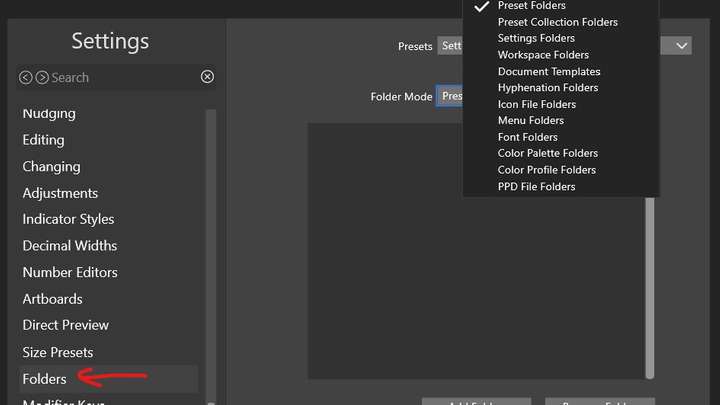
A set of folders specified in Settings -> Folders with the "Document Template" folder mode. These folders will contain vstyler files, that can be used as templates (no need to Mark as Template).
select folder
Same as above, but here the user selects a specific folder using the "Select Folder" button. The content of the folder is listed as template files.
-
How do you move templates to other folders within the new document panel?
-
@Boldline said in Add an option in "Document Setup" to save current configuration as a new template option?:
How do you move templates to other folders within the new document panel?
Not possible.
EDIT: the problem is that those folders contain different things. Document options, page profiles, vstyler files, etc.
-
@VectorStyler ok I believe I understand it. So really, the only place to put new custom templates the user makes is in the custom templates folder area. The other folders all have prebuilt default templates based on the specific export use.
That makes sense.There is also the option to add a folder from the local hard drive. Is there a way to add templates to that custom folder from the local drive? For example, I could create a template in the custom template folder and then later save a copy of that template to a different folder I previously linked to the "new document setup" panel?
If I add templates to the custom templates folder, could there be an option to have VS show me the actual file location for that template? Much like "reveal file' already does?
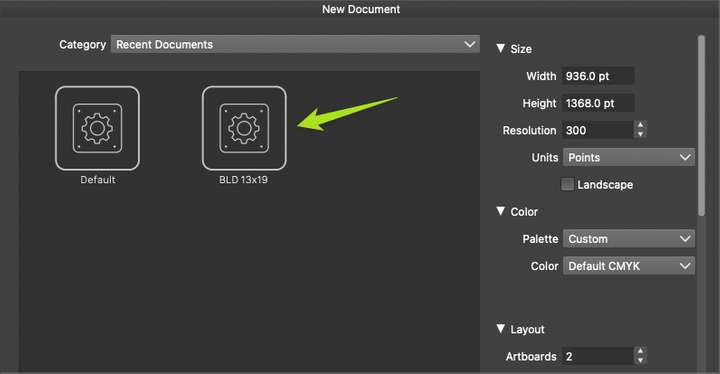
I currently have a custom template I made, but it only shows in the "recent" folder, not in any other folder. Is this normal?
-
@Boldline said in Add an option in "Document Setup" to save current configuration as a new template option?:
Is there a way to add templates to that custom folder from the local drive?
Use the "Template Folders" (not the custom templates) for this, set up the folders in settings, and then just copy templates to those folders.
For example, I could create a template in the custom template folder and then later save a copy of that template to a different folder I previously linked to the "new document setup" panel?
Sort of, the folders are specified in settings.
If I add templates to the custom templates folder, could there be an option to have VS show me the actual file location for that template?
For now, only if it is opened. Should it show as a longer name? this would make the name too long.
Or maybe as a tooltip when hovering over the icon? -
@VectorStyler said in Add an option in "Document Setup" to save current configuration as a new template option?:
For now, only if it is opened. Should it show as a longer name? this would make the name too long.
Or maybe as a tooltip when hovering over the icon?maybe the hovering - but I was more thinking about the ability to open a finder window with ehe file name selected
-
@VectorStyler It's still abstract to me. I have to test the practical application of these possibilities. For me, the important thing is to be able to create a new document and save it as a template for future use (in AI "save as template")
.W11 Pro 25H2 - 12th Gen Intel(R) i7-12700K 3.61 GHz - RAM 64 Go - NVIDIA GF GTX 4070 Ti - Intuos - Dell UP3216Q / Eizo ColorEdge
W11 Pro 25H2 - 12th Gen Intel(R) i7-12700KF 3.60 GHz -RAM 64 Go - NVIDIA GF GTX 3080 - IntuosPro- ProArt PA329C -
@Pat This is probably one of those things that will require a few rounds of revisions and testing before it arrives at the place it needs to be.
-
@Pat said in Add an option in "Document Setup" to save current configuration as a new template option?:
in AI "save as template"
Not sure how that works, but using template folders (set up in settings) and then saving to those folders will make the files templates.
-
@VectorStyler Here's some new information for me. I suppose that it is here:
VS is a really amazing program, but -as I don't use it all the time- there are so many options everywhere that I can be mentally overwhelmed as soon as I open it. Just defining a new document can already be seen as a complicated task with all those options. I like to understand how the software works (with all these options) and to do this, I need to be able to analyse the different possibilities in concrete cases. What's the advantage of this or that option, in what situation, why this and not that... ?? For me, this is what's missing in the documentation (concrete cases) or as tutorials. Maybe I'm getting a bit old to be trying to use VS
-
@Pat said in Add an option in "Document Setup" to save current configuration as a new template option?:
Here's some new information for me. I suppose that it is here
Yes, you need to add one or more folders to the list, with the "Document Templates" mode selected.
For me, this is what's missing in the documentation (concrete cases) or as tutorials
Some of these features are a combination of several options and maybe not well documented.
-
@VectorStyler said in [Add an option in "Document Setup" to save current configuration as a new template option?]
Some of these features are a combination of several options and maybe not well documented.
It's not for me to say
, but the lack of case studies makes it difficult for me (perhaps others) to read the documentation. It would be good to include an example of the various aspects of using VS and its multiple options, such as the uses of the document setup options, the use of guides/grids options, of different canvas (reference and others... still to be studied), etc. In my humble opinion, this would help some users to master the various options and use VS by default 

