Please have 'Enter' not close a window (at least not the Customize windows)
-
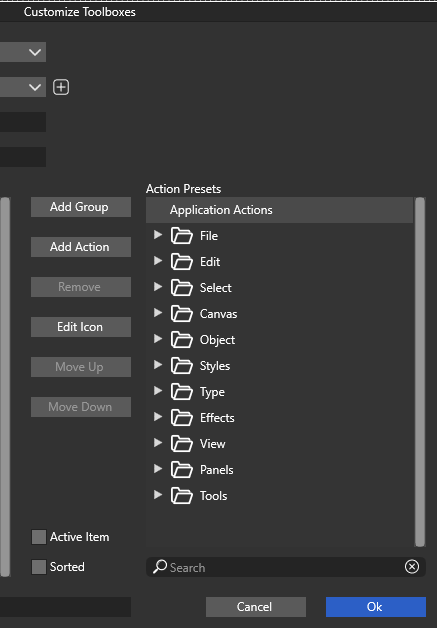
While customizing I constantly have the window closing because I regularly use enter (like in all of Windows) to confirm changes inside the window, like confirming a renaming of an item etc. Which gets pretty annoying pretty soon as in other software enter does not close a window, but confirms a change we are currently making.
Please remove the Enter keyboard shortcut from triggering closing these windows (at least the Customize windows).
Thanks in advance!
Example:
- Hit F2 to rename a group than change the name and use Enter to confirm...
- Instead of confirming the renaming it hits the OK button and closes the window (and so confirms all changes, while we might've cancelled it otherwise)
- now we need to reopen the window again to continue working in the customize window
- To find ourselves having this over and over again, because this does work fine in other software without closing the windows
-
@maarten I added this to the backlog. Clicking away from the open name editor will also confirm it.
-
@VectorStyler said in Please have 'Enter' not close a window (at least not the Customize windows):
@maarten I added this to the backlog. Clicking away from the open name editor will also confirm it.
I get that, but it's too standard and muscle memory for me. Because it works everywhere else. For me this is like suddenly we need to walk on our hands, but only when in your parents house. Thanks for looking into that!
-
@maarten said in Please have 'Enter' not close a window (at least not the Customize windows):
While customizing I constantly have the window closing because I regularly use enter (like in all of Windows) to confirm changes inside the window, like confirming a renaming of an item etc. Which gets pretty annoying pretty soon as in other software enter does not close a window, but confirms a change we are currently making.
The presence of the "Ok" and "Cancel" buttons indicate that this is set up as a dialog box, not as an independent window (as an aside, the use of a button named "Ok" for this is wrong on modern macOS - they should be changed to "Save" or some other verb; "Cancel" is a verb, "Ok" is not).
When you are working in a dialog box, the enter key (return key on the Mac) by definition simulates pressing the default button, in this case the "Ok" button, closing the dialog box - you are confirming the entire content of the box and closing it.
If your other applications are behaving differently, it is your other applications that are wrong.
-
@fde101 said in Please have 'Enter' not close a window (at least not the Customize windows):
If your other applications are behaving differently, it is your other applications that are wrong.
Sure
