VectorStyler
    • Categories
    • Unread
    • Recent
    • Tags
    • Popular
    • Register
    • Login

    Add a direct link to the backup file location in the help menu?

    Scheduled Pinned Locked Moved Features and Ideas
    3 Posts 2 Posters 3.8k Views 1 Watching
    Loading More Posts
    • Oldest to Newest
    • Newest to Oldest
    • Most Votes
    Reply
    • Reply as topic
    Log in to reply
    This topic has been deleted. Only users with topic management privileges can see it.
    • BoldlineB Offline
      Boldline
      last edited by

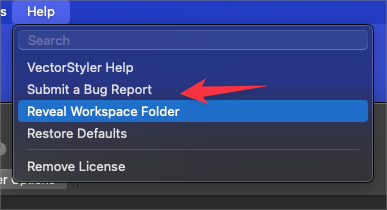
      Would it make sense to add a link option in the help menu to be able to send people right to the backup file location? Occasionally I click on the wrong button when asked if I want to recover an item.

      I know it can also be grabbed from the settings menu and pasted into the finder - but having it in the help menu as a direct link like the workspace settings files might come in handy.
      0_1716874755877_cde2405e-3c64-4f8a-99dc-7207f1e1833a-BLD 2024-05-28 at 01.36.48.png

      🍎 macOS Tahoe 26.2, Mac mini (M1, 2020), Chip Apple M1, Memory 16 GB
      Cintiq 27QHD Display and LG Ultra HD Display

      VectorStylerV 1 Reply Last reply Reply Quote 0
      • VectorStylerV Offline
        VectorStyler @Boldline
        last edited by

        @Boldline I will add this.

        1 Reply Last reply Reply Quote 1
        • BoldlineB Offline
          Boldline
          last edited by Boldline

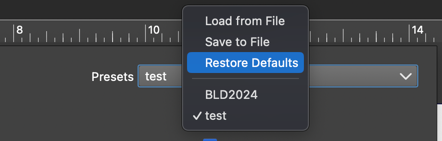
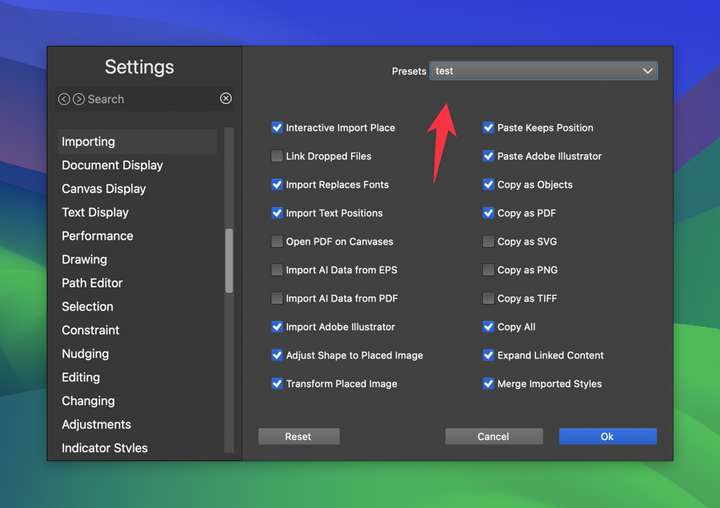
          @VectorStyler Thank you. I was giving this a little more thought. To me, it would also make sense if the settings preset file was also available for direct link.

          I don't know if the best place for that is in the help menu because the user is more likely to have their own separate custom location for custom settings presets, maybe an option in the settings panel with a direct link to where the file is stored?
          0_1716904218764_df33567b-fa1a-4c91-a259-7ddabc914577-CleanShot 2024-05-28 at 09.47.40.png

          0_1716904887213_93987ac0-e2cf-485b-92ed-99efbc81d4f1-CleanShot 2024-05-28 at 10.00.51.png

          🍎 macOS Tahoe 26.2, Mac mini (M1, 2020), Chip Apple M1, Memory 16 GB
          Cintiq 27QHD Display and LG Ultra HD Display

          1 Reply Last reply Reply Quote 0
          • First post
            Last post
