VectorStyler
    • Categories
    • Unread
    • Recent
    • Tags
    • Popular
    • Register
    • Login

    Using knife tool to cut away from an enclosed shape issue
    Scheduled Pinned Locked Moved Questions and Support
    6 Posts 3 Posters 5.1k Views 2 Watching
    Loading More Posts
    • Oldest to Newest
    • Newest to Oldest
    • Most Votes
    Reply
    • Reply as topic
    Log in to reply
    This topic has been deleted. Only users with topic management privileges can see it.
    • BoldlineB Offline
      Boldline
      last edited by

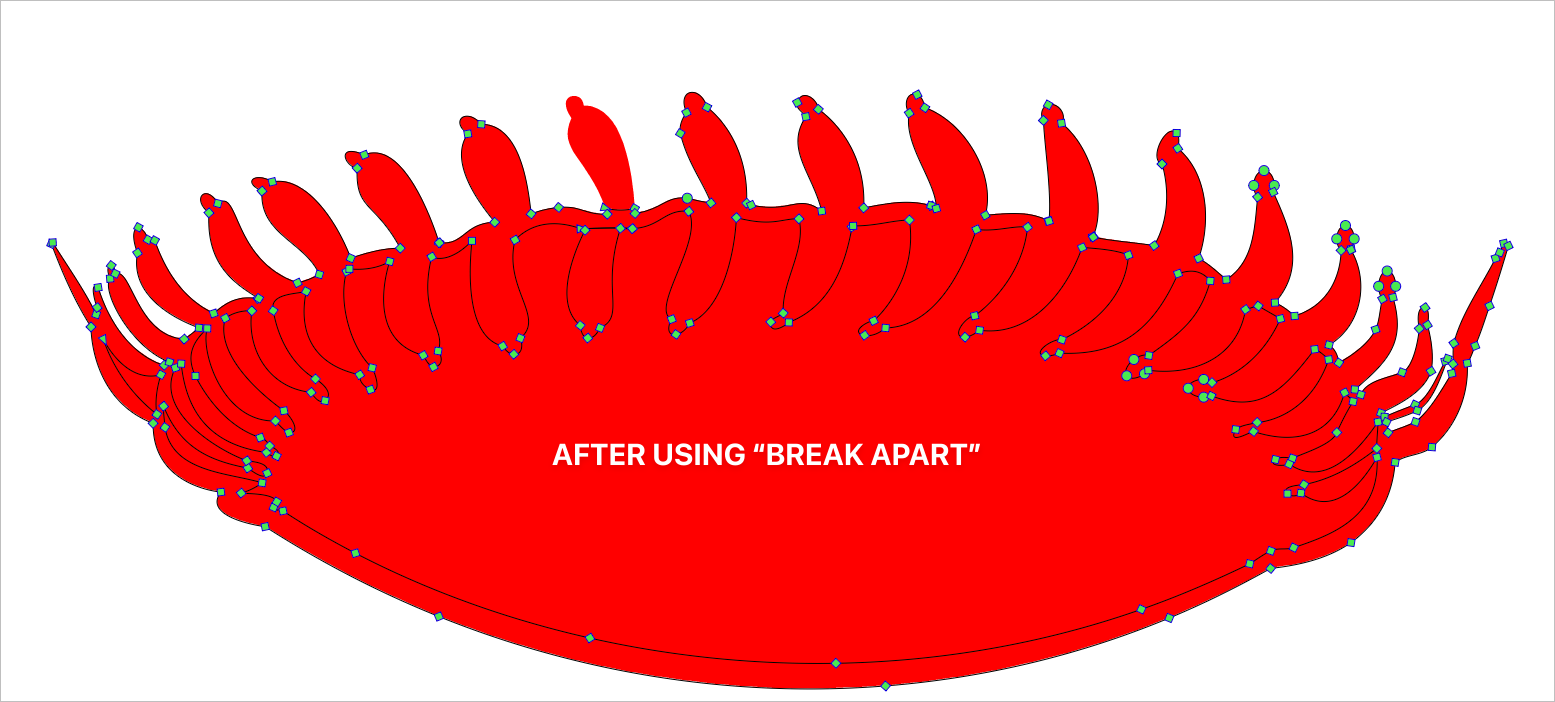
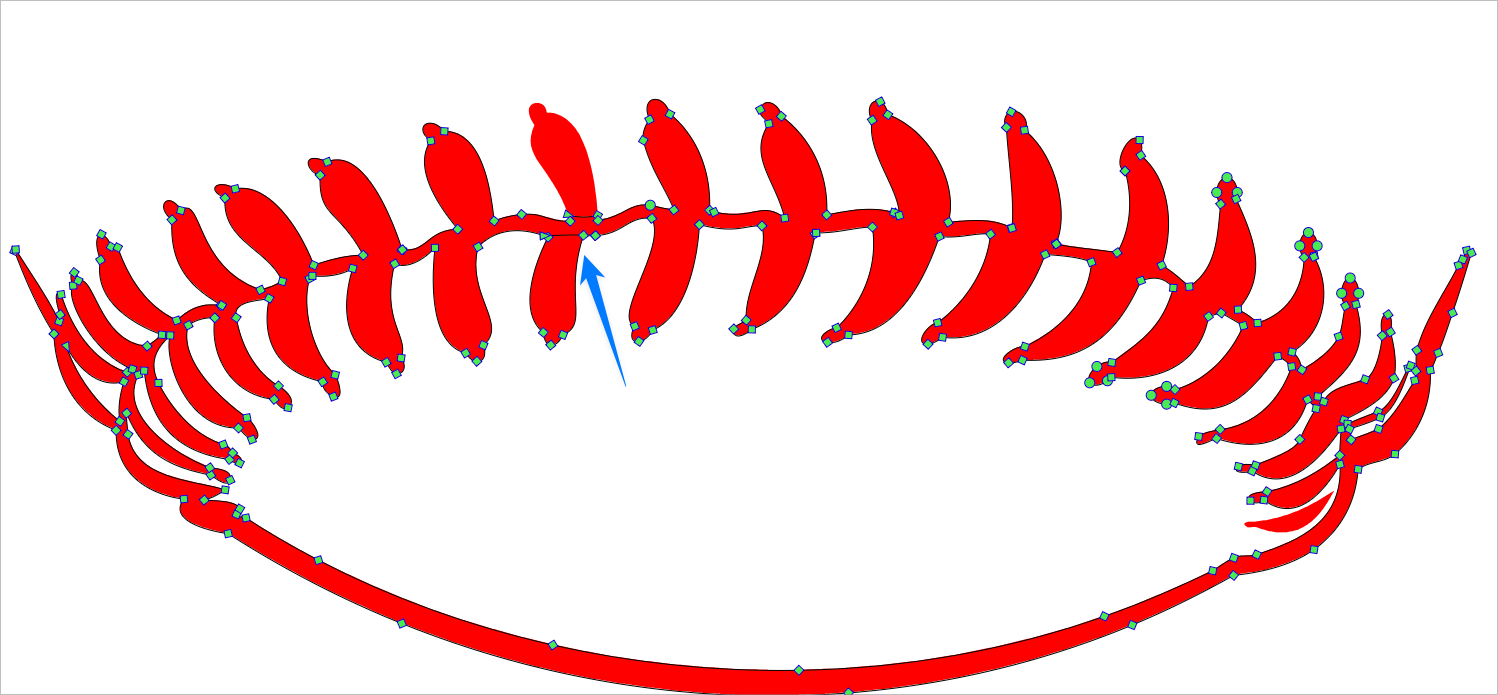
      The knife tool works really well when cutting a shape away from the outside , but when I attempt to cut away a shape from inside an enclosed space, it will not automatically cut it (it remains connected despite the cut) and the only way. see to disconnect it is the "break apart" but that seems messy. Is there another option setting to avoid this?
      0_1718452388634_8c8a5a24-5902-446e-8afb-4db5e8d53770-BLD 2024-06-15 at 07.50.58.png

      0_1718452458063_823c1fdc-8d3c-4af9-84f0-ae92d709893b-BLD 2024-06-15 at 07.53.24.png

      🍎 macOS Tahoe 26.2, Mac mini (M1, 2020), Chip Apple M1, Memory 16 GB
      Cintiq 27QHD Display and LG Ultra HD Display

      S VectorStylerV 2 Replies Last reply Reply Quote 1
      • S Offline
        Subpath @Boldline
        last edited by Subpath

        @Boldline

        how about using the "Path Sketch Tool" for that ?

        here a video

        Win 11
        CPU: AMD Ryzen 5 9600X, 6-core.
        GPU: Nvidia Geforce RTX 5070.

        BoldlineB 1 Reply Last reply Reply Quote 1
        • VectorStylerV Offline
          VectorStyler @Boldline
          last edited by

          @Boldline This could be a bug with the exclude shape operation.

          Try drawing a path with the Pencil tool, the same as you would with the knife tool. Then exclude that (open) path from the red shape.

          Also: send me that shape by email

          BoldlineB 1 Reply Last reply Reply Quote 0
          • BoldlineB Offline
            Boldline @VectorStyler
            last edited by

            @VectorStyler Emailed you the file. When you mentioned "exclude", you are referring to the "separate path" correct? Just wanted to comfirm

            🍎 macOS Tahoe 26.2, Mac mini (M1, 2020), Chip Apple M1, Memory 16 GB
            Cintiq 27QHD Display and LG Ultra HD Display

            VectorStylerV 1 Reply Last reply Reply Quote 1
            • BoldlineB Offline
              Boldline @Subpath
              last edited by

              @Subpath said in Using knife tool to cut away from an enclosed shape issue:

              @Boldline

              how about using the "Path Sketch Tool" for that ?

              here a video

              Great suggestion! I just tried that and it worked for me here.

              🍎 macOS Tahoe 26.2, Mac mini (M1, 2020), Chip Apple M1, Memory 16 GB
              Cintiq 27QHD Display and LG Ultra HD Display

              1 Reply Last reply Reply Quote 1
              • VectorStylerV Offline
                VectorStyler @Boldline
                last edited by

                @Boldline I got the file, and yes there is a problem here.

                "exclude" is the shape combine operation (Object -> Combine Path -> Exclude)

                1 Reply Last reply Reply Quote 0
                • First post
                  Last post
