Weird colour swatch behaviour
-
Scenario 1
Steps taken:
- Create a CMYK document using default colour settings or Global.
- Create a Global swatch
- Draw a rectangle and fill it with the newly created swatch
- Convert document colour mode to RGB
Result:
- The fill colour disappears from the rectangle
- The swatch disappears from the palette panel
Refer to attached screenshots.

New swatch.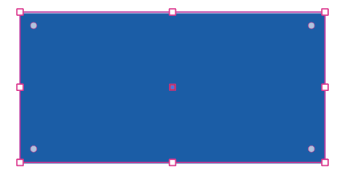
Rectangle filled with new swatch.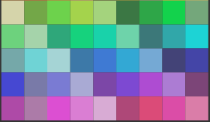
Swatch disappears after converting document to RGB.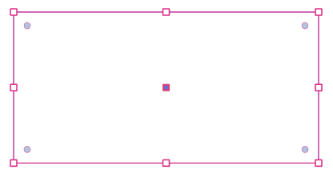
Fill disappears from rectangle after converting document to RGB.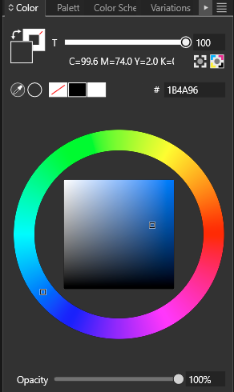
With the rectangle selected after RGB conversion, the Colour panel shows the correct values for the Global colour albeit it displaying the wrong fill colour.Scenario 2
Steps taken:
- Create a Global swatch
- Draw a rectangle and fill it with the newly created swatch
- Duplicate the rectangle and cut the copy
- Convert document colour mode to RGB
Result:
- The fill colour disappears from the rectangle
- The swatch disappears from the palette panel
Further steps:
- Now paste the previously cut rectangle
Result:
- The fill colour reappears on original rectangle
- The swatch also reappears in the palette panel
-
@William-Kansepa I tried to replicate this using those steps, but here the swatch and fill both remained.
Please send me a VS file with the first 3 steps done, so that is just needs to be converted to RGB. Did you use the Document Setup -> Color to change to RGB mode?
-
@VectorStyler said in Weird colour swatch behaviour:
@William-Kansepa I tried to replicate this using those steps, but here the swatch and fill both remained.
Please send me a VS file with the first 3 steps done, so that is just needs to be converted to RGB. Did you use the Document Setup -> Color to change to RGB mode?
Yes I did use the Document Setup -> Color to change to RGB mode.
I forgot to mention that the added swatch is from an Illustrator *.ASE palette imported into the Default Palette.I have sent the test files to your email.
Edit PS: you can also try out Scenario 2 using the file that I send to you.
HP•Windows 11 Pro•11th Gen Intel(R) Core(TM) i7-1165G7 @ 2.80GHz 2.70 GHz• RAM: 16.0 GB (DDR4)
-
@William-Kansepa Got the file, I will try to replicate this.
-
@William-Kansepa I replicated this with one additional step, but it is not a bug (sort of).
The one step needed (to make the color disappear) is to change the Palette field also in the Document Setup -> Color section. This causes the creation of a new palette and the removal of the colors from the previous palette.If only the Color field is changed (to RGB), then it is all fine here.
In case (2), it is similar, but when pasting the color is "re-imported".
-
@VectorStyler, thank you for the response.
