VectorStyler
    • Categories
    • Unread
    • Recent
    • Tags
    • Popular
    • Register
    • Login

    File>Export one pixel less
    Scheduled Pinned Locked Moved Questions and Support
    2 Posts 2 Posters 2.4k Views 2 Watching
    Loading More Posts
    • Oldest to Newest
    • Newest to Oldest
    • Most Votes
    Reply
    • Reply as topic
    Log in to reply
    This topic has been deleted. Only users with topic management privileges can see it.
    • debraspicherD Offline
      debraspicher
      last edited by debraspicher

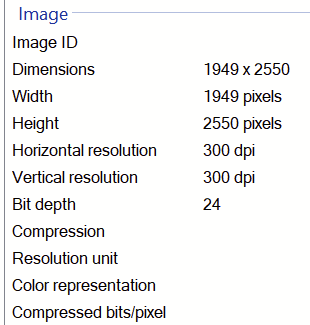
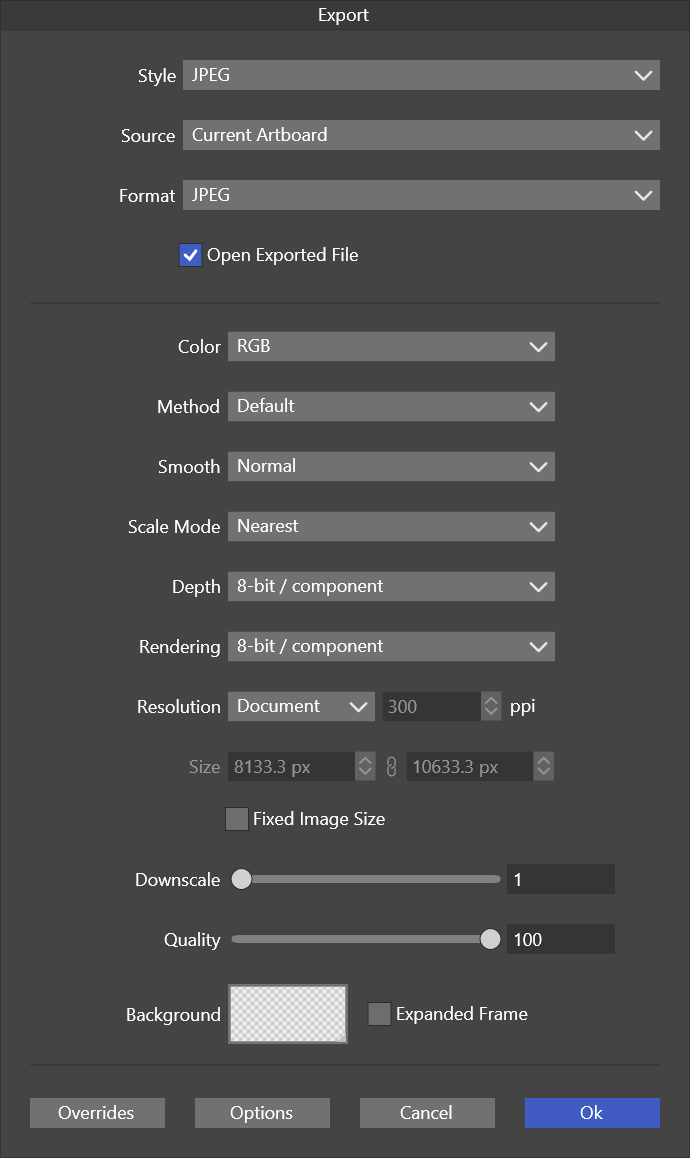
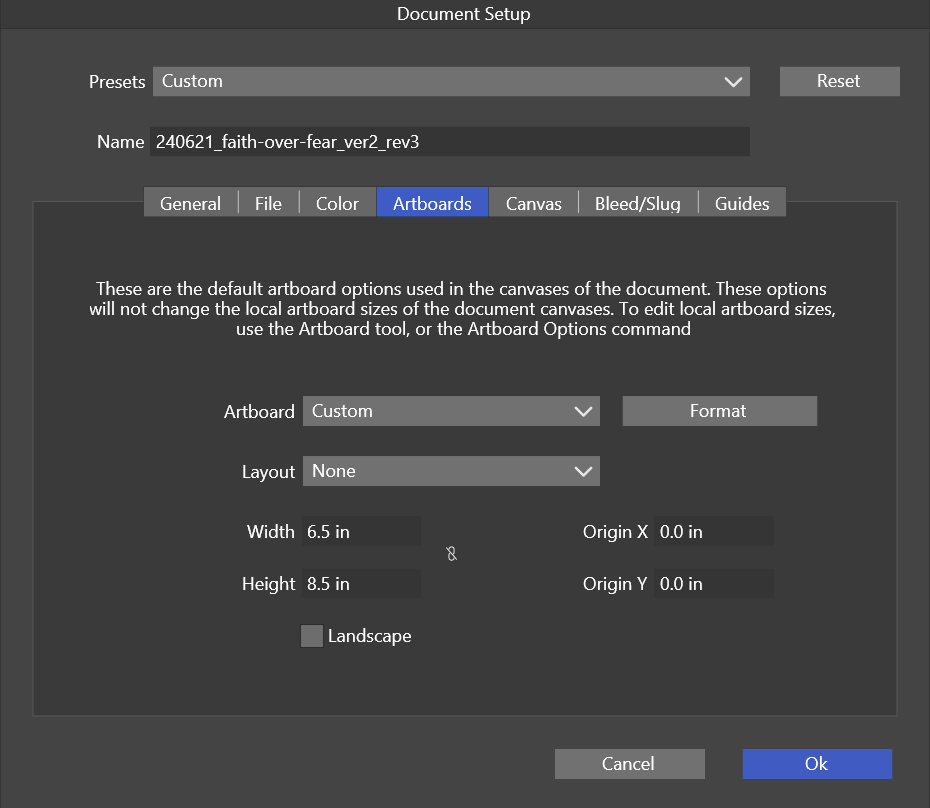
      I can't seem to figure out why this export is 1 pixel less in one dimension (as in cut off). I do not believe there is an Artboard on this file, but to be fair, I haven't 100% grasped how Canvas & Artboards work in VS. Drawing a new Artboard didn't fix it.

      I emailed the file directly.
      0_1719261981412_d4ca2574-219a-4466-99f6-0b49f16d9927-image.png

      0_1719262035528_8c802f26-5596-45ad-9cfe-db9e6e6f2fed-image.png

      Export window:
      0_1719262652614_355b83ad-2b6d-4370-855c-7adf1f147344-image.png

      Windows 11 Build 26200.7171 (25H2)
      AMD Ryzen 7 9700X with Gigabyte X870E Aorus Pro Ice
      32GB RAM @ 6000MHz
      PNY NVIDIA RTX 5070 Ti 16GB; Display 1: 4K @150%; Display 2: 4K @200%
      Wacom Intuos Pro L (2025); Wacom Intuos Pro M; Epson ET-8550; Siser Romeo

      VectorStylerV 1 Reply Last reply Reply Quote 0
      • VectorStylerV Offline
        VectorStyler @debraspicher
        last edited by

        @debraspicher I will try to replicate this. Could be some rounding error

        1 Reply Last reply Reply Quote 0
        • First post
          Last post