VectorStyler
    • Categories
    • Unread
    • Recent
    • Tags
    • Popular
    • Register
    • Login

    Image import jaggy woes

    Scheduled Pinned Locked Moved Questions and Support
    6 Posts 3 Posters 5.2k Views 2 Watching
    Loading More Posts
    • Oldest to Newest
    • Newest to Oldest
    • Most Votes
    Reply
    • Reply as topic
    Log in to reply
    This topic has been deleted. Only users with topic management privileges can see it.
    • debraspicherD Offline
      debraspicher
      last edited by

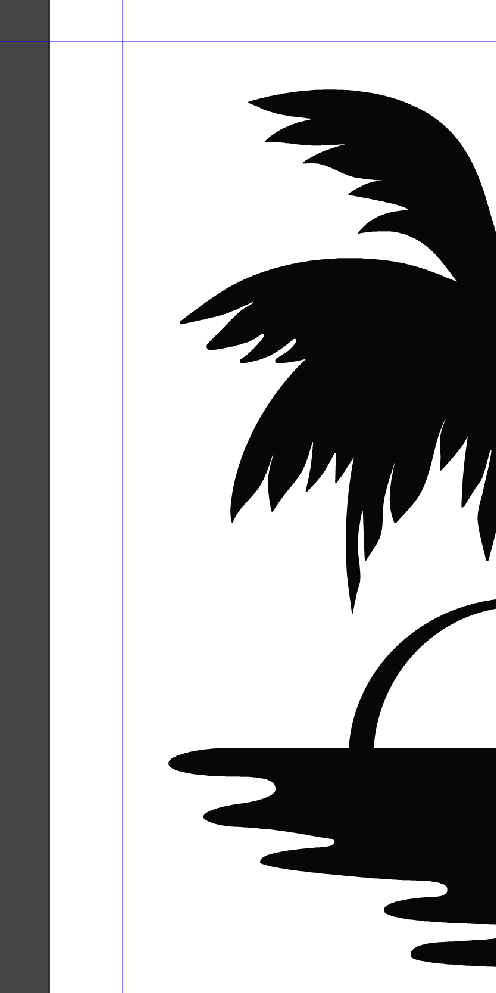
      0_1719938265511_d728d25c-fc6b-4acb-ae01-d7d0e4b59b3a-image.png

      I'm having an issue with image imports looking rather ragged. I know on export that changing the resampling from Nearest helps, but it's not fully resolving issues for all my images. Most of the images I've been working with are rather large, but these are on the smaller end compared to those, but they're plenty high DPI-wise, and don't look very good for final export so completely unusable.

      I'm looking for advice as to how to deal with images properly in VS.

      Thanks!

      Windows 11 Build 26200.7171 (25H2)
      AMD Ryzen 7 9700X with Gigabyte X870E Aorus Pro Ice
      32GB RAM @ 6000MHz
      PNY NVIDIA RTX 5070 Ti 16GB; Display 1: 4K @150%; Display 2: 4K @200%
      Wacom Intuos Pro L (2025); Wacom Intuos Pro M; Epson ET-8550; Siser Romeo

      BoldlineB VectorStylerV 2 Replies Last reply Reply Quote 1
      • BoldlineB Offline
        Boldline @debraspicher
        last edited by

        @debraspicher Do you have some examples of images or image you'd be willing to post on the forum so we can test them out?

        🍎 macOS Tahoe 26.2, Mac mini (M1, 2020), Chip Apple M1, Memory 16 GB
        Cintiq 27QHD Display and LG Ultra HD Display

        debraspicherD 1 Reply Last reply Reply Quote 2
        • debraspicherD Offline
          debraspicher @Boldline
          last edited by

          @Boldline I can share the one in the OP. FWIW, It's set in document at about 2.5"~ wide.0_1719938867509_240612_palm-vector.zip. Should be able to go 4.25" before it's under 300DPI.

          Document: 0_1719938906008_Untitled-3.vstyler

          Windows 11 Build 26200.7171 (25H2)
          AMD Ryzen 7 9700X with Gigabyte X870E Aorus Pro Ice
          32GB RAM @ 6000MHz
          PNY NVIDIA RTX 5070 Ti 16GB; Display 1: 4K @150%; Display 2: 4K @200%
          Wacom Intuos Pro L (2025); Wacom Intuos Pro M; Epson ET-8550; Siser Romeo

          1 Reply Last reply Reply Quote 1
          • VectorStylerV Offline
            VectorStyler @debraspicher
            last edited by

            @debraspicher I tried with the attached document, exported at 300 dpi to jpeg. I got this image (cropped to the relevant part). Not clear what is the issue.

            It would help if you can provide an exported (from VS) version of the image with a highlight of a place where it has problems.

            0_1719988310728_exported.png

            1 Reply Last reply Reply Quote 1
            • debraspicherD Offline
              debraspicher
              last edited by

              @VectorStyler That's why I put this in Q&S and not in bugs, to help eliminate user error. I checked that zipped image again in PS and other than needing to be reexported at a higher res (I originally made it in VS), it's actually fine. My main issue is with preview most of the time.

              I'm having to verify image sources outside of VS for what they may look like on output because of how they look in-program. In the viewport all images seems to be stuck on an exaggerated Nearest Neighbor mode or something like it where images coming in are not looking right, regardless of zoom levels. Pixel Preview isn't looking quite right either, whether it's 100% or not:

              Video: https://1drv.ms/v/s!AuWHX0h5bAoRipQieV_yfg9-DqtyuA?e=TJlNhM
              Document Sample: https://1drv.ms/u/s!AuWHX0h5bAoRipQhfjMvfZ_5a9PDDA?e=YZW6Hc

              I've looked for a setting to change the display mode to no avail.

              Windows 11 Build 26200.7171 (25H2)
              AMD Ryzen 7 9700X with Gigabyte X870E Aorus Pro Ice
              32GB RAM @ 6000MHz
              PNY NVIDIA RTX 5070 Ti 16GB; Display 1: 4K @150%; Display 2: 4K @200%
              Wacom Intuos Pro L (2025); Wacom Intuos Pro M; Epson ET-8550; Siser Romeo

              VectorStylerV 1 Reply Last reply Reply Quote 1
              • VectorStylerV Offline
                VectorStyler @debraspicher
                last edited by

                @debraspicher said in Image import jaggy woes:

                Pixel Preview isn't looking quite right either, whether it's 100% or not:

                I will look into this.

                1 Reply Last reply Reply Quote 1
                • First post
                  Last post