VectorStyler
    • Categories
    • Unread
    • Recent
    • Tags
    • Popular
    • Register
    • Login

    about choice

    Scheduled Pinned Locked Moved Questions and Support
    34 Posts 3 Posters 50.1k Views 3 Watching
    Loading More Posts
    • Oldest to Newest
    • Newest to Oldest
    • Most Votes
    Reply
    • Reply as topic
    Log in to reply
    This topic has been deleted. Only users with topic management privileges can see it.
    • VectorStylerV Offline
      VectorStyler @monsterfox
      last edited by

      @monsterfox said in about choice:

      Especially in the selection of complex scenes, it will be very strenuous.

      Do you need this for shapes without fills, or filled shapes that have holes?

      M 2 Replies Last reply Reply Quote 0
      • M Online
        monsterfox @VectorStyler
        last edited by

        @VectorStyler Only closed shapes in the filled state need to be selected by clicking the center. The two states you mentioned are default to the blank area in the regular software, so they do not need to be selected. Clicking on the blank area means to cancel the selection.

        1 Reply Last reply Reply Quote 1
        • M Online
          monsterfox @VectorStyler
          last edited by

          @VectorStyler The updated version allows you to click on the blank to cancel the selection, but there is still a problem in the contour preview mode. The filled object in this mode can be understood as a blank area, so please add this feature.

          VectorStylerV 1 Reply Last reply Reply Quote 1
          • VectorStylerV Offline
            VectorStyler @monsterfox
            last edited by

            @monsterfox said in about choice:

            but there is still a problem in the contour preview mode

            Can you send me an example. Is this the wire frame preview mode?

            M 1 Reply Last reply Reply Quote 0
            • M Online
              monsterfox @VectorStyler
              last edited by

              @VectorStyler 0_1720965379469_IMG_20240714_215536.jpg This model,Poor English, please excuse me.

              VectorStylerV 1 Reply Last reply Reply Quote 0
              • VectorStylerV Offline
                VectorStyler @monsterfox
                last edited by

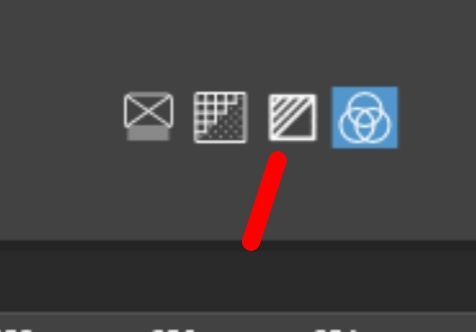
                @monsterfox Yes, that is the monochrome preview mode. In that case filled shapes are shown as filled and should be selected as such.
                The wire frame (outline only) mode is the first icon, in which case filled shapes can be selected by outline only.

                M 2 Replies Last reply Reply Quote 0
                • M Online
                  monsterfox @VectorStyler
                  last edited by

                  @VectorStyler Tomorrow I'll test it again, just remember there's an exception in one mode.

                  1 Reply Last reply Reply Quote 1
                  • M Online
                    monsterfox @VectorStyler
                    last edited by

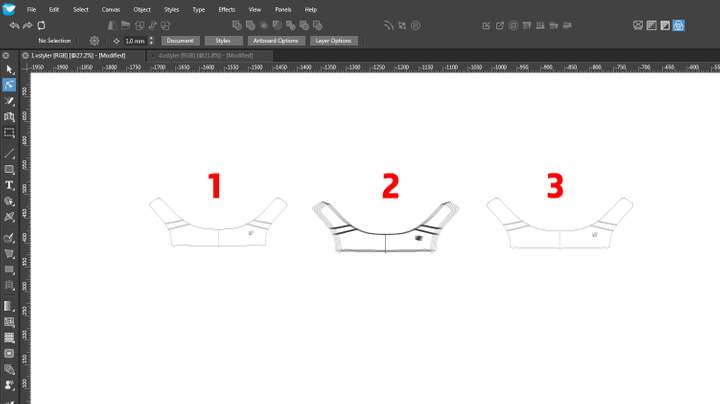
                    @VectorStyler 0_1721019117949_1.png 0_1721019123128_1.vstyler
                    1 Click in the center of the blank after framing to cancel the selection.
                    2 After framing, it is necessary to click the blank twice to cancel the selection of 5 objects, and the other 1 cannot be canceled.
                    3 That is the object that cannot be selected. Please see what the reason is.

                    VectorStylerV 1 Reply Last reply Reply Quote 1
                    • VectorStylerV Offline
                      VectorStyler @monsterfox
                      last edited by

                      @monsterfox

                      (2) replacicated, (1) and (3) are not.

                      1. selection is cancelled when I click inside.
                      2. this will be fixed.
                      3. I can select this object with a simple click on the outline, also with box selection.
                      M 1 Reply Last reply Reply Quote 0
                      • M Online
                        monsterfox @VectorStyler
                        last edited by monsterfox

                        @VectorStyler There is a problem inside (2). The outermost group is filled and has a gap, so it is always selected. When the filling state of it is cancelled, framing in the middle blank area will select all 6 groups, which is also a mistake. I hope to solve it together. Thank you.

                        1 Reply Last reply Reply Quote 1
                        • M Online
                          monsterfox
                          last edited by

                          @VectorStyler https://youtu.be/QpAvcIyHdnU?feature=shared Currently, it seems that it is not possible to frame-select within the graphic, which will cause the outline to be selected together, but the several red graphics are exceptions.Hope to be able to frame-select without selecting the outline. Please fix it, thank you.

                          VectorStylerV 1 Reply Last reply Reply Quote 1
                          • VectorStylerV Offline
                            VectorStyler @monsterfox
                            last edited by

                            @monsterfox said in about choice:

                            Hope to be able to frame-select without selecting the outline

                            I will try to fix this for the next build.

                            M 1 Reply Last reply Reply Quote 0
                            • M Online
                              monsterfox @VectorStyler
                              last edited by

                              @VectorStyler 0_1727362078605_mmexport1727362020006.png 0_1727362089081_mmexport1727362024160.png 0_1727362577735_3_1.vstyler
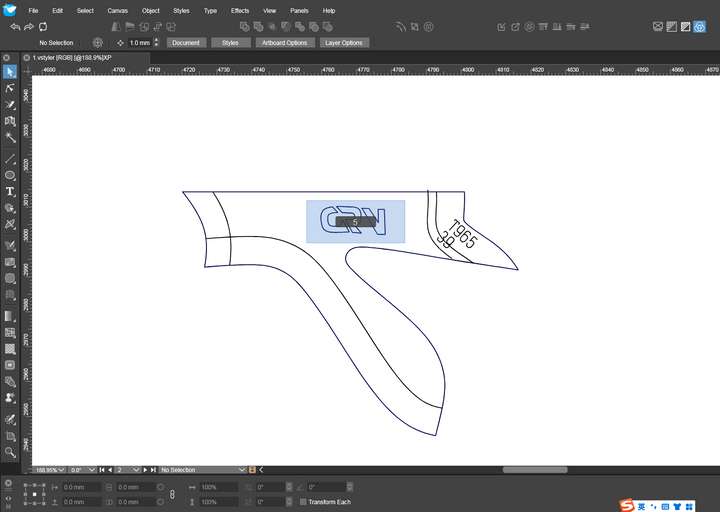
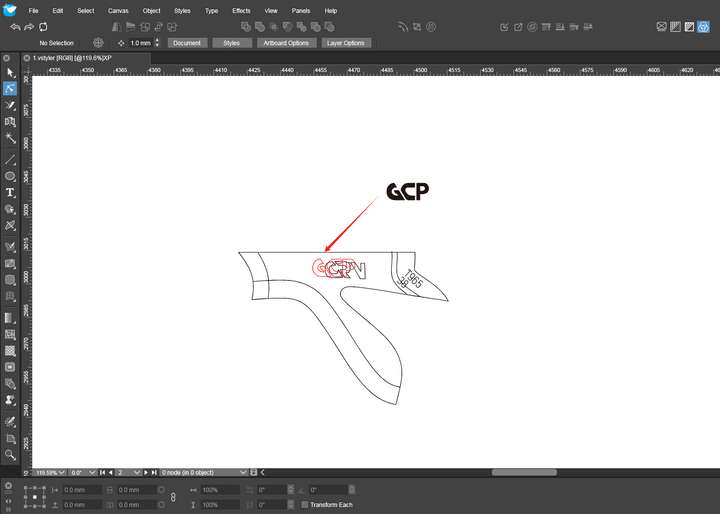
                              For the first picture, when choosing the inner shape, the outer lines are still selected. It is found that this is not a closed line. If it were a closed line, it would not be selected. I hope this problem can be fixed. For the second picture, the black line represents the original position of the shape. Use the shape replacement tool on the left, with the black letters above as the target source. After replacement, the original shape will be offset, which is the position of the red line. I hope these two problems can be fixed together. Thank you.

                              VectorStylerV 2 Replies Last reply Reply Quote 1
                              • VectorStylerV Offline
                                VectorStyler @monsterfox
                                last edited by

                                @monsterfox said in about choice:

                                For the first picture, when choosing the inner shape, the outer lines are still selected

                                I will try to fix these.

                                1 Reply Last reply Reply Quote 0
                                • VectorStylerV Offline
                                  VectorStyler @monsterfox
                                  last edited by

                                  @monsterfox I could not replicate the selection issue from the first image. This might be a caused by some selection settings (I have the default settings here).

                                  M 1 Reply Last reply Reply Quote 0
                                  • M Online
                                    monsterfox @VectorStyler
                                    last edited by

                                    @VectorStyler said in about choice:

                                    I could not replicate the selection issue from the first image. This might be a caused by some selection settings (I have the default settings here).

                                    A file I provided above. You can have a try.

                                    VectorStylerV 1 Reply Last reply Reply Quote 1
                                    • VectorStylerV Offline
                                      VectorStyler @monsterfox
                                      last edited by

                                      @monsterfox I tried with the file: https://share.cleanshot.com/3DdbdYYF

                                      M 1 Reply Last reply Reply Quote 0
                                      • M Online
                                        monsterfox @VectorStyler
                                        last edited by

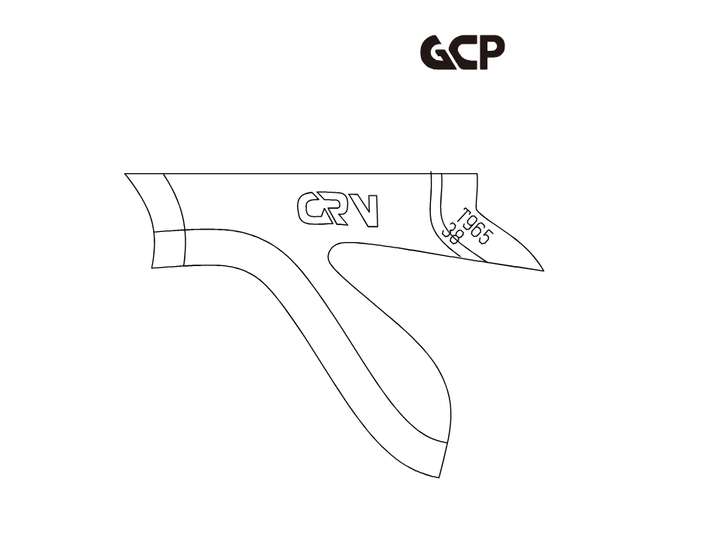
                                        @VectorStyler You try this graphic in size 38.
                                        。0_1727439799029_1.png
                                        VectorStylerV 1 Reply Last reply Reply Quote 1
                                        • VectorStylerV Offline
                                          VectorStyler @monsterfox
                                          last edited by

                                          @monsterfox Tried all, same result.

                                          M 1 Reply Last reply Reply Quote 0
                                          • M Online
                                            monsterfox @VectorStyler
                                            last edited by

                                            @VectorStyler It's a bit strange. The test results today are different from yours.

                                            VectorStylerV 2 Replies Last reply Reply Quote 1
                                            • First post
                                              Last post