What should happen if I tap 'Create Color Scheme'
-
What should happen if I tap 'Create Color Scheme' in the Color or Palette window?
I get a popup 'Color Scheme Style' with naming and color selector and tint hue and saturation like options. In addition, under panels there is another panel called 'Color Scheme' with similar options.Do I have to create a scheme from here myself or will something be created for me as a service? I actually expected a scheme like AI Color Variations or something better.
The VS documentation doesn't help me any further!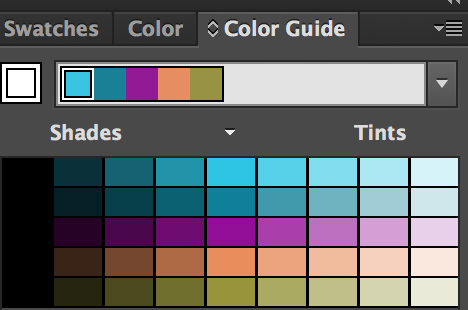
AI Color Variations -
@Ayo This "Color Scheme" feature is specific to VS: it creates a "style" (or "variable") that generates a new color from an existing color, selected in the "Color" drop down.
How it works: let's assume that we defined a few color styles in the Styles panel, or using the "Color Style" object role. This style can be used to color objects and if the style is changed, all cases are updated.
Now we would like to use a variant of this color, but adjusted using some color adjustment scheme (tint, warm, cool etc).
We can define a new "color style" that is called "color scheme":- assign the color style to an object.
- in the color panel menu select "Create Color Scheme"
- set a name for the style.
- set the color scheme and the tint (100% is the original).
Now we can use this new color style on objects, and it will be linked to the other (original) color style and then that changes, all are updated (using the scheme and tint).
In the attached file, the leftmost object defines a color style (using the "Color Style" object role). The other two objects are filled with two different color scheme styles (see in the Styles panel), one is a "Dark" and the other is a "Muted" scheme.
When changing the leftmost object color, the color scheme styles are updated accordingly: -
@VectorStyler
Thanks for your explanation. I think I understand it thanks to the accompanying example file, nice but I don't immediately see the need/use for myself.I find the name somewhat misleading. I feel like Create Color Variation (single) would fit better here than Create Color Scheme.
- Suppose I wanted to assign the light grayish green color (Scheme 3) to a new drawn shape.
Do I have to select the color from the Styles window? Style Pickers aside. Or can that be done somewhere in the palette environment. - Suppose I want to make a variation on this variation. Can it be recalled with which settings, for example the Scheme 3 color, was created?
.
Note
The aforementioned 'AI Color Variations' like schemes looks like well arranged in VS and can be found in the Color window. That's what I call Schemes. Very useful when creating color palettes.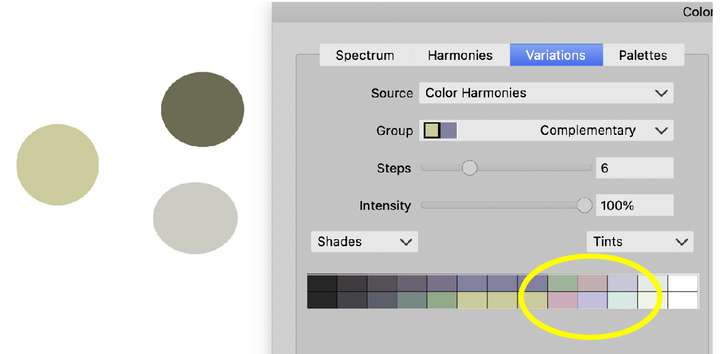
However, I doubt the correctness. What are the, yellow circled, red and purple shades doing in this scheme? But that's another question - Suppose I wanted to assign the light grayish green color (Scheme 3) to a new drawn shape.
-
@Ayo said in What should happen if I tap 'Create Color Scheme':
I feel like Create Color Variation (single) would fit better here than Create Color Scheme.
This could be indeed.
Do I have to select the color from the Styles window?
yes, since it is a style.
can be found in the Color window
There is also a Color Variations panel.

