VectorStyler
    • Categories
    • Unread
    • Recent
    • Tags
    • Popular
    • Register
    • Login

    Resources Panel?

    Scheduled Pinned Locked Moved Questions and Support
    3 Posts 3 Posters 3.5k Views 2 Watching
    Loading More Posts
    • Oldest to Newest
    • Newest to Oldest
    • Most Votes
    Reply
    • Reply as topic
    Log in to reply
    This topic has been deleted. Only users with topic management privileges can see it.
    • W Offline
      William Kansepa
      last edited by

      Hey good people!
      I think I accidentally clicked something or pressed some key and this panel popped up (refer to attached screenshot). Since I haven't seen it it before, I tried to look it up under Panels and it appears it's not listed under this menu...

      Where does this panel belong to? How does it work?
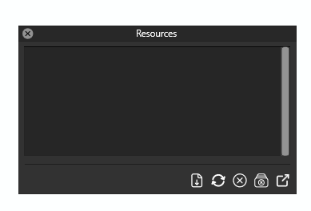
      0_1721725139600_Resources Panel.png

      HP•Windows 11 Pro•11th Gen Intel(R) Core(TM) i7-1165G7 @ 2.80GHz 2.70 GHz• RAM: 16.0 GB (DDR4)

      VectorStylerV 1 Reply Last reply Reply Quote 1
      • VectorStylerV Offline
        VectorStyler @William Kansepa
        last edited by

        @William-Kansepa Not supposed to show up, it is the resource editor (if resources are available), otherwise harmless

        encartE 1 Reply Last reply Reply Quote 0
        • encartE Offline
          encart @VectorStyler
          last edited by encart

          @VectorStyler It appears when AltGR + Z combination is pressed in my case. I'm using polish layout.

          Windows 11 Home 10.0.22621

          1 Reply Last reply Reply Quote 2
          • First post
            Last post