Help with Path Brush Tool
-
Hello: I have been pottering around with VectorStyler for some months now. One of the biggest hurdles I am facing currently is attaining granular control over path brush tool, which I use extensively in Illy (the Blob Brush tool).
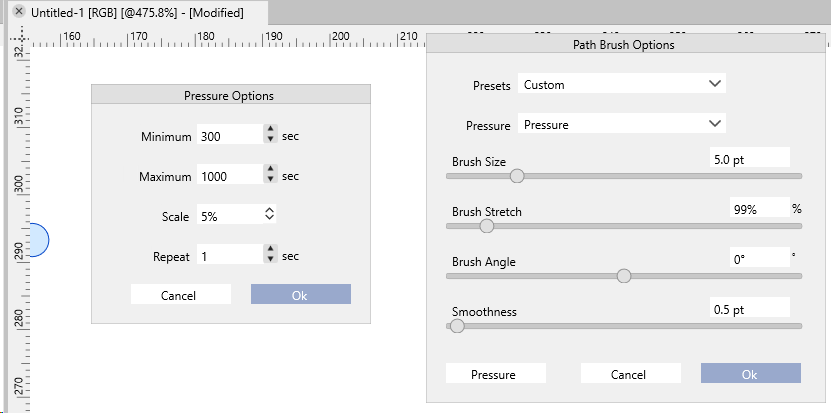
The current controls are numeric. See below:
I'm not entirely sure what these numbers mean. Would someone be kind enough to explain? I'd really appreciate it.
I should perhaps explain the use case a bit more. I draw folk art in Bengali style:
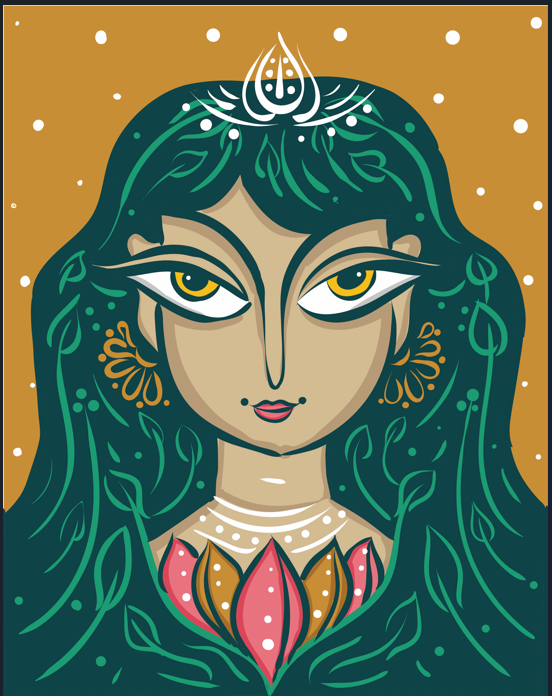
There's an example: I need to be able to draw varying the pressure profile continuously. Heavy-Thick-Light-thin-Heavy-thick - for instance, see the nose. I also need to draw zoomed in deeply. A simple toggle to make the brush relative to screen-size vs absolute? Illy manages to get this right somehow.
Second thing: I noticed that I cannot simply cannot change the parameters in the contextual menu by scrolling the mouse-wheel. I'd have to click-open the slider and move it. Affinity elegantly solves this problem by simply allowing us to put the pen on the label drag left or right. Which is a time-saving blessing. Could this kindly be implemented. I'd forever be grateful.
Finally: One feature from Serif DrawPlus that I think would make a world of difference in VS is for the Brush Tool. In DrawPlus, click on a previous brush stroke allowed the brush to inherit all the attributes of that stroke: brush type, colour, and pressure-profile. It's like dipping your pen into the ink pot and comes very close to simulating to real drawing experience - AND saves a ton of time!
Is it possible at all, @VectorStyler to implement these two additions to the tools? It would make VS that much more easy to use! And you'll make me smile. Thank you!
P.S: I just noticed something else: double clicking on the path brush tool with the pen does not always open the path brush options window. It only works with the mouse. And even then, only sometimes.
-
For comparison, I think the Blob brush window is fairly straightforward.
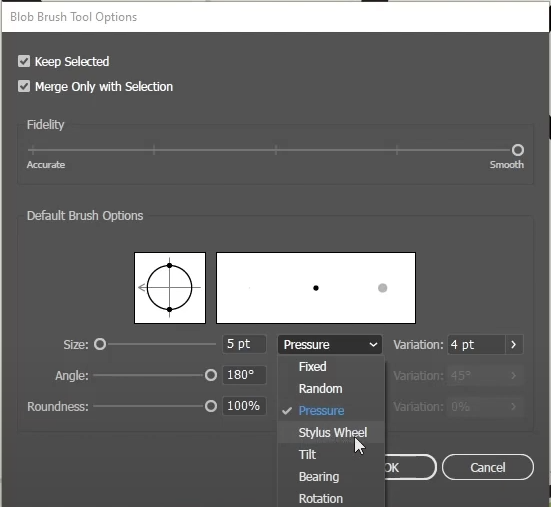
I think the visual representation of the strokes helps to see the pressure profile clearly. But I am not suggesting that we copy the same. Just trying to understand how these parameters compare and contrast with VS. Thanks a lot for all your help in advance!
-
@Vivek The brush size, stretch and angle are the brush tip shape. Smoothness is used to create a smooth path from the brush paint.
The pressure options are used only when simulating pressure with the mouse. With the tablet, the pressure is what the pen gives.
I think there are some missing features (and possibly bugs) here. I added this to the backlog, but the features can only come in 1.3
-
@VectorStyler: Thanks a lot!
