VectorStyler
    • Categories
    • Unread
    • Recent
    • Tags
    • Popular
    • Register
    • Login

    closed path

    Scheduled Pinned Locked Moved Questions and Support
    14 Posts 4 Posters 10.4k Views 4 Watching
    Loading More Posts
    • Oldest to Newest
    • Newest to Oldest
    • Most Votes
    Reply
    • Reply as topic
    Log in to reply
    This topic has been deleted. Only users with topic management privileges can see it.
    • M Offline
      monsterfox
      last edited by

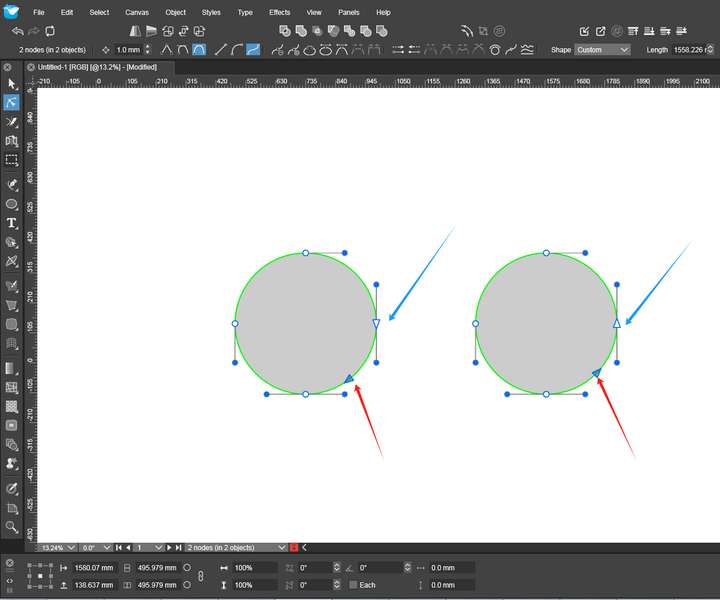
      Can the triangle not be displayed for the closed paths and only be displayed for the broken paths? In this way, even if the two endpoints are close, it can be visually seen whether the path is closed or not. 0_1726931935843_mmexport1726931703364.png
      VectorStylerV 1 Reply Last reply Reply Quote 1
      • VectorStylerV Offline
        VectorStyler @monsterfox
        last edited by

        @monsterfox disable the "Settings -> Path Editor -> Show Path Ending Nodes" (bottom-right) option.

        M 1 Reply Last reply Reply Quote 0
        • M Offline
          monsterfox @VectorStyler
          last edited by

          @VectorStyler My meaning is to not display triangles only for closed paths. Triangles can still be displayed for open paths. Triangles can not only indicate the direction of the path but also mark whether the path is open or closed.

          VectorStylerV 1 Reply Last reply Reply Quote 1
          • VectorStylerV Offline
            VectorStyler @monsterfox
            last edited by

            @monsterfox The settings for this is not public, but it is planned to be made public for 1.3

            meanwhile, if you can edit the settings.xml file the you can add this line between other <item> lines:

            <item id="separatepathstyleforopened" value="yes" type="bool"/>

            M 1 Reply Last reply Reply Quote 0
            • S Offline
              Subpath
              last edited by Subpath

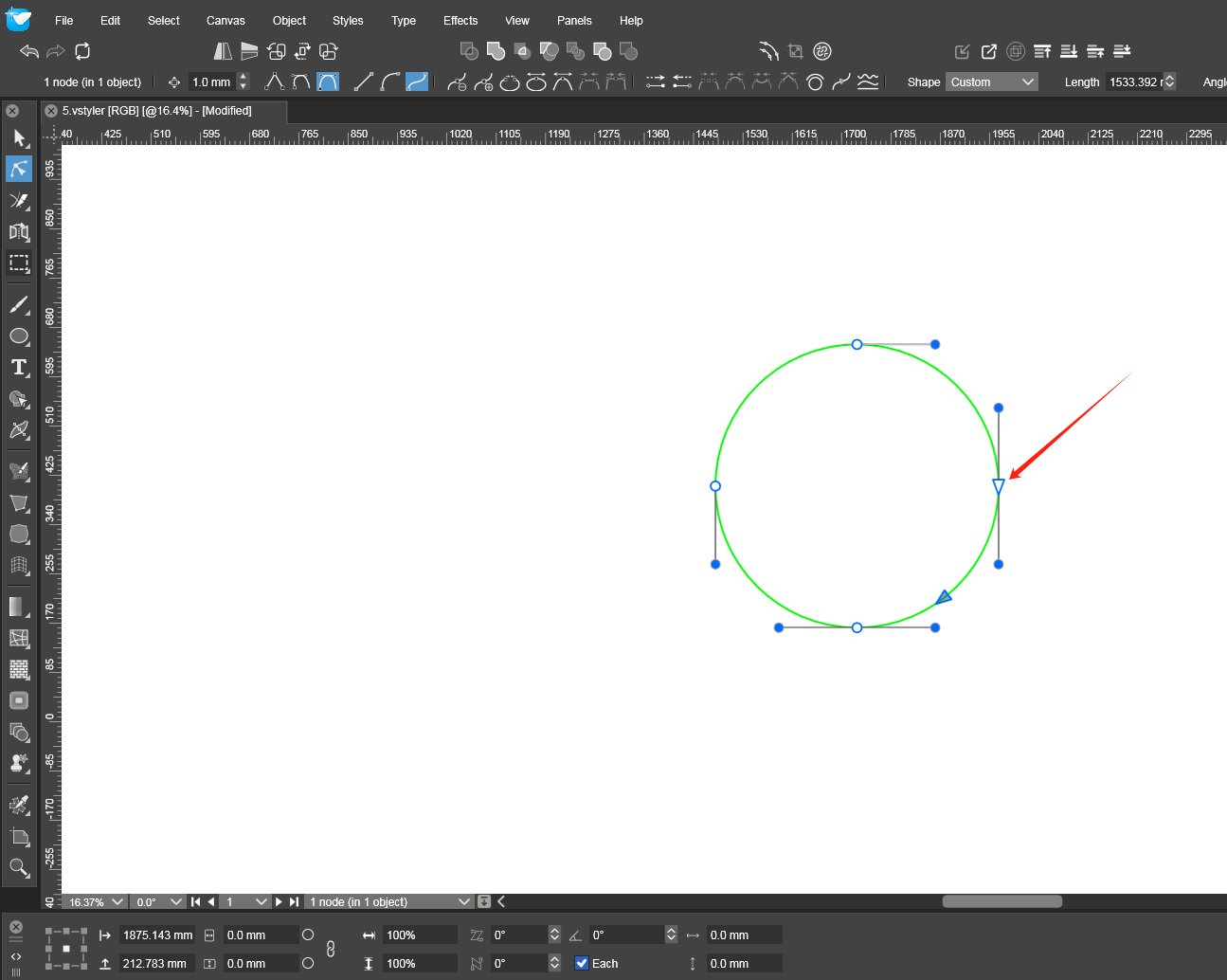
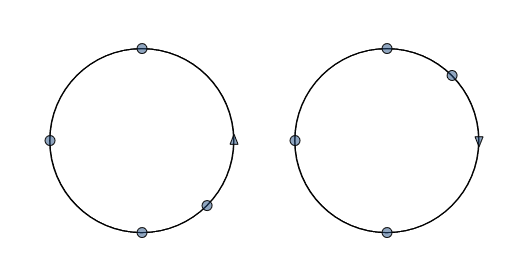
              I would to tend to keep the triangle even on closed Paths.
              Because it indicates also where VectorStyler would place
              the Node if i inserting a Node.
              0_1726988134692_end triangle.png

              Win 11
              CPU: AMD Ryzen 5 9600X, 6-core.
              GPU: Nvidia Geforce RTX 5070.

              M 1 Reply Last reply Reply Quote 0
              • M Offline
                monsterfox @Subpath
                last edited by

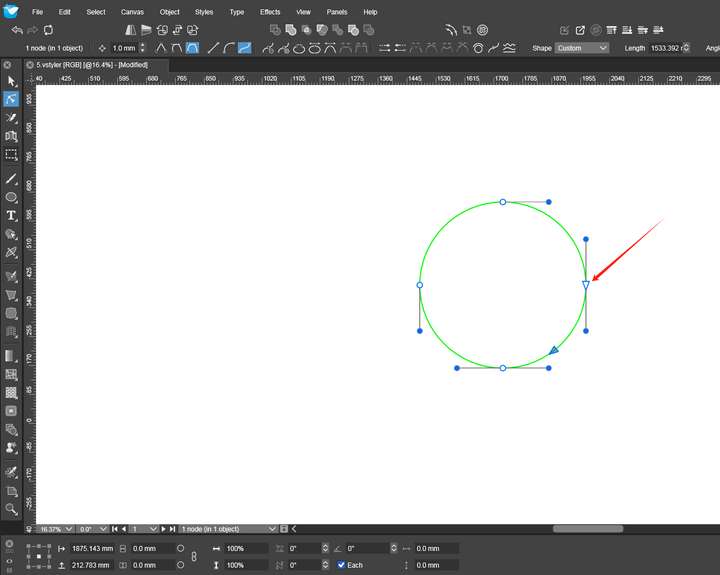
                @Subpath 0_1726999854250_2.png This situation of yours should be due to the settings. My settings can display the path direction with a single click on the path. Therefore, I think the blue triangular arrows on the closed path are somewhat redundant.

                S 1 Reply Last reply Reply Quote 0
                • M Offline
                  monsterfox @VectorStyler
                  last edited by

                  @VectorStyler I input your code, saved it and restarted the program. But I found it had no effect. Was there anything wrong? 0_1727001474871_1.png

                  VectorStylerV 2 Replies Last reply Reply Quote 1
                  • S Offline
                    Subpath @monsterfox
                    last edited by Subpath

                    @monsterfox

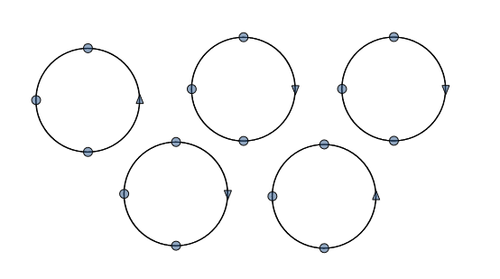
                    That triangle does not seem so obviously redundant to me.

                    If you look at the circles in the picture, they are not combined,
                    just selected and you can see at first glance which direction
                    the path has for each circle.

                    I know the blue triangle of course. If you only had the blue triangle
                    you would have to look at each circle to know the direction of the path.

                    0_1727004069390_triangle-2.png

                    Win 11
                    CPU: AMD Ryzen 5 9600X, 6-core.
                    GPU: Nvidia Geforce RTX 5070.

                    M 1 Reply Last reply Reply Quote 0
                    • M Offline
                      monsterfox @Subpath
                      last edited by

                      @Subpath The direction of viewing the path is generally required only when it is mixed. At other times, the display does not have much significance. Or there may be other uses that I don't know.

                      1 Reply Last reply Reply Quote 0
                      • VectorStylerV Offline
                        VectorStyler @monsterfox
                        last edited by

                        @monsterfox I will look into this before the next build.

                        1 Reply Last reply Reply Quote 0
                        • L Offline
                          Li Xiao
                          last edited by

                          I have tested that adding the <item id="separatepathstyleforopened" value="yes" type="bool"/> line to settings.xml is effective.
                          https://youtu.be/pmWiBhYRjEg

                          1 Reply Last reply Reply Quote 1
                          • VectorStylerV Offline
                            VectorStyler @monsterfox
                            last edited by

                            @monsterfox said in closed path:

                            I input your code, saved it and restarted the program. But I found it had no effect. Was there anything wrong?
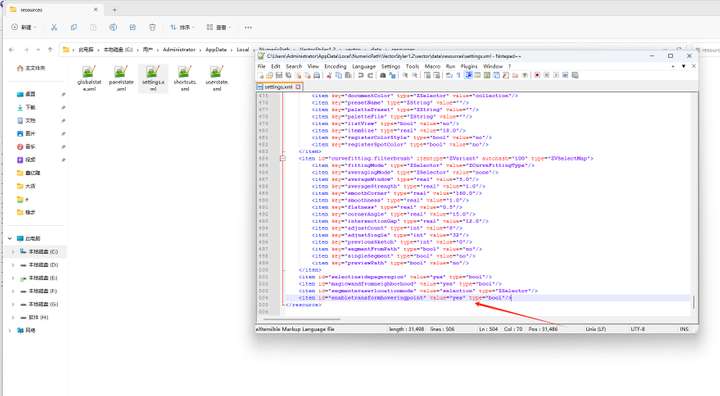
                            From the screenshot it looks fine. But was VS running while you edited that file? You have to first exit VS and then make the changes.

                            I tested it here and it is working.

                            M 1 Reply Last reply Reply Quote 0
                            • M Offline
                              monsterfox @VectorStyler
                              last edited by

                              @VectorStyler This is where I'm puzzled.
                              I saw that LI XIAO succeeded in setting it up.
                              I asked him for this file and replaced my original file.
                              After I restarted the program. It still had no effect.
                              I also restored the default settings. It still didn't work.
                              I don't know where the problem lies.

                              VectorStylerV 1 Reply Last reply Reply Quote 1
                              • VectorStylerV Offline
                                VectorStyler @monsterfox
                                last edited by

                                @monsterfox I assume that VS is not running when you edit the settings file.

                                One other option is that you edited a settings file that is from a different VS version (maybe 1.1).
                                One way to check this is to change some settings in VS, exit and check if the settings.xml file date has been updated.

                                1 Reply Last reply Reply Quote 0
                                • First post
                                  Last post