VectorStyler
    • Categories
    • Unread
    • Recent
    • Tags
    • Popular
    • Register
    • Login

    Pattern Brush Style

    Scheduled Pinned Locked Moved Questions and Support
    11 Posts 2 Posters 8.5k Views 2 Watching
    Loading More Posts
    • Oldest to Newest
    • Newest to Oldest
    • Most Votes
    Reply
    • Reply as topic
    Log in to reply
    This topic has been deleted. Only users with topic management privileges can see it.
    • B Offline
      B-Vs-V
      last edited by

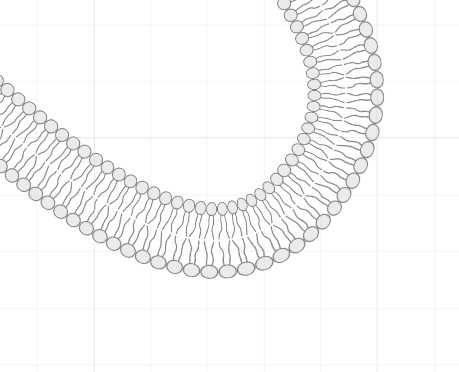
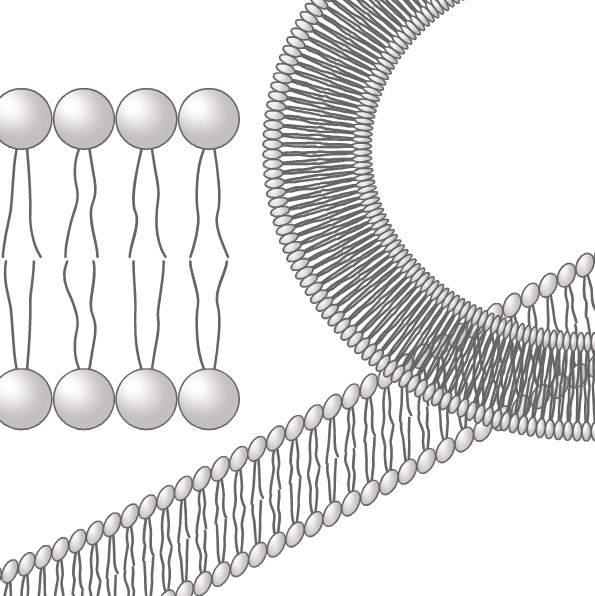
      I want to create a brush to repeat a pattern without too much distortion. It works rather well with ADesigner (even though it's not vector-based) but I can't get anything right with VS. How can I manage that ?
      Thanks ☺

      AD:
      0_1727952024364_ad.jpg

      VS:
      0_1727952062338_VS.jpg

      W11 Pro 25H2 - 12th Gen Intel(R) i7-12700K 3.61 GHz - RAM 64 Go - NVIDIA GF GTX 4070 Ti - Intuos - Dell UP3216Q / Eizo ColorEdge
      W11 Pro 25H2 - 12th Gen Intel(R) i7-12700KF 3.60 GHz -RAM 64 Go - NVIDIA GF GTX 3080 - IntuosPro- ProArt PA329C

      VectorStylerV 1 Reply Last reply Reply Quote 1
      • VectorStylerV Offline
        VectorStyler @B-Vs-V
        last edited by

        @Pat This should work, but some options may need to be adjusted. From what I see in the image, it might need to be scaled (pattern brush option).

        If you send me the file I can find the best options for this.

        B 1 Reply Last reply Reply Quote 0
        • B Offline
          B-Vs-V @VectorStyler
          last edited by

          @VectorStyler File sent. Thanks ☺

          W11 Pro 25H2 - 12th Gen Intel(R) i7-12700K 3.61 GHz - RAM 64 Go - NVIDIA GF GTX 4070 Ti - Intuos - Dell UP3216Q / Eizo ColorEdge
          W11 Pro 25H2 - 12th Gen Intel(R) i7-12700KF 3.60 GHz -RAM 64 Go - NVIDIA GF GTX 3080 - IntuosPro- ProArt PA329C

          VectorStylerV 1 Reply Last reply Reply Quote 1
          • VectorStylerV Offline
            VectorStyler @B-Vs-V
            last edited by

            @Pat This is relatively easy to fix:

            • for the circle case: set the "Scale" in the pattern brush options to 100%
            • for the curve, to avoid the tilting, add an extra node to the curve at the bottom-left node (the pattern is titled because of the tiling of normal to the path at the ends, attached the example in email).
            B 1 Reply Last reply Reply Quote 0
            • B Offline
              B-Vs-V @VectorStyler
              last edited by

              @VectorStyler Thyanks for the file ☺
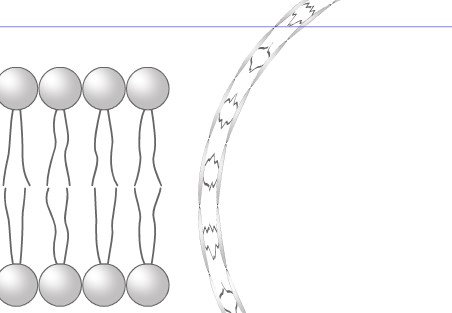
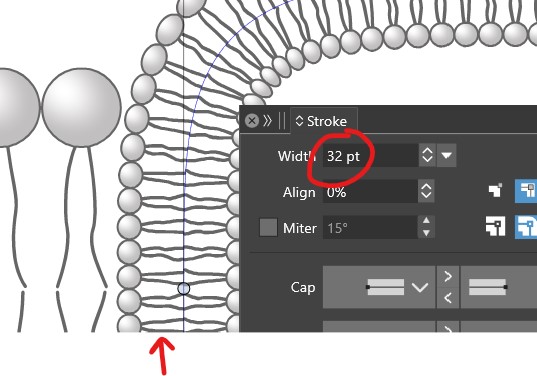
              There's one more parameter I'd like to know how to adjust, but don't know if it's possible. By changing the stroke thickness of the shape to which the brush is applied, you can see that the strokes of the objects used to make the brush change in thickness. This is a problem for what I want to be able to do with such a brush (at least change the thickness without changing the appearance).
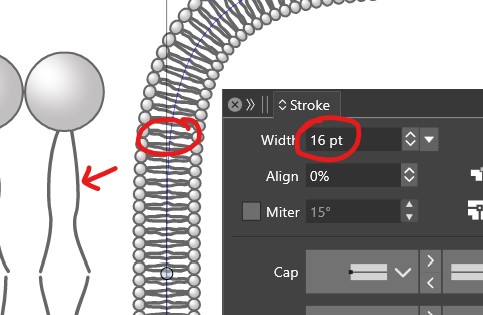
              0_1727957432225_VS2.jpg

              0_1727957439304_VS.jpg

              W11 Pro 25H2 - 12th Gen Intel(R) i7-12700K 3.61 GHz - RAM 64 Go - NVIDIA GF GTX 4070 Ti - Intuos - Dell UP3216Q / Eizo ColorEdge
              W11 Pro 25H2 - 12th Gen Intel(R) i7-12700KF 3.60 GHz -RAM 64 Go - NVIDIA GF GTX 3080 - IntuosPro- ProArt PA329C

              VectorStylerV 1 Reply Last reply Reply Quote 1
              • VectorStylerV Offline
                VectorStyler @B-Vs-V
                last edited by VectorStyler

                @Pat When creating the pattern content (original lines+circle image on the left), group the whole thing and enable the "Filtered Outline" option for these (Stroke panel menu, or 6th icon in the Stroke panel).
                But this will slow things down a bit.

                I will try to add an easier option for these.

                EDIT: an alternate option is to expand the stroke of the symbo before creating the brush content.

                B 1 Reply Last reply Reply Quote 0
                • B Offline
                  B-Vs-V @VectorStyler
                  last edited by

                  @VectorStyler said in Pattern Brush Style:

                  @Pat When creating the pattern content (original lines+circle image on the left), group the whole thing and enable the "Filtered Outline" option for these (Stroke panel menu, or 6th icon in the Stroke panel).
                  But this will slow things down a bit.

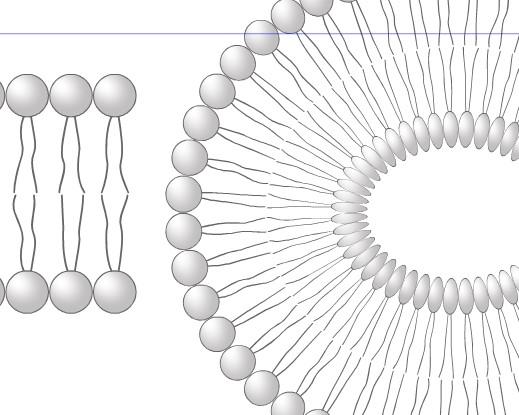
                  Doing this & I got that:

                  0_1727960381065_vs.jpg

                  EDIT: an alternate option is to expand the stroke of the symbo before creating the brush content.

                  No, in my hands:
                  0_1727960403467_vs2.jpg

                  W11 Pro 25H2 - 12th Gen Intel(R) i7-12700K 3.61 GHz - RAM 64 Go - NVIDIA GF GTX 4070 Ti - Intuos - Dell UP3216Q / Eizo ColorEdge
                  W11 Pro 25H2 - 12th Gen Intel(R) i7-12700KF 3.60 GHz -RAM 64 Go - NVIDIA GF GTX 3080 - IntuosPro- ProArt PA329C

                  VectorStylerV 1 Reply Last reply Reply Quote 1
                  • VectorStylerV Offline
                    VectorStyler @B-Vs-V
                    last edited by

                    @Pat I opened a bug on this and will try to find an improvement.

                    B 1 Reply Last reply Reply Quote 1
                    • B Offline
                      B-Vs-V @VectorStyler
                      last edited by

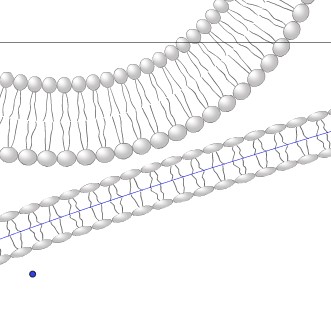
                      @VectorStyler it's not what I'm hoping for yet:
                      0_1728222777638_vs.jpg

                      W11 Pro 25H2 - 12th Gen Intel(R) i7-12700K 3.61 GHz - RAM 64 Go - NVIDIA GF GTX 4070 Ti - Intuos - Dell UP3216Q / Eizo ColorEdge
                      W11 Pro 25H2 - 12th Gen Intel(R) i7-12700KF 3.60 GHz -RAM 64 Go - NVIDIA GF GTX 3080 - IntuosPro- ProArt PA329C

                      VectorStylerV 1 Reply Last reply Reply Quote 1
                      • VectorStylerV Offline
                        VectorStyler @B-Vs-V
                        last edited by

                        @Pat What is the problem with this? The first case (circle) seems fine, the second case is stretched.

                        B 1 Reply Last reply Reply Quote 0
                        • B Offline
                          B-Vs-V @VectorStyler
                          last edited by

                          @VectorStyler That's fine for a certain range of stroke thicknesses, otherwise the deformations are too great. Scaling must also differ depending on the shape. It's getting complicated...

                          W11 Pro 25H2 - 12th Gen Intel(R) i7-12700K 3.61 GHz - RAM 64 Go - NVIDIA GF GTX 4070 Ti - Intuos - Dell UP3216Q / Eizo ColorEdge
                          W11 Pro 25H2 - 12th Gen Intel(R) i7-12700KF 3.60 GHz -RAM 64 Go - NVIDIA GF GTX 3080 - IntuosPro- ProArt PA329C

                          1 Reply Last reply Reply Quote 0
                          • First post
                            Last post