Idea concerning "Hovering selection" while using selection tool
-
Is it an idea that Performance setting "Hovering selection" while using selection tool (not node tool) only shows the path and not the nodes? That gives a much much nicer and clearer uncluttered image in complex artwork. You need nodes (preview) when you are working with the node tool. To see and understand the structure, density and locations.
Shapetext does this already; when hovering over shapetext with the selection tool "Hovering selection" ON returns only the underlying baseline stroke. Hovering over the same text with the node tool it returns baseline stroke plus nodes. Try it yourself!
-
@Ayo said in Idea concerning "Hovering selection" while using selection tool:
Is it an idea that Performance setting "Hovering selection" while using selection tool (not node tool) only shows the path and not the nodes?
yes, displaying nodes for a complex shape can be slow.
-
@VectorStyler
I'm afraid we don't understand each other well. I'm not talking about 'slow' but about 'show'. -
@VectorStyler said in Idea concerning "Hovering selection" while using selection tool:
yes, displaying nodes for a complex shape can be slow.
Do you mean that it could be an additional benefit?
-
@Ayo said in Idea concerning "Hovering selection" while using selection tool:
Do you mean that it could be an additional benefit?
For simple shapes maybe (to indicate shape complexity).
-
I think we still don't understand each other.
Picture always helps, that's our advantage
Difference is in selection tool stroke part.
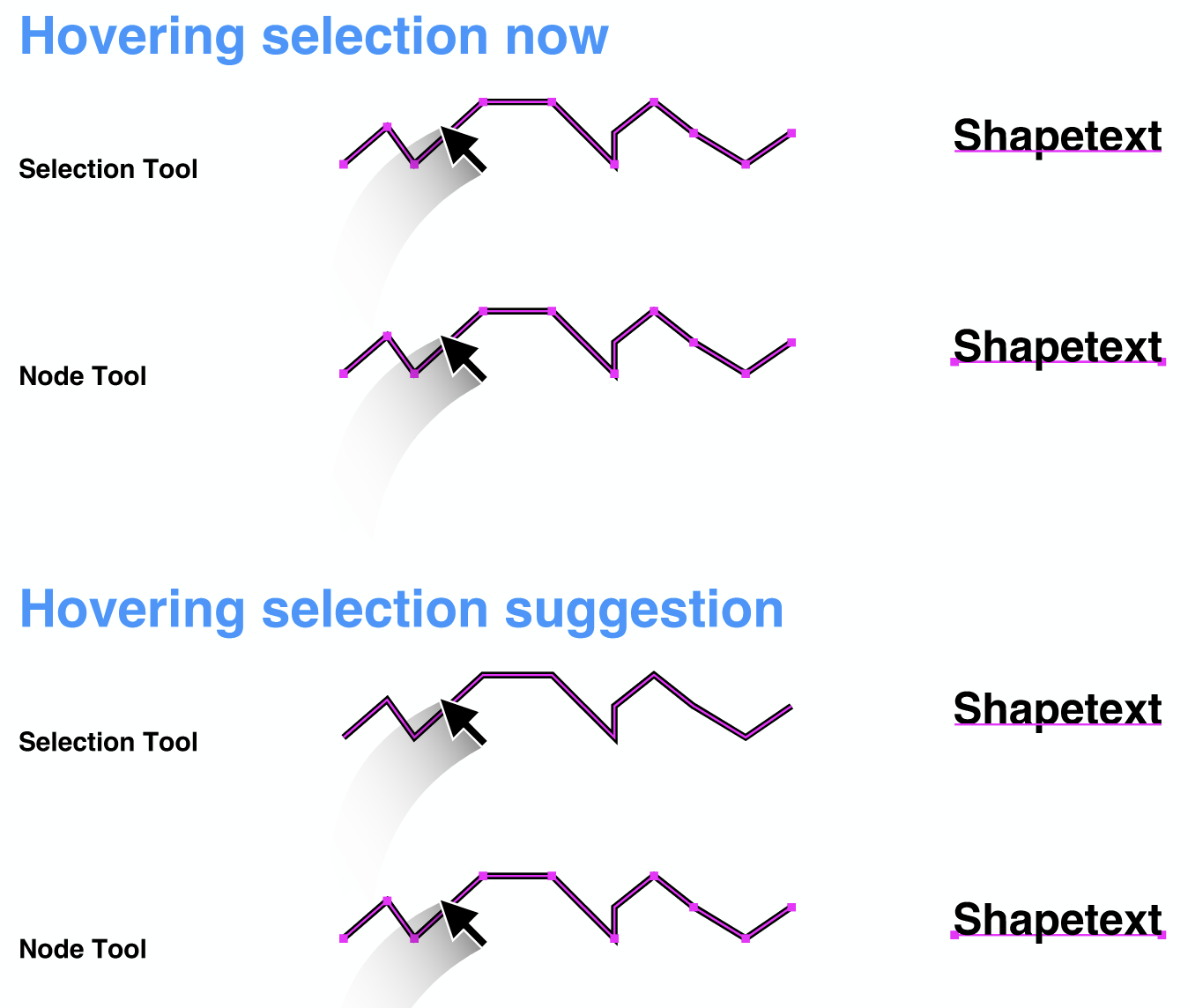
-
@Ayo Got it, I added this to the backlog.
-
@VectorStyler said in Idea concerning "Hovering selection" while using selection tool:
Got it
The Power of Images
By omitting the nodes there may be some more memory space for preview. This may allow the threshold value of the complexity for visible shape previews to be a bit higher. Or am I talking out of line now. I experience that larger/more complex shapes do not get a full line preview but a more dotted version that looks like random simplified nodes.
-
@Ayo
In the above perspective another repeated call.Given that the default line color value when creating a new or first document is black, I would strongly recommend NOT to make the default Layer 1 color black. Because with black a (new) user cannot experience what the color does and what function it has. You simply cannot see it!
Take your corporate color blue for example or a slightly more lively derivative.
Black is useful while working with a layer containing yellowish objects for example.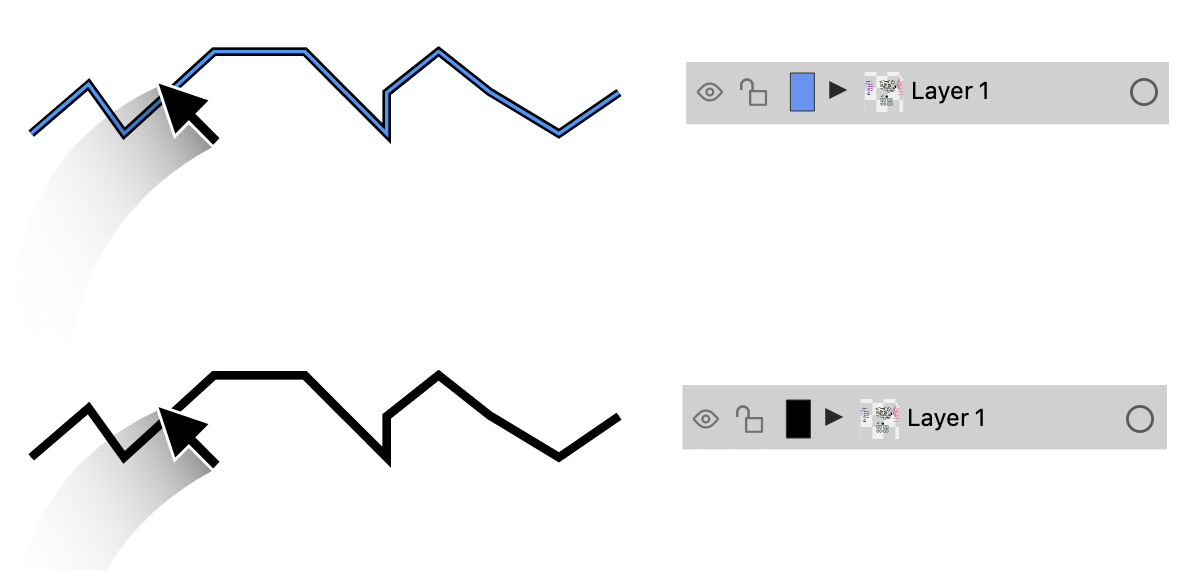
-
@Ayo said in Idea concerning "Hovering selection" while using selection tool:
Take your corporate color blue for example
To seduce and feel old Freehanders coming home

