VectorStyler
    • Categories
    • Unread
    • Recent
    • Tags
    • Popular
    • Register
    • Login

    Brush(work), inconsistency in design

    Scheduled Pinned Locked Moved Questions and Support
    4 Posts 2 Posters 3.5k Views 2 Watching
    Loading More Posts
    • Oldest to Newest
    • Newest to Oldest
    • Most Votes
    Reply
    • Reply as topic
    Log in to reply
    This topic has been deleted. Only users with topic management privileges can see it.
    • B Offline
      B-Vs-V
      last edited by

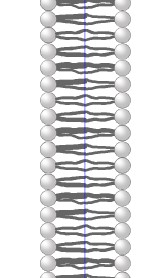
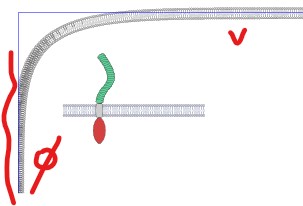
      Using a brush on a ‘Super ellipse’ shape shows differences from one side to the other:
      0_1730014965010_b1.jpg

      this is ok and corresponds to the original shape used to create the brush
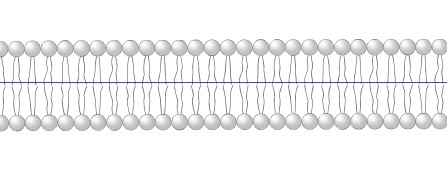
      0_1730014993054_b3.jpg

      this is not desired:

      0_1730015006840_b2.jpg

      Also, how do you apply a colour to the grey of the gradient? If I apply a colour, only the strokes in the design are coloured.

      Thanks ☺

      W11 Pro 25H2 - 12th Gen Intel(R) i7-12700K 3.61 GHz - RAM 64 Go - NVIDIA GF GTX 4070 Ti - Intuos - Dell UP3216Q / Eizo ColorEdge
      W11 Pro 25H2 - 12th Gen Intel(R) i7-12700KF 3.60 GHz -RAM 64 Go - NVIDIA GF GTX 3080 - IntuosPro- ProArt PA329C

      VectorStylerV 1 Reply Last reply Reply Quote 1
      • VectorStylerV Offline
        VectorStyler @B-Vs-V
        last edited by

        @Pat said in Brush(work), inconsistency in design:

        Also, how do you apply a colour to the grey of the gradient?

        This seems to be a bug, as it should work by simply selecting a color (with a tinted brush). I will fix this ASAP.

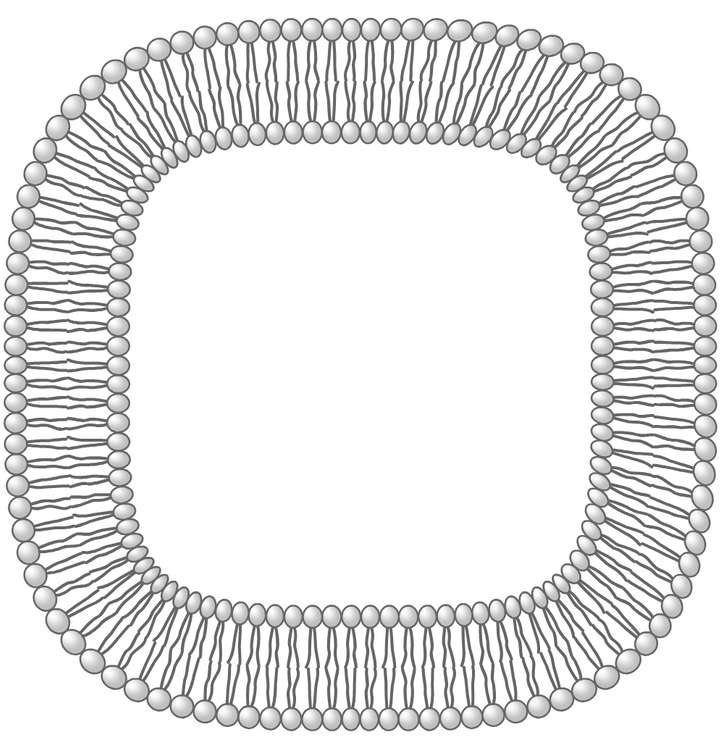
        Using a brush on a ‘Super ellipse’ shape shows differences from one side to the other

        I could not replicate this. This is what I get:
        0_1730016717613_patternbrush.png

        B 1 Reply Last reply Reply Quote 1
        • B Offline
          B-Vs-V @VectorStyler
          last edited by

          @VectorStyler Thanks for testing ☺
          Your scheme is much better(expected) but I think I have to define the corner too. I don't know why I get these superlarge strokes in mine?🤔

          W11 Pro 25H2 - 12th Gen Intel(R) i7-12700K 3.61 GHz - RAM 64 Go - NVIDIA GF GTX 4070 Ti - Intuos - Dell UP3216Q / Eizo ColorEdge
          W11 Pro 25H2 - 12th Gen Intel(R) i7-12700KF 3.60 GHz -RAM 64 Go - NVIDIA GF GTX 3080 - IntuosPro- ProArt PA329C

          VectorStylerV 1 Reply Last reply Reply Quote 1
          • VectorStylerV Offline
            VectorStyler @B-Vs-V
            last edited by

            @Pat Send me that file, could be that the corners are breaking.

            1 Reply Last reply Reply Quote 0
            • First post
              Last post