VectorStyler
    • Categories
    • Unread
    • Recent
    • Tags
    • Popular
    • Register
    • Login

    Image tracing ??

    Scheduled Pinned Locked Moved Features and Ideas
    15 Posts 2 Posters 11.7k Views 2 Watching
    Loading More Posts
    • Oldest to Newest
    • Newest to Oldest
    • Most Votes
    Reply
    • Reply as topic
    Log in to reply
    This topic has been deleted. Only users with topic management privileges can see it.
    • VectorStylerV Offline
      VectorStyler @B-Vs-V
      last edited by

      @Pat The resulting objects will be clipped into a rectangle (the original image frame), but that should not have a fill.

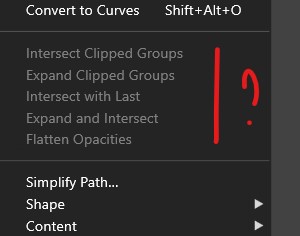
      An "Object -> Shape -> Clear Object Shape" should remove the clipping from the traced group. BTW: you must do an "Expand" on the trace first.

      B 1 Reply Last reply Reply Quote 0
      • B Offline
        B-Vs-V @VectorStyler
        last edited by B-Vs-V

        @VectorStyler said in Image tracing ??:

        @Pat The resulting objects will be clipped into a rectangle (the original image frame), but that should not have a fill.

        : you must do an "Expand" on the trace first.

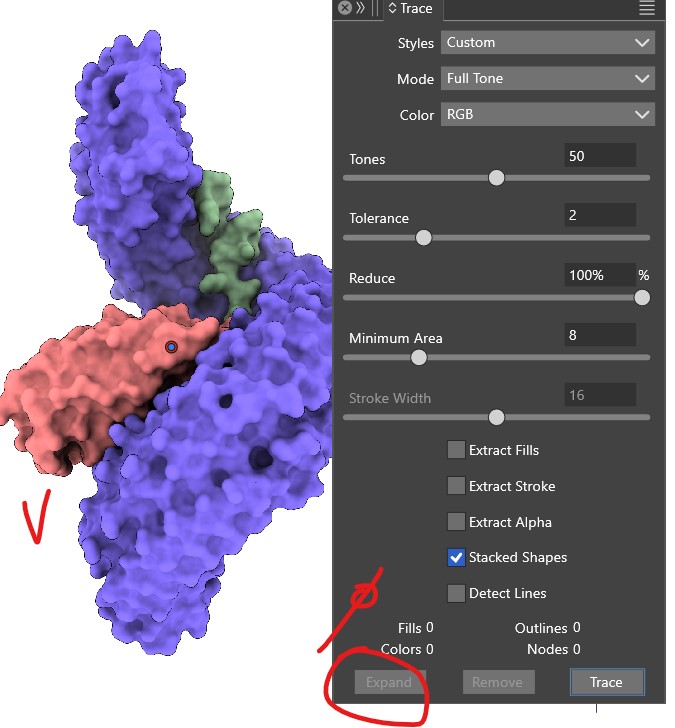
        @VectorStyler I can expand when the quality of the tracing is not high & I can not when it is ok:
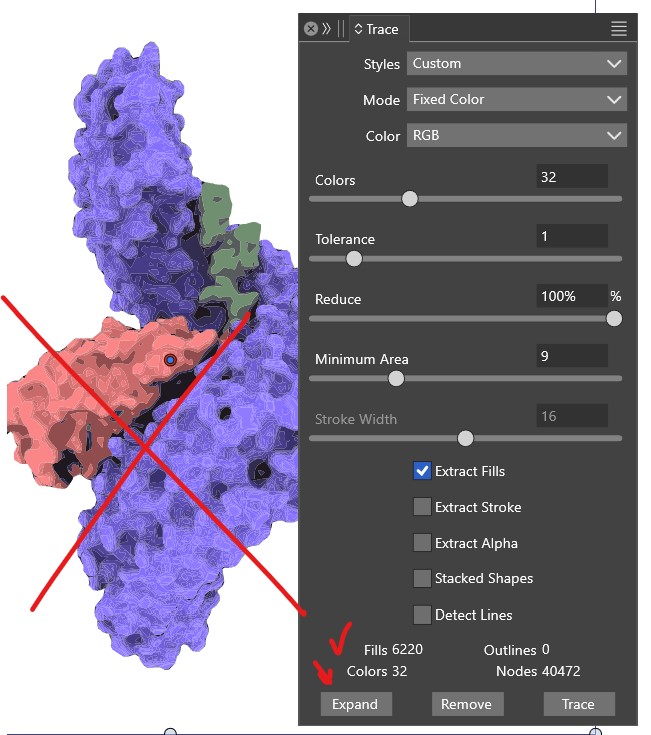
        0_1730211120165_b1.jpg

        0_1730211127269_b2.jpg

        So far, I have to trace png files in AdIllustrator to get what I need & I import in VS.

        W11 Pro 25H2 - 12th Gen Intel(R) i7-12700K 3.61 GHz - RAM 64 Go - NVIDIA GF GTX 4070 Ti - Intuos - Dell UP3216Q / Eizo ColorEdge
        W11 Pro 25H2 - 12th Gen Intel(R) i7-12700KF 3.60 GHz -RAM 64 Go - NVIDIA GF GTX 3080 - IntuosPro- ProArt PA329C

        VectorStylerV 1 Reply Last reply Reply Quote 1
        • VectorStylerV Offline
          VectorStyler @B-Vs-V
          last edited by

          @Pat The second image does not look traced.

          B 1 Reply Last reply Reply Quote 0
          • B Offline
            B-Vs-V @VectorStyler
            last edited by

            @VectorStyler Yes but I did. I saw the blue bar but no way to expand. I send you the file ☺

            W11 Pro 25H2 - 12th Gen Intel(R) i7-12700K 3.61 GHz - RAM 64 Go - NVIDIA GF GTX 4070 Ti - Intuos - Dell UP3216Q / Eizo ColorEdge
            W11 Pro 25H2 - 12th Gen Intel(R) i7-12700KF 3.60 GHz -RAM 64 Go - NVIDIA GF GTX 3080 - IntuosPro- ProArt PA329C

            VectorStylerV 1 Reply Last reply Reply Quote 1
            • VectorStylerV Offline
              VectorStyler @B-Vs-V
              last edited by

              @Pat Got the file. The image was not yet traced (it also looks too smooth to be traced in the screenshot).

              B 1 Reply Last reply Reply Quote 0
              • B Offline
                B-Vs-V @VectorStyler
                last edited by

                @VectorStyler said in Image tracing ??:

                @Pat Got the file. The image was not yet traced (it also looks too smooth to be traced in the screenshot).

                Agree but when "Extract something" is unchecked, VS doesn't trace although it seems so...

                W11 Pro 25H2 - 12th Gen Intel(R) i7-12700K 3.61 GHz - RAM 64 Go - NVIDIA GF GTX 4070 Ti - Intuos - Dell UP3216Q / Eizo ColorEdge
                W11 Pro 25H2 - 12th Gen Intel(R) i7-12700KF 3.60 GHz -RAM 64 Go - NVIDIA GF GTX 3080 - IntuosPro- ProArt PA329C

                VectorStylerV 1 Reply Last reply Reply Quote 1
                • VectorStylerV Offline
                  VectorStyler @B-Vs-V
                  last edited by

                  @Pat said in Image tracing ??:

                  VS doesn't trace although it seems so

                  That is true. In that case the trace button should be grayed. I will fix this.

                  B 1 Reply Last reply Reply Quote 0
                  • B Offline
                    B-Vs-V @VectorStyler
                    last edited by

                    @VectorStyler Yes, too good to be right ☺
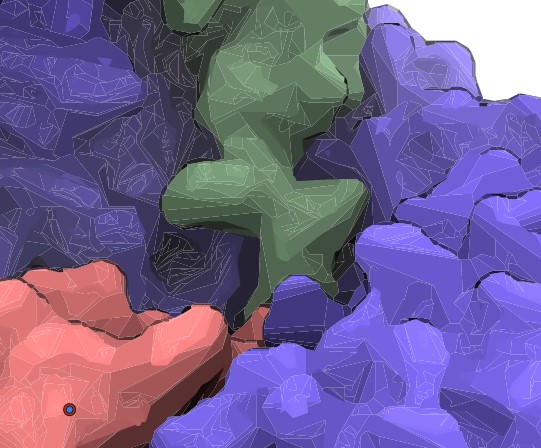
                    Whatever options I choose the results are not good, I can't manage not to have these lines. The results are unusable for me:
                    0_1730223418029_l.jpg

                    W11 Pro 25H2 - 12th Gen Intel(R) i7-12700K 3.61 GHz - RAM 64 Go - NVIDIA GF GTX 4070 Ti - Intuos - Dell UP3216Q / Eizo ColorEdge
                    W11 Pro 25H2 - 12th Gen Intel(R) i7-12700KF 3.60 GHz -RAM 64 Go - NVIDIA GF GTX 3080 - IntuosPro- ProArt PA329C

                    VectorStylerV 1 Reply Last reply Reply Quote 1
                    • VectorStylerV Offline
                      VectorStyler @B-Vs-V
                      last edited by

                      @Pat The lines are caused by anti-alliasing of touching shapes.

                      B 1 Reply Last reply Reply Quote 0
                      • B Offline
                        B-Vs-V @VectorStyler
                        last edited by

                        @VectorStyler said in Image tracing ??:

                        @Pat The lines are caused by anti-alliasing of touching shapes.

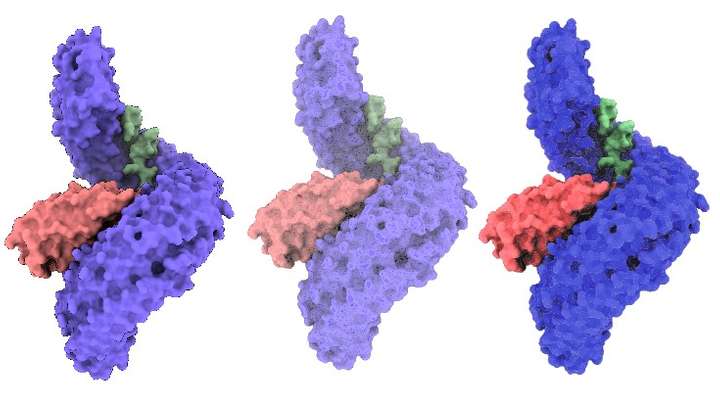
                        Is it possible not to have all these lines, as the result could even be of better quality than obtained with AdI?
                        There are also many options with combinations that are impossible to test all in a workflow with limited time.

                        Original/VS/AI:

                        0_1730270651624_c1.jpg

                        W11 Pro 25H2 - 12th Gen Intel(R) i7-12700K 3.61 GHz - RAM 64 Go - NVIDIA GF GTX 4070 Ti - Intuos - Dell UP3216Q / Eizo ColorEdge
                        W11 Pro 25H2 - 12th Gen Intel(R) i7-12700KF 3.60 GHz -RAM 64 Go - NVIDIA GF GTX 3080 - IntuosPro- ProArt PA329C

                        VectorStylerV 1 Reply Last reply Reply Quote 0
                        • VectorStylerV Offline
                          VectorStyler @B-Vs-V
                          last edited by VectorStyler

                          @Pat said in Image tracing ??:

                          Is it possible not to have all these lines, as the result could even be of better quality than obtained with AdI?

                          The only way to not have those lines is to turn off anti-aliasing with View -> Subpixel -> None.
                          Same when exporting to images, the anti-aliasing can be turned off in the export settings.

                          This is a rendering artifact from the type of anti-aliasing algorithm used in VS (similar thing happens in Affinity also).

                          B 1 Reply Last reply Reply Quote 0
                          • B Offline
                            B-Vs-V @VectorStyler
                            last edited by

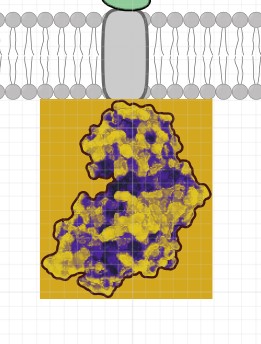
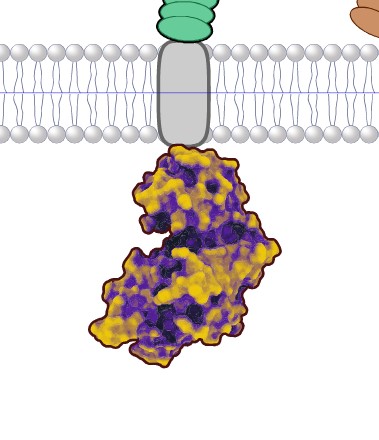
                            @VectorStyler Thanks but not obvious to find, & when exported as eps, there is an issue with image effect (color mapping):

                            In VS (ok):
                            0_1730280643328_vs.jpg

                            In AD:
                            0_1730280672099_AD.jpg

                            W11 Pro 25H2 - 12th Gen Intel(R) i7-12700K 3.61 GHz - RAM 64 Go - NVIDIA GF GTX 4070 Ti - Intuos - Dell UP3216Q / Eizo ColorEdge
                            W11 Pro 25H2 - 12th Gen Intel(R) i7-12700KF 3.60 GHz -RAM 64 Go - NVIDIA GF GTX 3080 - IntuosPro- ProArt PA329C

                            VectorStylerV 2 Replies Last reply Reply Quote 1
                            • VectorStylerV Offline
                              VectorStyler @B-Vs-V
                              last edited by

                              @Pat said in Image tracing ??:

                              color mapping

                              You can use a vector effect for color mapping (in the Effects menu, first section).

                              I will test what happens with the image export to EPS.

                              1 Reply Last reply Reply Quote 0
                              • VectorStylerV Offline
                                VectorStyler @B-Vs-V
                                last edited by

                                @Pat Image export to EPS: image mask might be missing (not supported) try PDF.

                                1 Reply Last reply Reply Quote 0
                                • First post
                                  Last post