VectorStyler
    • Categories
    • Unread
    • Recent
    • Tags
    • Popular
    • Register
    • Login

    AI file in VS? not perfect

    Scheduled Pinned Locked Moved Questions and Support
    5 Posts 2 Posters 4.4k Views 2 Watching
    Loading More Posts
    • Oldest to Newest
    • Newest to Oldest
    • Most Votes
    Reply
    • Reply as topic
    Log in to reply
    This topic has been deleted. Only users with topic management privileges can see it.
    • B Offline
      B-Vs-V
      last edited by

      I was thinking of reworking an old AI file in VS (which opens perfectly in the current AI v 29.0.1). The artboards are not created and some strokes obviously don't have the right colour.

      AI
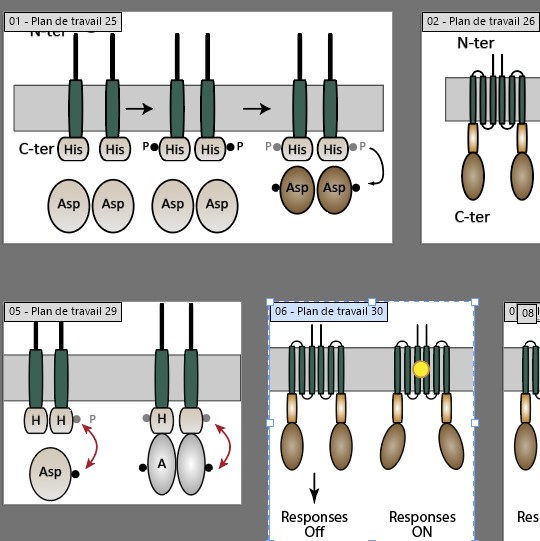
      0_1730445679079_Ai.jpg

      VS
      0_1730445693992_vs.jpg

      W11 Pro 25H2 - 12th Gen Intel(R) i7-12700K 3.61 GHz - RAM 64 Go - NVIDIA GF GTX 4070 Ti - Intuos - Dell UP3216Q / Eizo ColorEdge
      W11 Pro 25H2 - 12th Gen Intel(R) i7-12700KF 3.60 GHz -RAM 64 Go - NVIDIA GF GTX 3080 - IntuosPro- ProArt PA329C

      VectorStylerV 1 Reply Last reply Reply Quote 1
      • VectorStylerV Offline
        VectorStyler @B-Vs-V
        last edited by

        @Pat Was this file created in AI v29? Sometimes they change things in the file format.
        If you could send me the file I can try to find out why these issues occur.

        B 2 Replies Last reply Reply Quote 0
        • B Offline
          B-Vs-V @VectorStyler
          last edited by

          @VectorStyler No but it is fine in 29.

          W11 Pro 25H2 - 12th Gen Intel(R) i7-12700K 3.61 GHz - RAM 64 Go - NVIDIA GF GTX 4070 Ti - Intuos - Dell UP3216Q / Eizo ColorEdge
          W11 Pro 25H2 - 12th Gen Intel(R) i7-12700KF 3.60 GHz -RAM 64 Go - NVIDIA GF GTX 3080 - IntuosPro- ProArt PA329C

          1 Reply Last reply Reply Quote 0
          • B Offline
            B-Vs-V @VectorStyler
            last edited by

            @VectorStyler Ok, I had just opened it in AI 29 but this time I saved it and reopened it in VS. The artboards are all there, and all that's left are colour issues with the strokes.
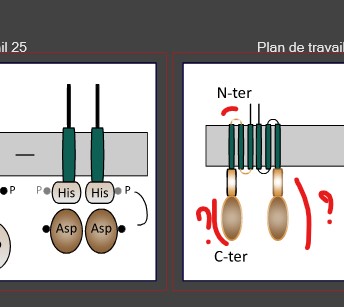
            0_1730446363030_vs.jpg

            W11 Pro 25H2 - 12th Gen Intel(R) i7-12700K 3.61 GHz - RAM 64 Go - NVIDIA GF GTX 4070 Ti - Intuos - Dell UP3216Q / Eizo ColorEdge
            W11 Pro 25H2 - 12th Gen Intel(R) i7-12700KF 3.60 GHz -RAM 64 Go - NVIDIA GF GTX 3080 - IntuosPro- ProArt PA329C

            VectorStylerV 1 Reply Last reply Reply Quote 0
            • VectorStylerV Offline
              VectorStyler @B-Vs-V
              last edited by

              @Pat said in AI file in VS? not perfect:

              The artboards are all there, and all that's left are colour issues with the strokes.

              If it is possible to reduce to a small example with the artboards and the strokes and send it to me, that would also help.

              1 Reply Last reply Reply Quote 0
              • First post
                Last post