VectorStyler
    • Categories
    • Unread
    • Recent
    • Tags
    • Popular
    • Register
    • Login

    Gradient tool adding stroke and affecting that instead of main fill

    Scheduled Pinned Locked Moved Questions and Support
    3 Posts 2 Posters 3.4k Views 1 Watching
    Loading More Posts
    • Oldest to Newest
    • Newest to Oldest
    • Most Votes
    Reply
    • Reply as topic
    Log in to reply
    This topic has been deleted. Only users with topic management privileges can see it.
    • BoldlineB Offline
      Boldline
      last edited by Boldline

      I'm having a hard time getting the gradient tool from the toolbar to work properly for me.
      If I have a shape with no stroke and I want to add or modify a gradient as that fill, it instead adds an unwanted stroke and affects that stroke with the gradient. Is this a bug?

      I would like to be able to affect the gradient of a fill or stroke using the gradient tool (G), but not sure how to do that. Right now it's adding an unwanted stroke

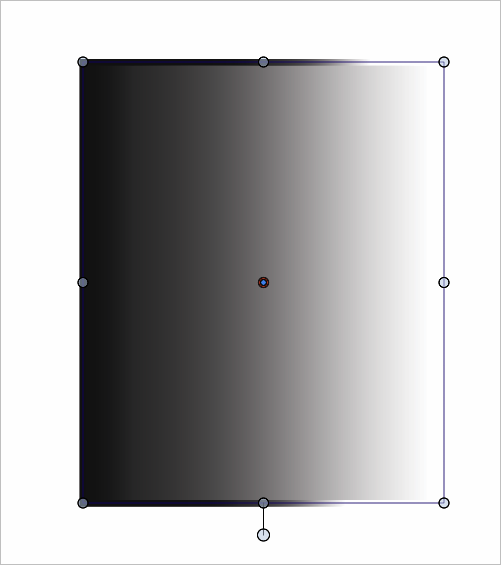
      Here is the example in the video of a gradient fill with no stroke:

      0_1732230561968_e75d426b-3652-4eeb-b557-171e788c1ee7-BLD 2024-11-21 at 18.09.13.png

      Here is the gradient tool I am using to adjust the existing gradient:
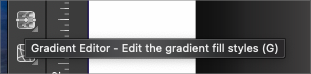
      0_1732230606405_d3e01bd8-28c4-418a-8c7b-f4fcbfbeb60c-BLD 2024-11-21 at 18.09.56.png

      This is the result:
      0_1732230550737_9a6adb5f-5e1f-44b9-a15d-001d0ac16f4e-BLD 2024-11-21 at 18.08.57.png

      🍎 macOS Tahoe 26.2, Mac mini (M1, 2020), Chip Apple M1, Memory 16 GB
      Cintiq 27QHD Display and LG Ultra HD Display

      VectorStylerV 1 Reply Last reply Reply Quote 0
      • BoldlineB Offline
        Boldline
        last edited by

        @VectorStyler Upon rebooting VS, the problem is solved. I can see where in the gradient panel I can control fill or stroke. I wonder if this contributed to the crash I emailed you 2 emails about just now - because I was trying to figure out why the gradient tool was creating a stroke and affecting it with a gradient when the fill was selected and chosen in the gradient panel and then when I clicked back over to VS, and zoomed out, VS crashed

        🍎 macOS Tahoe 26.2, Mac mini (M1, 2020), Chip Apple M1, Memory 16 GB
        Cintiq 27QHD Display and LG Ultra HD Display

        1 Reply Last reply Reply Quote 0
        • VectorStylerV Offline
          VectorStyler @Boldline
          last edited by

          @Boldline This could be caused by selection in the Appearance panel.

          1 Reply Last reply Reply Quote 0
          • First post
            Last post