VectorStyler
    • Categories
    • Unread
    • Recent
    • Tags
    • Popular
    • Register
    • Login

    Is this normal with flipped Objects?
    Scheduled Pinned Locked Moved Questions and Support
    2 Posts 2 Posters 2.4k Views 2 Watching
    Loading More Posts
    • Oldest to Newest
    • Newest to Oldest
    • Most Votes
    Reply
    • Reply as topic
    Log in to reply
    This topic has been deleted. Only users with topic management privileges can see it.
    • debraspicherD Offline
      debraspicher
      last edited by

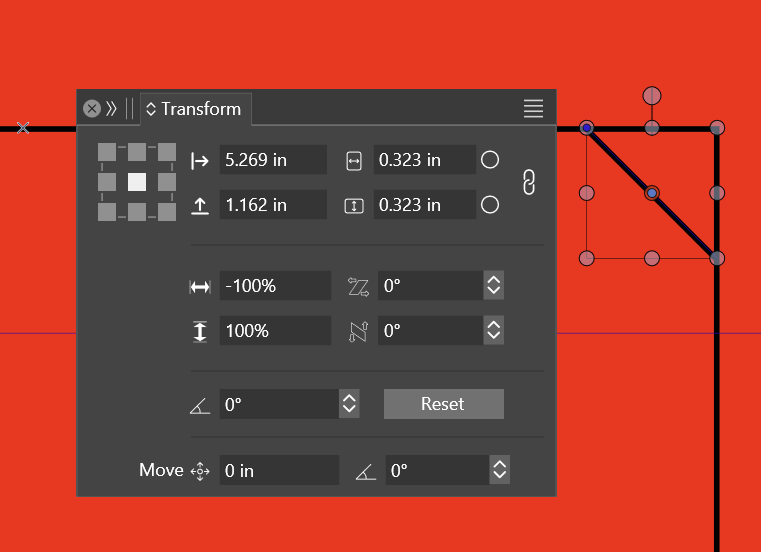
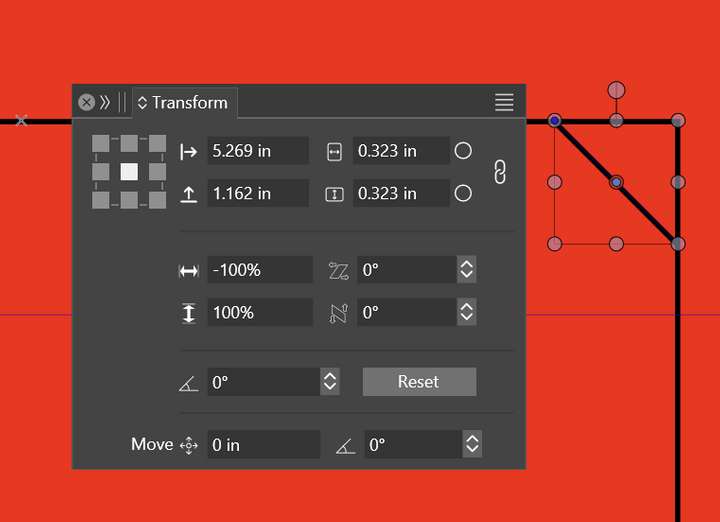
      Note the scale is in the negatives... adjusting this manually, whether keeping the negative in place or not, it causes the Object to unflip.
      0_1732852409922_84e5e631-b11a-4e54-8d03-97acfc51dec4-image.png

      0_1732852497567_241128_snowflake_2.vstyler

      Windows 11 Build 26200.7171 (25H2)
      AMD Ryzen 7 9700X with Gigabyte X870E Aorus Pro Ice
      32GB RAM @ 6000MHz
      PNY NVIDIA RTX 5070 Ti 16GB; Display 1: 4K @150%; Display 2: 4K @200%
      Wacom Intuos Pro L (2025); Wacom Intuos Pro M; Epson ET-8550; Siser Romeo

      VectorStylerV 1 Reply Last reply Reply Quote 1
      • VectorStylerV Offline
        VectorStyler @debraspicher
        last edited by

        @debraspicher said in Is this normal with flipped Objects?:

        adjusting this manually, whether keeping the negative in place or not, it causes the Object to unflip.

        I tested this now. Yes, the negative scaling value is correct, it means that the object is flipped (this is nondestructive flip).
        But if you edit the scaling value and it stays negative, the object should not unflip.

        If the value becomes positive, then of course it unflips.
        You can "flatten" the nondestructive transforms (flipping) with a convert to curves.

        1 Reply Last reply Reply Quote 1
        • First post
          Last post
