An idea for introducing Golden Ratio grids, colour palette and type hierarchy generator into VS
-
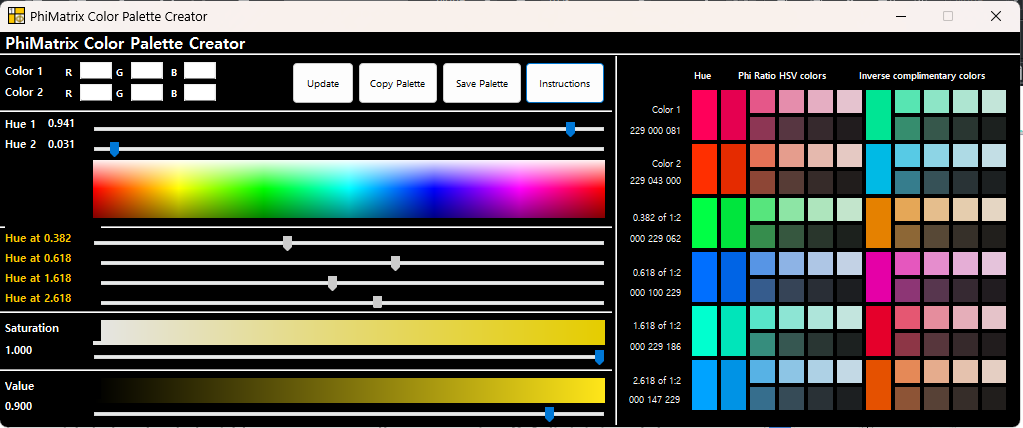
I use golden ratio grids quite a lot in my work. They really do help. At the moment, I use Phi Matrix, which is a surprisingly useful tool which allows you to overlay grids over any screen you want. I have also set this up manually in all the software I use. But it would be nice to have this built directly into the VS. Inkscape has it. You can generate a grid quickly. This is just one level of it. https://www.phimatrix.com/download/
There's yet another: The colour palette generator.
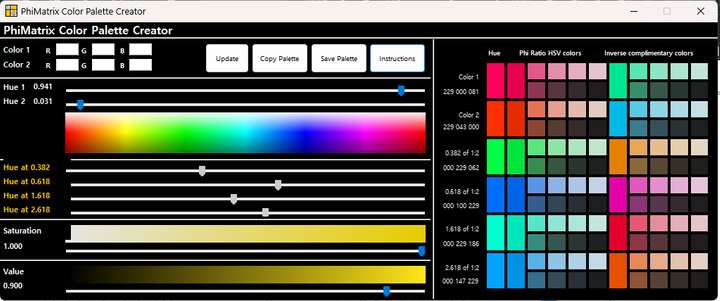
This allows you to quickly generate very complex but beautiful palettes rather quickly. The math is pretty simple. Divide the hue value by 0.382, 0.618, 1.618, and 2.618. That's it. You can do it manually, but it takes time.
Finally, I do exactly the same to create type hierarchy.
This has been one of my best kept secrets. Try it and see for yourself. You'll always get type hierarchy that is very good looking in print.
Just throwing it out there. This is not an essential feature. Just a nice to have. All of this can be manually done.
Work: Windows 11 | Intel i9 14900HS (24 Cores/32 Threads) | GeForce RTX 4070 | 64 GB RAM
Personal: Windows 11 | Amd Ryzen 9 7950X (16 Core, 32 Threads) | GeForce RTX 3060 | 32 GB RAM -
Even if grids and colour palette generator are left out, I'd still love to see Type hierarchy generator. It is a bloody pain to manually set the values everytime. The way it can be done is, you create heading 1, and have a button saying, "Generate Phi Hierarchy" with a field for defining how many levels. When you set it to say 4, and click it, you instantly have 4 levels, with the outermost being body. Heading 1, Heading 2, Heading 3, and Body. Instantly set to the right values.
-
The important thing is that the colour palette generator helps to maintain strong contrast differences, which is one of the main reasons why so many designs fail in print. I'd say it is even the first reason for design failure.
-
@Daniel I added these to the features backlog.

