VectorStyler
    • Categories
    • Unread
    • Recent
    • Tags
    • Popular
    • Register
    • Login

    Unexpected Result doing Boolean Exclude with a Bitmap

    Scheduled Pinned Locked Moved Questions and Support
    2 Posts 2 Posters 2.0k Views 2 Watching
    Loading More Posts
    • Oldest to Newest
    • Newest to Oldest
    • Most Votes
    Reply
    • Reply as topic
    Log in to reply
    This topic has been deleted. Only users with topic management privileges can see it.
    • S Offline
      Subpath
      last edited by Subpath

      As the title suggests, cutting a bitmap with a rectangle deforms or
      resizes the bitmap instead of cutting off (clipping) the corresponding portion.

      Here's a video demonstrating this in VectorStyler and CorelDRAW.

      VectorStyler
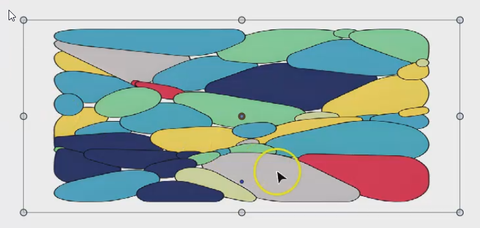
      0_1742928691810_VectorStyler-cut.png

      CorelDraw
      0_1742928705397_CorelDraw-cut.png

      Win 11
      CPU: AMD Ryzen 5 9600X, 6-core.
      GPU: Nvidia Geforce RTX 5070.

      VectorStylerV 1 Reply Last reply Reply Quote 1
      • VectorStylerV Offline
        VectorStyler @Subpath
        last edited by

        @Subpath Yes, this is a known issue.

        A workaround: place the image into an other clipping shape (can be a rectangle of the same size). The image can be drag&dropped into this clipping shape in the layers panel.

        Then use the boolean exclude on the clipped image. This will exclude from the clipping and not the image shape, so the image size will not be changed.

        1 Reply Last reply Reply Quote 1
        • First post
          Last post