VectorStyler
    • Categories
    • Unread
    • Recent
    • Tags
    • Popular
    • Register
    • Login

    Curves on blending objects on a rounded shape not working?
    Scheduled Pinned Locked Moved Questions and Support
    3 Posts 3 Posters 2.8k Views 4 Watching
    Loading More Posts
    • Oldest to Newest
    • Newest to Oldest
    • Most Votes
    Reply
    • Reply as topic
    Log in to reply
    This topic has been deleted. Only users with topic management privileges can see it.
    • P Offline
      pilkafa
      last edited by

      0_1743197795862_Screenshot 2025-03-28 at 21.36.04.png

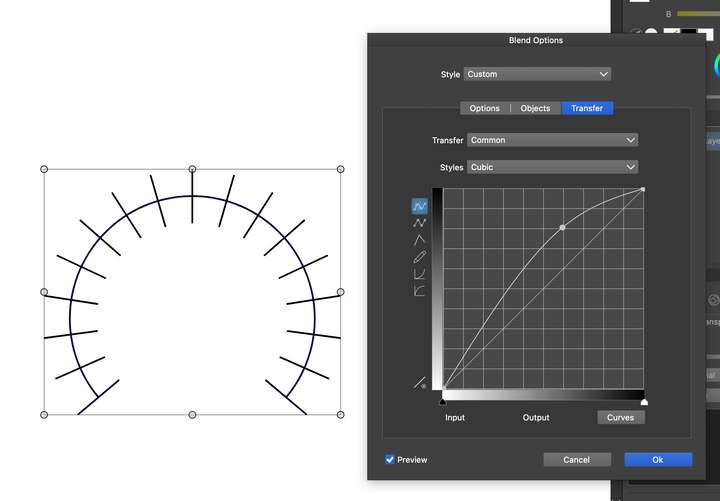
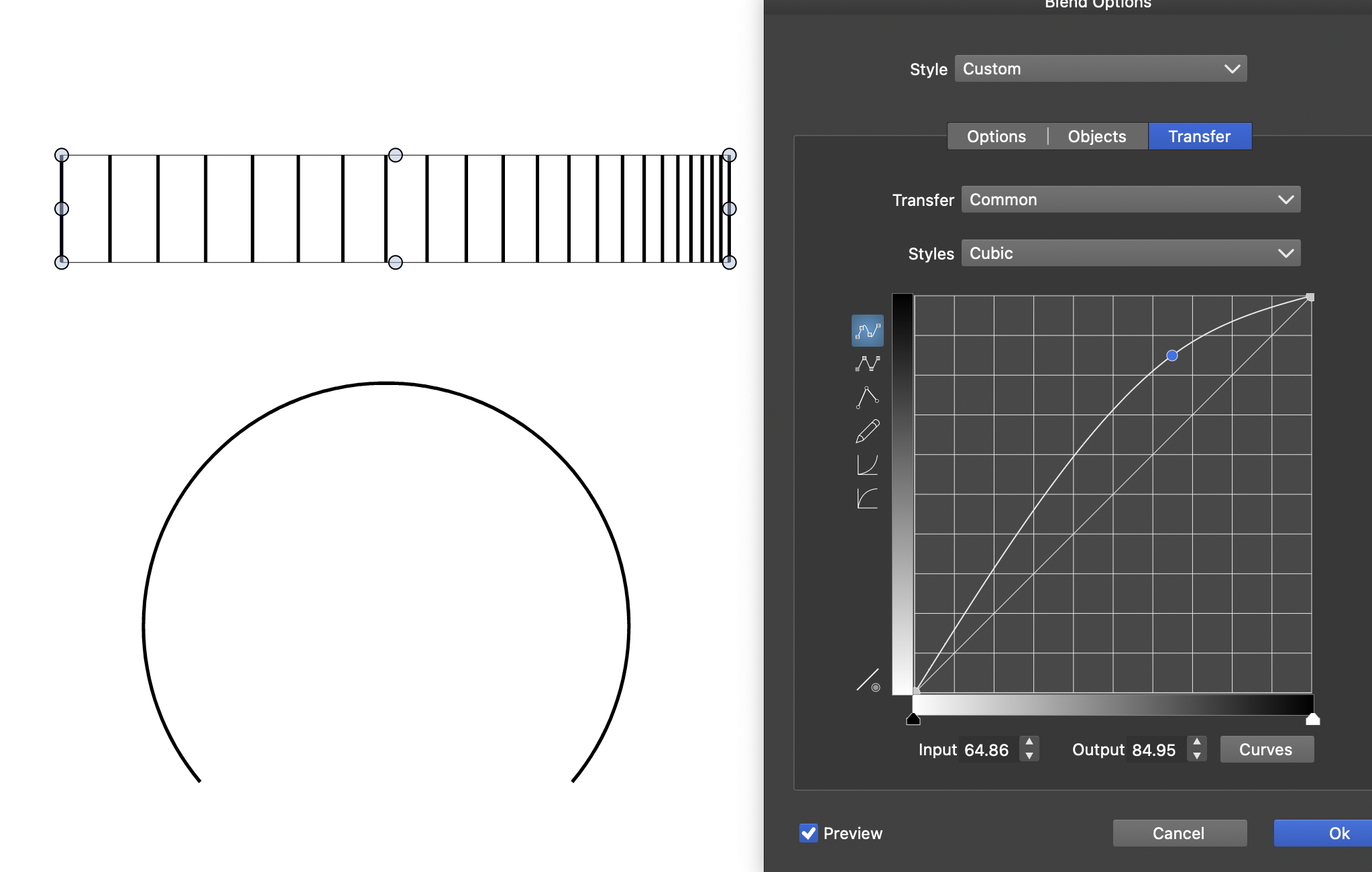
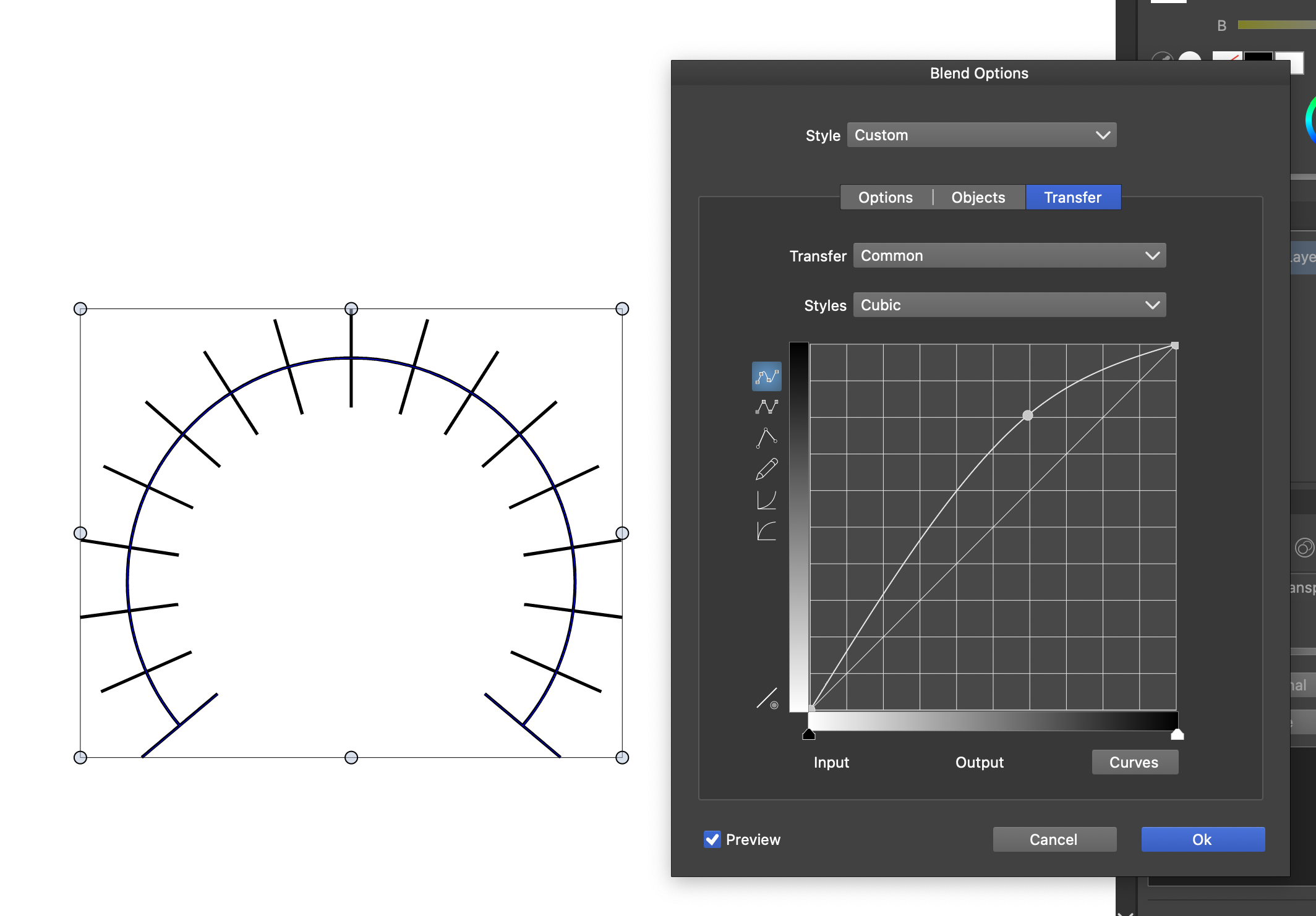
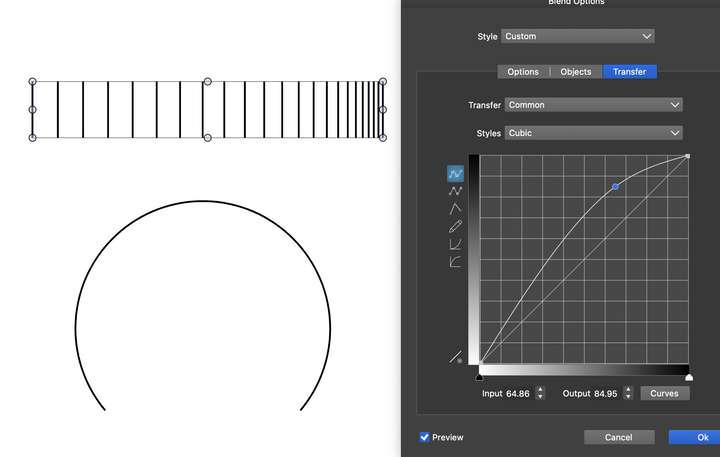
      I'm trying to set the blend distance to be more narrow towards to the end of the line but I can't do it if I blend the the along the path. Am I doing something wrong here? This works perfectly when it's a straight line.
      0_1743197962855_Screenshot 2025-03-28 at 21.39.19.png

      Devil DinosaurD VectorStylerV 2 Replies Last reply Reply Quote 1
      • Devil DinosaurD Offline
        Devil Dinosaur @pilkafa
        last edited by Devil Dinosaur

        @pilkafa In the Blend option panel, set "Transfer" to "position"
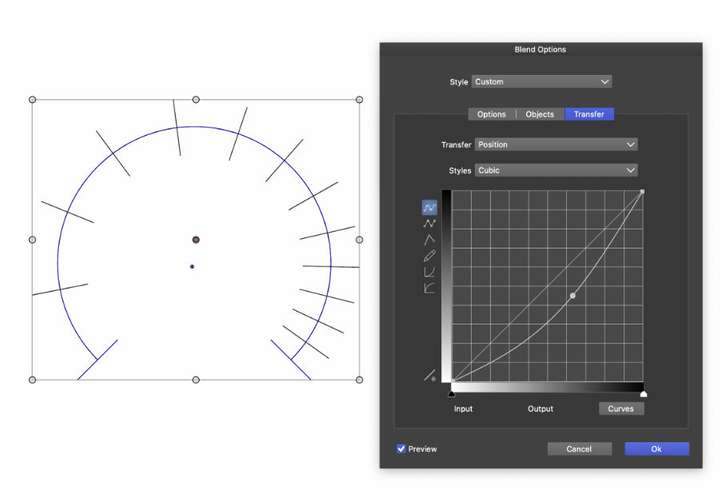
        0_1743211671694_Capture d’écran 2025-03-29 à 09.25.31.jpg

        Fred.
        MacBook Pro (M1) - MacOs Sonoma 14

        1 Reply Last reply Reply Quote 1
        • VectorStylerV Offline
          VectorStyler @pilkafa
          last edited by

          @pilkafa I will test if the "Common" curve should also affect the position, but in the meanwhile use the "Position" curve


          1 Reply Last reply Reply Quote 0
          • First post
            Last post