VectorStyler
    • Categories
    • Unread
    • Recent
    • Tags
    • Popular
    • Register
    • Login

    Would like to Skip that import dialog panel

    Scheduled Pinned Locked Moved Questions and Support
    3 Posts 2 Posters 2.8k Views 2 Watching
    Loading More Posts
    • Oldest to Newest
    • Newest to Oldest
    • Most Votes
    Reply
    • Reply as topic
    Log in to reply
    This topic has been deleted. Only users with topic management privileges can see it.
    • S Offline
      Subpath
      last edited by Subpath

      When importing a .vectorstyler file, I always get this dialog.
      Can I skip this dialog box?
      .
      .
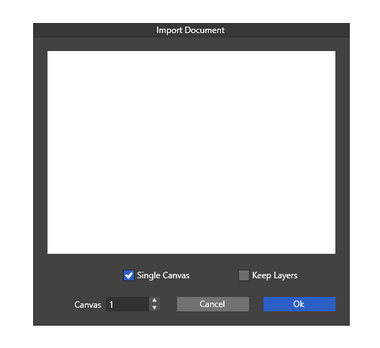
      Then I noticed that the dialog panel initially looks like this: you
      dont see any file contents; only when you move the box does it
      appear. Here a Pic.
      0_1743406662363_Dialog-panel-1.png
      .
      .

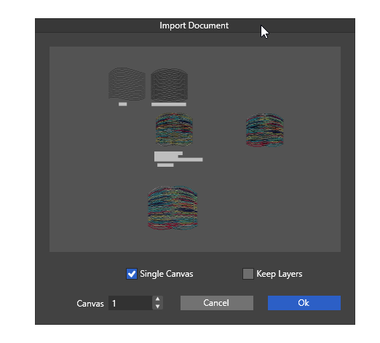
      I'm also surprised that the background in the dialog panel is gray.
      The file was saved with a white canvas. Well i dont mind that
      much about this, but i think grey is not a great choice.
      0_1743406712496_Dialog-panel-2.png

      Win 11
      CPU: AMD Ryzen 5 9600X, 6-core.
      GPU: Nvidia Geforce RTX 5070.

      VectorStylerV 1 Reply Last reply Reply Quote 1
      • VectorStylerV Offline
        VectorStyler @Subpath
        last edited by

        @Subpath I will fix the issues with this panel. Also, maybe an option to skip if importing a single canvas file?

        S 1 Reply Last reply Reply Quote 1
        • S Offline
          Subpath @VectorStyler
          last edited by

          @VectorStyler said in Would like to Skip that import dialog panel:

          Also, maybe an option to skip if importing a single canvas file?

          I mainly import single canvas files, so this would be a great help

          Win 11
          CPU: AMD Ryzen 5 9600X, 6-core.
          GPU: Nvidia Geforce RTX 5070.

          1 Reply Last reply Reply Quote 1
          • First post
            Last post