VectorStyler
    • Categories
    • Unread
    • Recent
    • Tags
    • Popular
    • Register
    • Login

    list of errors

    Scheduled Pinned Locked Moved Bugs in VectorStyler
    46 Posts 2 Posters 33.1k Views 2 Watching
    Loading More Posts
    • Oldest to Newest
    • Newest to Oldest
    • Most Votes
    Reply
    • Reply as topic
    Log in to reply
    This topic has been deleted. Only users with topic management privileges can see it.
    • M Offline
      monsterfox @monsterfox
      last edited by

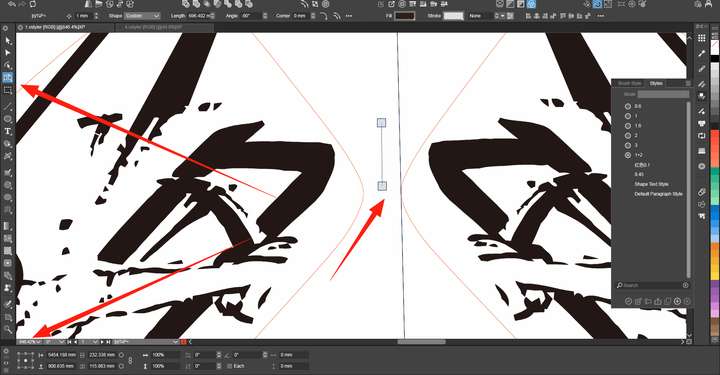
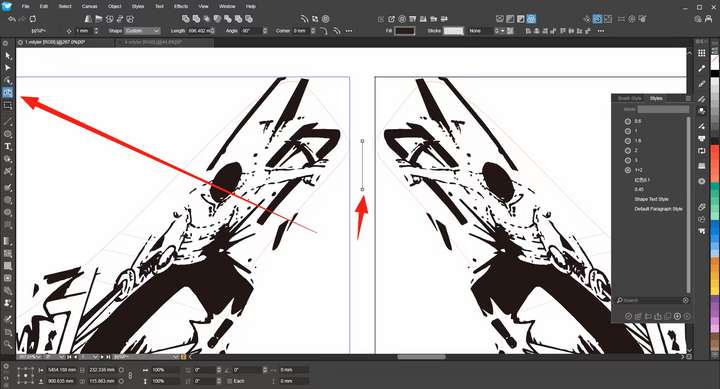
      1_1751900494337_mmexport1751899290318.png 0_1751900494327_mmexport1751899281205.png
      The control handle of the Mirror Tool will enlarge along with the displayed result.

      1 Reply Last reply Reply Quote 1
      • VectorStylerV Offline
        VectorStyler @monsterfox
        last edited by

        @monsterfox I opened a bug on this and will get back with questions if needed.

        M 1 Reply Last reply Reply Quote 0
        • M Offline
          monsterfox @VectorStyler
          last edited by

          This post is deleted!
          1 Reply Last reply Reply Quote 1
          • VectorStylerV Offline
            VectorStyler @monsterfox
            last edited by

            @monsterfox said in list of errors:

            1. With the Magic Wand tool, selecting an internal shape will also select the external shape.

            Enabling the "Intersecting shapes" mode causes this, any shape having a common region (non-empty intersection) with the selected shape is selected

            2. No matter how I try, when I copy the red line to AI, its path is automatically expanded.

            The stroke has the "distorted mode" set, can be turned off with the 6th icon in the Stroke panel.
            I will fix this, as in this case there is no actual distortion.

            1 Reply Last reply Reply Quote 0
            • VectorStylerV Offline
              VectorStyler @monsterfox
              last edited by

              @monsterfox said in list of errors:

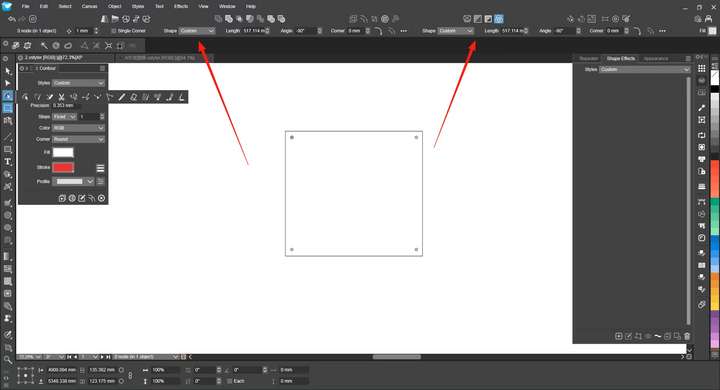
              An error with the Rounded Corner tool.

              This can be replicated.

              5. Grouping two shapes with 50% transparency yields an unexpected result. Pressing the shortcut key 0 doesn't restore them to 100% solid color. I'm not sure if this is an error.

              This is not a bug. Grouping those shapes keeps the transparency at the object level, not the group level. The group transparency will be 100%.
              The solution is to set the object transparency to 100%, group them, and then set the group transparency to 50%

              M 1 Reply Last reply Reply Quote 0
              • M Offline
                monsterfox @VectorStyler
                last edited by

                @VectorStyler The update today didn't fix the bug in the Rounded Corners tool?

                VectorStylerV 1 Reply Last reply Reply Quote 1
                • VectorStylerV Offline
                  VectorStyler @monsterfox
                  last edited by

                  @monsterfox said in list of errors:

                  @VectorStyler The update today didn't fix the bug in the Rounded Corners tool?

                  No it did not. For now the corner rounding stops at Cusp node types, even if the node seems to be smooth.
                  The attached example can be improved by setting those node types to Smooth (but there will be other issues also).

                  I have this issue still open, and will try to improve it later.

                  M 1 Reply Last reply Reply Quote 1
                  • M Offline
                    monsterfox @VectorStyler
                    last edited by

                    @VectorStyler Moving an object with Ctrl+D, then entering outline mode and pressing Ctrl+D again fails to continue the previous operation step.

                    VectorStylerV 1 Reply Last reply Reply Quote 2
                    • VectorStylerV Offline
                      VectorStyler @monsterfox
                      last edited by

                      @monsterfox said in list of errors:

                      Moving an object with Ctrl+D, then entering outline mode and pressing Ctrl+D again fails to continue the previous operation step.

                      I added this to the backlog

                      M 2 Replies Last reply Reply Quote 0
                      • M Offline
                        monsterfox @VectorStyler
                        last edited by

                        @VectorStyler https://youtu.be/Xhj0SgWV6VY?feature=shared
                        0_1753800013754_替换偏移.vstyler The shape selection tool operates normally, but the shape selection function in the menu has a position shifting issue. It is hoped that this problem can be fixed.

                        1 Reply Last reply Reply Quote 1
                        • M Offline
                          monsterfox @VectorStyler
                          last edited by

                          @VectorStyler 0_1754145570756_da_1754055731907.ai
                          This AI file cannot be imported.

                          VectorStylerV 1 Reply Last reply Reply Quote 0
                          • VectorStylerV Offline
                            VectorStyler @monsterfox
                            last edited by

                            @monsterfox said in list of errors:

                            This AI file cannot be imported.

                            Same here. I will try to fix this.

                            M 2 Replies Last reply Reply Quote 0
                            • M Offline
                              monsterfox @VectorStyler
                              last edited by

                              @VectorStyler https://youtu.be/kc87331fVTw?feature=shared
                              0_1754577330883_偏移数据错误.vstyler
                              No extra operations (especially do not use the magnifying glass); the error in this history record can be copied.

                              1 Reply Last reply Reply Quote 0
                              • M Offline
                                monsterfox @VectorStyler
                                last edited by

                                @VectorStyler https://youtu.be/8vY-PU0TpfQ?feature=shared
                                The previous file still has errors. There's no problem when using the graphic selection tool, but when using the graphic selection function in the menu, the selected graphics are offset. This issue still needs to be fixed.

                                VectorStylerV 1 Reply Last reply Reply Quote 1
                                • VectorStylerV Offline
                                  VectorStyler @monsterfox
                                  last edited by

                                  @monsterfox Was that toolbar created with a previous version?
                                  If so, the action parameter is changed now, so please recreate the toolbar or remove and add the action again.

                                  M 3 Replies Last reply Reply Quote 0
                                  • M Offline
                                    monsterfox @VectorStyler
                                    last edited by

                                    @VectorStyler You might not have noticed that there's a step in my video where I operate via the menu. Additionally, the same error occurs with the button I re-added. It's important to note the order in which you select the graphics: first click the red one, then the black one.

                                    M 1 Reply Last reply Reply Quote 0
                                    • M Offline
                                      monsterfox @monsterfox
                                      last edited by monsterfox

                                      @VectorStyler https://youtu.be/NG9n2eJN1M8?feature=shared
                                      0_1755269768694_4点5.vstyler

                                      1 Reply Last reply Reply Quote 1
                                      • M Offline
                                        monsterfox @VectorStyler
                                        last edited by

                                        @VectorStyler https://youtu.be/ema-3fKkLcA?feature=shared![0_1755442541826_mmexport1755442255412.jpg](/forum/assets/uploads/files/1755442544054-mmexport1755442255412-resized.jpg)

                                        1 Reply Last reply Reply Quote 1
                                        • M Offline
                                          monsterfox @VectorStyler
                                          last edited by

                                          @VectorStyler https://youtu.be/2tymaMPgsp0?feature=shared

                                          https://youtu.be/-1idSoMPKSY?feature=shared[0_1755787575851_测试+1.vstyler](/forum/assets/uploads/files/1755787578727-测试-1.vstyler)
                                          Video 1: When using the shape selection function, displacement still occurs. However, if they are converted to curves and then this function is used, most shapes are normal, while a small number still have offsets. If the shape selector tool is used, none of the above problems exist.

                                          Video 2: A special error occurs. Some of the lines in it do not change.

                                          VectorStylerV 1 Reply Last reply Reply Quote 1
                                          • VectorStylerV Offline
                                            VectorStyler @monsterfox
                                            last edited by

                                            @monsterfox I will try to fix these.

                                            M 1 Reply Last reply Reply Quote 0
                                            • First post
                                              Last post