Subcategories

  • These issues have been resolved and closed

    863 Topics
    5k Posts
    VectorStylerV
    @debraspicher I will try to replicate and fix this.
  • Everyone makes mistakes. Help us correct ours. Let us know how to improve VectorStyler.

    10 Topics
    41 Posts
    VectorStylerV
    @jpsimmons Yes, this can be replicated and it is a bug. I will try to fix it for the next build.
  • Everyone makes mistakes. Help us correct ours. Let us know how to improve VectorStyler.

    579 Topics
    3k Posts
    G
    @VectorStyler said in Slow Typing Performance: @gotanidea I'm testing these issues with slow typing performance. The new document has no issue with speed (the old is till slow). What configuration you use for these tests? and which text is edited in the new document. I'm trying to replicate as close as possible. Can you please click the first text box ("Before rigging any character geometry ....") at the top-left region of the new document using the Text Tool, then hold the "a" key? I use: VectorStyler v1.3.001 Windows 11 Home 64-bit AMD Ryzen 7 5800H with Radeon Graphics (16 CPUs) ~3.2GHz 16384MB RAM NVIDIA GeForce RTX 3060 Laptop GPU
  • Bug reports on the 1.2 beta of VectorStyler

    288 Topics
    2k Posts
    W
    This issue is now resolved! Thank you @VectorStyler!
  • These bugs were posted for 1.2 and should be resolved

    229 Topics
    1k Posts
    W
    Now fixed in VS 1.3.017. Thank you @VectorStyler!
  • Potential (Small) Bug in Appearance Panel

    4
    1 Votes
    4 Posts
    55 Views
    debraspicherD
    @DreamS Yes I reported this bug during a prior version, so probably it was fixed by then. Very funky.
  • GPU view problem with Nvidia

    5
    1
    1 Votes
    5 Posts
    24 Views
    M
    @VectorStyler Thanks!
  • Buggy Behavior in Colors Palette Panel + Undo

    2
    0 Votes
    2 Posts
    15 Views
    VectorStylerV
    @DreamS If the color is applied while nothing is selected then it is abug. Please send me a file to csraba at vectorstyler.com where this kind of issue occurs. Also: the screenshot is too small to see, but it would be good to know what other panels are open. You can save your workspace with the icon at the end of the context panel row, and send that to me also so I can replicate the full thing
  • Redrawing screen hide toolbars and then show them again

    12
    1 Votes
    12 Posts
    98 Views
    M
    said in Redrawing screen hide toolbars and then show them again: @VectorStyler In 017 it also does the same. For some reason 018 does it but not so often. I was believen it was fixed, but at last, it did it. I know you couldnt find the casus still, but anyway i believed was good to know.
  • Offset Path Froze While "View Using GPU" is Activated

    13
    1
    2 Votes
    13 Posts
    69 Views
    H
    @VectorStyler System: MacBook Pro M1 Pro, 16GB RAM, macOS Tahoe 26.3.1 (25D2128)
  • Pattern Brush made into Art brush will not expand Properly

    3
    3
    1 Votes
    3 Posts
    30 Views
    RidgehammerR
    @VectorStyler Thank you for looking into it, and helping me find a solution.
  • The behavior of the "remove color" button is strange.

    3
    1
    1 Votes
    3 Posts
    43 Views
    861475_VctSt8
    @VectorStyler 1.3.017 Thanks It finally cleared up the confusion I’ve been feeling for years.
  • Number key opacity shortcuts broken

    6
    2 Votes
    6 Posts
    22 Views
    H
    @VectorStyler Thank you so much.
  • A bug in the Repeater’s Region that makes the size shorter

    7
    1 Votes
    7 Posts
    51 Views
    L
    @VectorStyler Proportional issue fixed. Thanks!
  • Halftone blending mode issue

    3
    1 Votes
    3 Posts
    29 Views
    L
    @VectorStyler Fixed in v1.3.017. Thanks a lot!
  • Masking Bugs - Strokes and Scaling

    5
    1 Votes
    5 Posts
    35 Views
    VectorStylerV
    @DreamS I got the files, I will try to find out what can cause these issues
  • Glyphs doesn't work.

    3
    1
    1 Votes
    3 Posts
    37 Views
    encartE
    @VectorStyler On the hill, but it is just a random font, no matter which one I'm using.
  • There are a few issues that I hope can be improved.

    3
    1 Votes
    3 Posts
    27 Views
    M
    @VectorStyler Please see the image.![image: 1778159080437-001-resized.png]
  • Bug List for Version 1.3

    77
    3
    1 Votes
    77 Posts
    18k Views
    VectorStylerV
    @monsterfox I will try to fix this
  • 1 Votes
    3 Posts
    21 Views
    VectorStylerV
    @Boldline There is an "Ignore While" option in the trace panel menu. If enabled it turns these white regions into transparent. In this case it should be disabled. Also: the backdrop in the image is not a clear white tone, it has a noise with a small intensity
  • Reference Image Disappears When Editing Nodes

    2
    1 Votes
    2 Posts
    23 Views
    VectorStylerV
    @Ridgehammer I will tyr to replicate and fix this as soon as possible.
  • A small bug in the Drop Shadow

    3
    1
    1 Votes
    3 Posts
    32 Views
    L
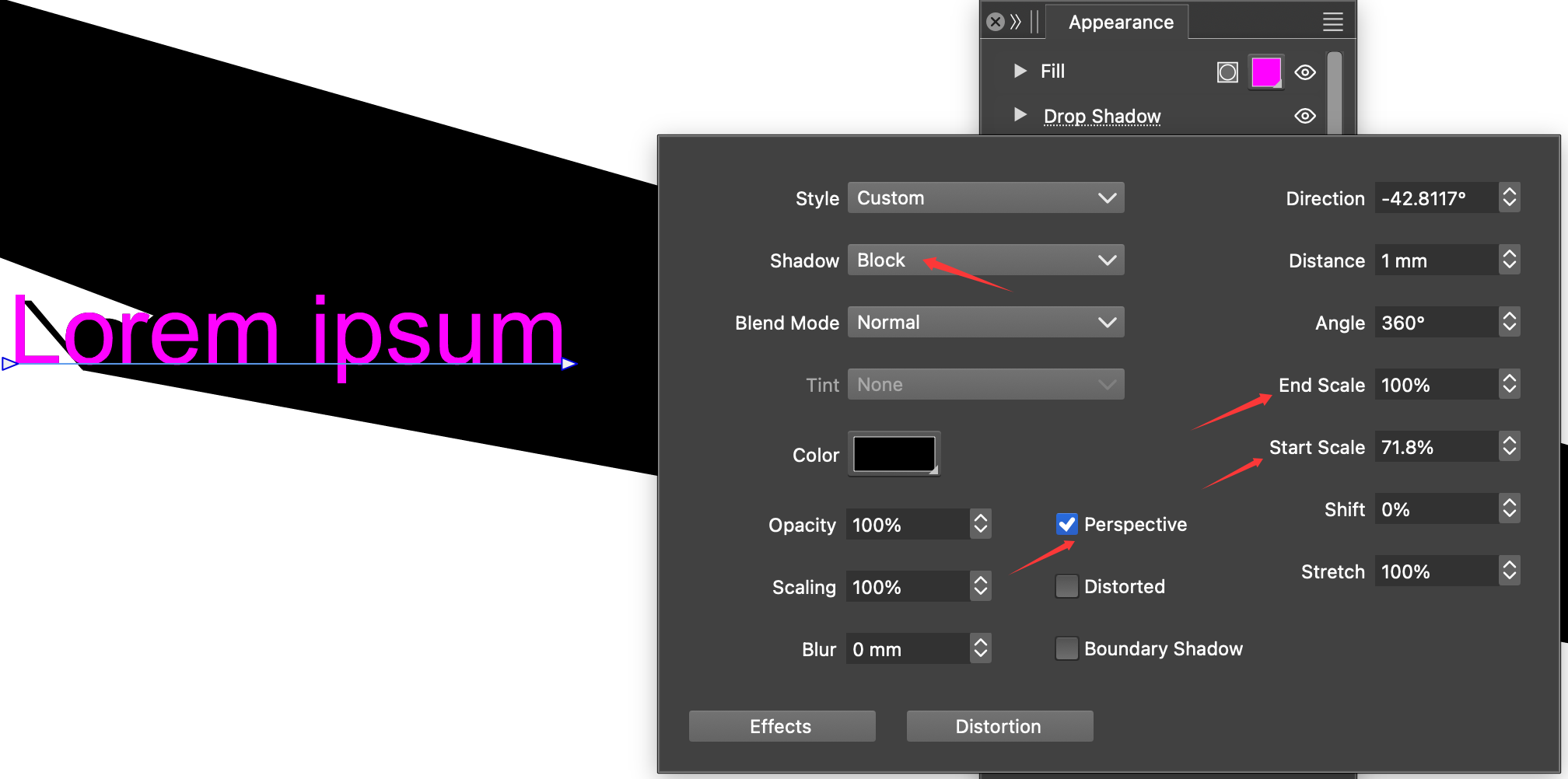
    @VectorStyler The bug is fixed. thanks. The perspective block shadow works well on shapes, but it's still struggling with text. it needs some improve.
  • Global gradient colors from Illustrator are reversed

    2
    2
    1 Votes
    2 Posts
    22 Views
    VectorStylerV
    @flachware This is a bug, I will try to fix it as soon as possible. Can you send me an Illustrator file to csraba at vectorstyler.com with a gradient where this occurs?
  • Nodes rendering problem in exporting / printing PDFs

    2
    1
    1 Votes
    2 Posts
    20 Views
    VectorStylerV
    @Harry I will try to replicate and fix this
  • Editing Tracking value adds extra characters.

    7
    1 Votes
    7 Posts
    76 Views
    VectorStylerV
    @Boldline said in Editing Tracking value adds extra characters.: @VectorStyler said in Editing Tracking value adds extra characters.: @debraspicher This should be fixed in the 1.3.012 build @vectorstyler did you leave the 1.3.012 info update off the forum intentionally? No pressure or issue, was just curious Forgot to add that