VectorStyler
    • Categories
    • Unread
    • Recent
    • Tags
    • Popular
    • Register
    • Login

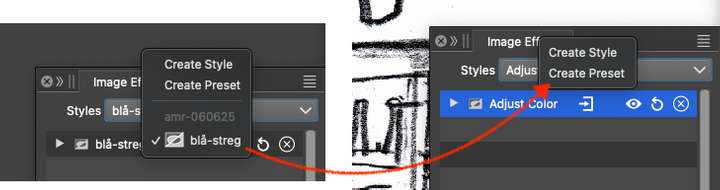
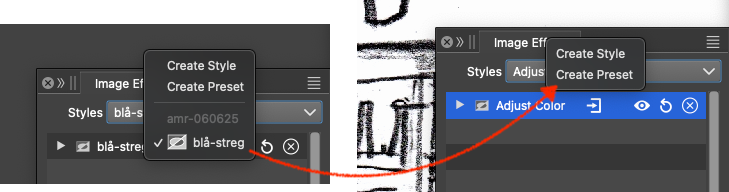
    How do I copy an Image Effect or style from doc 1 to doc 2?
    Scheduled Pinned Locked Moved Questions and Support
    5 Posts 3 Posters 2.4k Views 2 Watching
    Loading More Posts
    • Oldest to Newest
    • Newest to Oldest
    • Most Votes
    Reply
    • Reply as topic
    Log in to reply
    This topic has been deleted. Only users with topic management privileges can see it.
    • RaaskotR Offline
      Raaskot
      last edited by

      0_1754480435069_73266650-c359-46d5-84c2-224fdda42254-image.png

      VectorStylerV 1 Reply Last reply Reply Quote 1
      • VectorStylerV Offline
        VectorStyler @Raaskot
        last edited by

        @Raaskot When saving as a preset, make sure that the preset group is NOT the "Document" group.

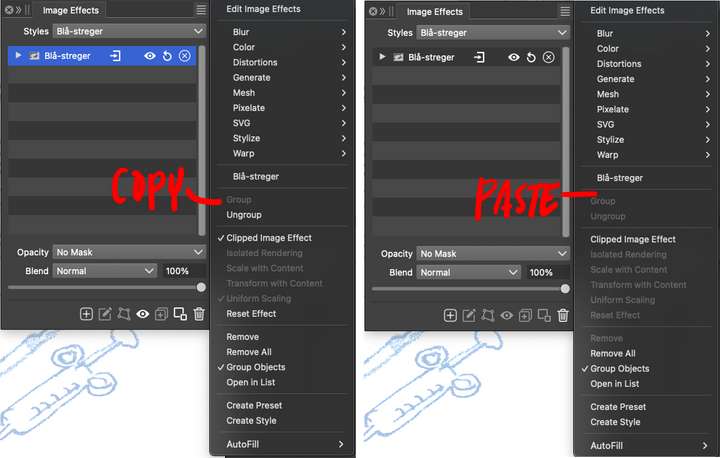
        An other way is to use the clipboard: select the effect in the panel, Control+C, then go to the other document, click inside the panel and Control+V

        W 1 Reply Last reply Reply Quote 2
        • W Offline
          William Kansepa @VectorStyler
          last edited by

          @VectorStyler said in How do I copy an Image Effect or style from doc 1 to doc 2?:

          An other way is to use the clipboard: select the effect in the panel, Control+C, then go to the other document, click inside the panel and Control+V

          Nifty👍 VS never ceases to amaze!

          HP•Windows 11 Pro•11th Gen Intel(R) Core(TM) i7-1165G7 @ 2.80GHz 2.70 GHz• RAM: 16.0 GB (DDR4)

          RaaskotR 1 Reply Last reply Reply Quote 1
          • RaaskotR Offline
            Raaskot @William Kansepa
            last edited by Raaskot

            @VectorStyler
            @William-Kansepa said in How do I copy an Image Effect or style from doc 1 to doc 2?:

            never ceases to amaze!

            True!😊
            And I love, one can manage entire groups of effects as styles too.

            A minor request for new users: Copy/Paste option included in pop up would be a help though ...
            0_1754552718648_33ca03fb-e2a1-4df2-961d-9bc4d2910b0b-image.png

            VectorStylerV 1 Reply Last reply Reply Quote 2
            • VectorStylerV Offline
              VectorStyler @Raaskot
              last edited by

              @Raaskot said in How do I copy an Image Effect or style from doc 1 to doc 2?:

              A minor request for new users: Copy/Paste option included in pop up would be a help though ...

              I will add this for 1.3

              1 Reply Last reply Reply Quote 1
              • First post
                Last post