Is Vectorstyler able to warp, perspective or other kind of manipulations on bitmaps like transparents pngs, or similar?
-
Hi! Im using a little vectorstyler. It looks powerfull. I played with it a little.
I want to know if it is able to warp or make some perspective editing to bitmap images. Appear that with vector material is able, but i dont found if it can do the same with bitmap objects. -
@marce Yes, all distortion effects are also available for images using the Image Effects panel.
https://share.cleanshot.com/b55PNcwx
But stacking a lot of these effects on objects may image performance.
-
@VectorStyler Hi! Nice privilege to be able to talk with the developer.
Im trying it right now and it looks as an impressive list of possibilities.
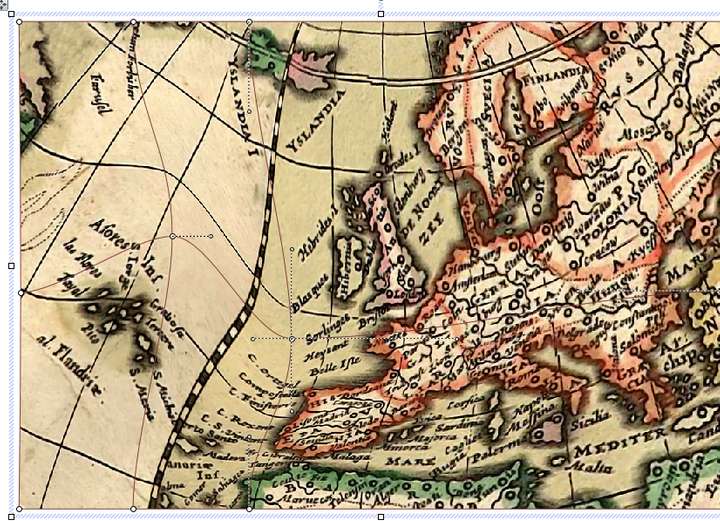
I see that inside the "Mesh" menu, you have several options. The Elastique one provide points you can add and warp at your pleasure, appear to be. The Mesh Warp only provide four points for distort, but appear you can add axis to the mesh, they appeared when double click somewhere in the image, but disapear when i tryed to drag them, not sure how it works.
Anyway, appear that with some learning you can do a lot.About performance, i dont see the option to render the effects in case you want to save performance or you are satisfied with the effects.
Im used to work with this mesh warp tool that provided an editable grid, handy to use. Appear to me that is possible with the mesh warp in vectorstyler, but not sure how you can add or delete points to that grid.
-
@marce Set the mesh warp grid size in the panel first. I will check what happens with the double+click insertion.
The effects can be flattened with the Object -> Rasterize option. Also there is an "Image Render" option in Object Options -> Styling that can speed up effect rendering.
-
@VectorStyler Great! I can have my old costume warp mesh. Did you know that if you want to be a succefull developer you need to imitate exactly the old software people love/hates, and are trying to replace? haha, not really.
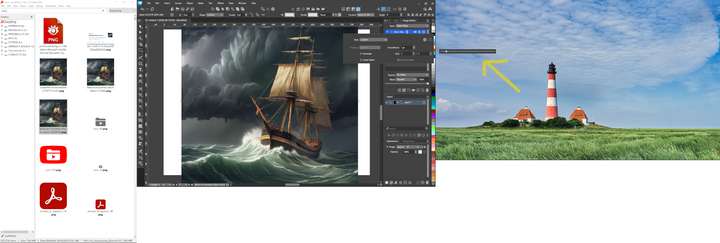
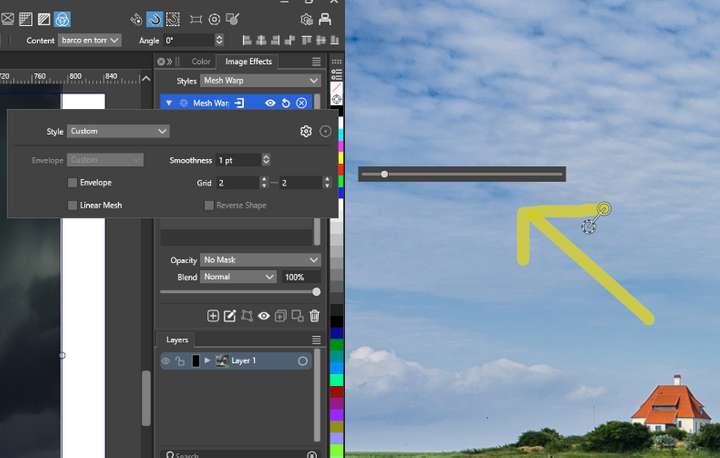
The settings of the Mesh Warp appear have a strange behavior, when i tried to change the smoothness value, the slider sometimes was displayed below the number, sometimes outside the monitor vectorstyler is maximized, in the right monitor.
I would find more natural to add the option to render effects in the image effects dock. Could be good as an icon below each fx or next to the "+" command or edit. Similar to the Gimp layers dock. -
@marce said in Is Vectorstyler able to warp, perspective or other kind of manipulations on bitmaps like transparents pngs, or similar?:
the slider sometimes was displayed below the number, sometimes outside the monitor vectorstyler is maximized,
I will try to replicate this., was this on Windows?
-
@VectorStyler Here is an screenshot. Im on Windows 10. I have three monitors. i have vectorstyler maximized in the center screen and the slider pops in the right screen
-
@marce I will try to replicate this.
