VectorStyler
    • Categories
    • Unread
    • Recent
    • Tags
    • Popular
    • Register
    • Login

    Detail Optimizations for Version 1.3
    Scheduled Pinned Locked Moved Features and Ideas
    41 Posts 2 Posters 3.4k Views 2 Watching
    Loading More Posts
    • Oldest to Newest
    • Newest to Oldest
    • Most Votes
    Reply
    • Reply as topic
    Log in to reply
    This topic has been deleted. Only users with topic management privileges can see it.
    • M Offline
      monsterfox @VectorStyler
      last edited by

      @VectorStyler https://youtu.be/k-LGovaaMhk?feature=shared
      mmexport1769526031413.jpg mmexport1769526036992.jpg
      1_网点-1.vstyler
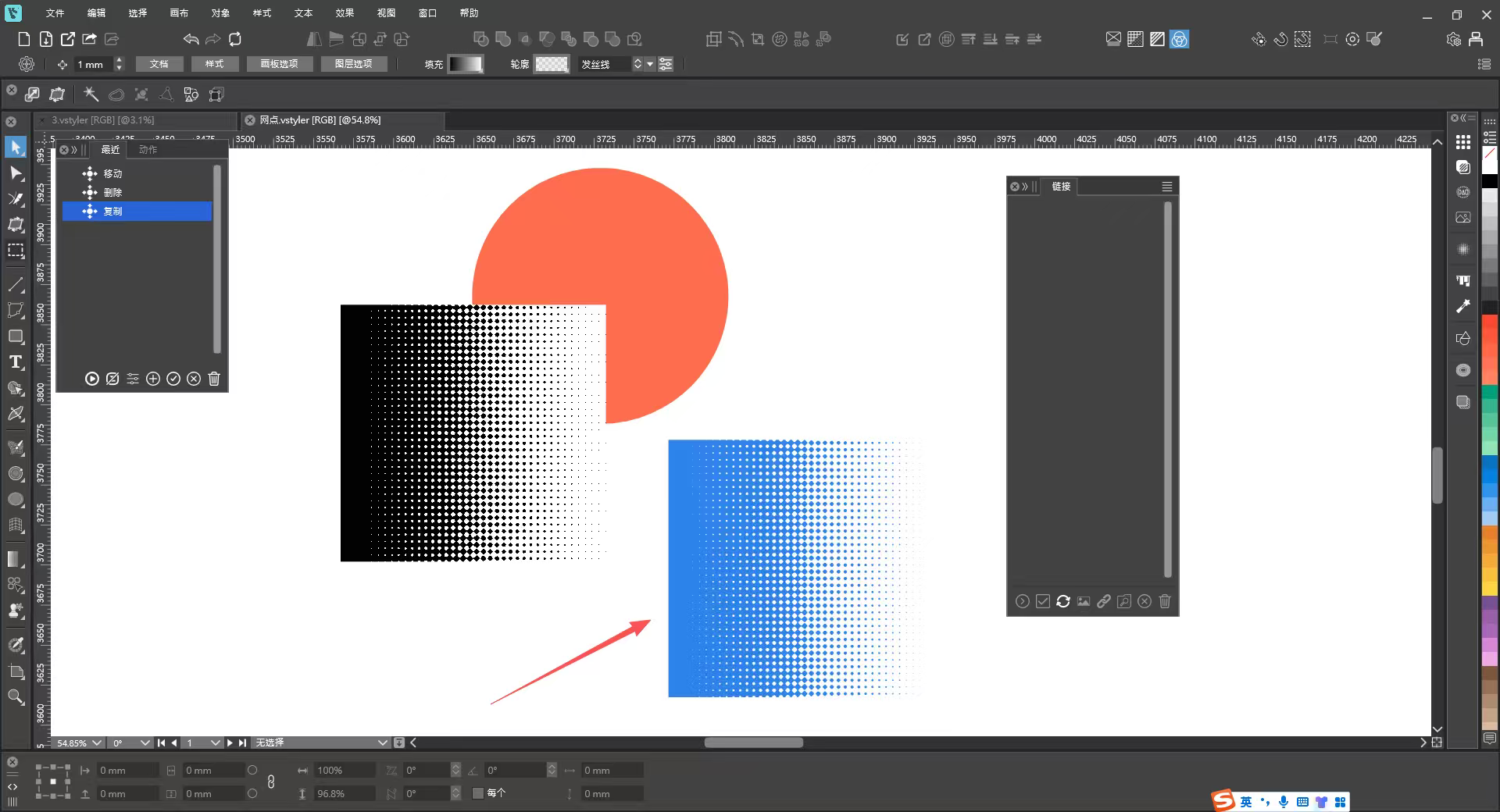
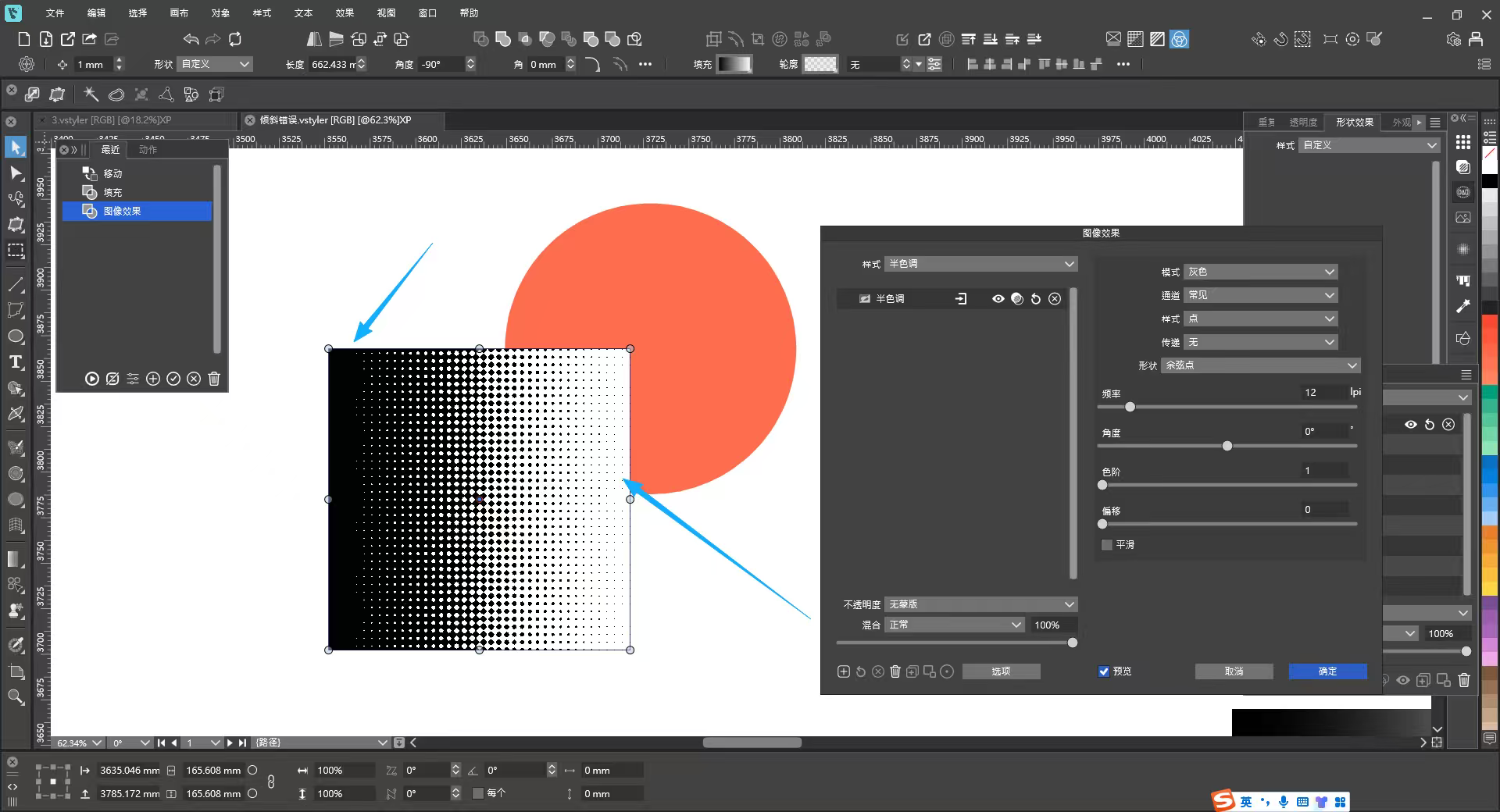
      The halftone effect still has two issues at present:

      1. The color of halftone graphics cannot be changed.
      ​
      2. As can be seen from the effect in the image, the background cannot be made transparent, with a visible white background.

      There is a blue halftone graphic in the file, which is a vectorized halftone effect. It would be perfect if the halftone effect could be rendered like this.

      VectorStylerV 1 Reply Last reply Reply Quote 1
      • VectorStylerV Offline
        VectorStyler @monsterfox
        last edited by

        @monsterfox said in Detail Optimizations for Version 1.3:

        This is about the Halftone image effect:

        1. The color of halftone graphics cannot be changed.

        I will try to add this if possible (later)

        2. As can be seen from the effect in the image, the background cannot be made transparent, with a visible white background.

        This cannot be done with the image effect, but the vector halftone effect should be able to do it.

        M 2 Replies Last reply Reply Quote 0
        • M Offline
          monsterfox @VectorStyler
          last edited by

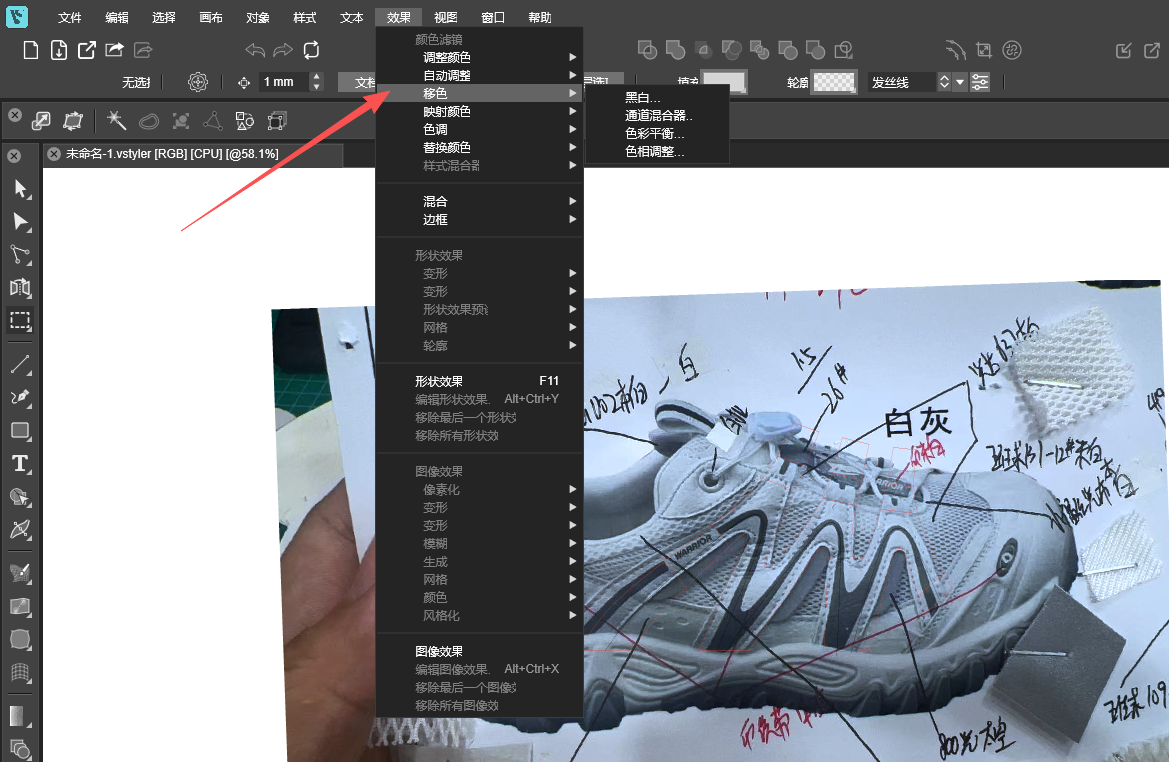
          @VectorStyler 71585cb8-cf41-4060-885c-4ce54f6315e4-image.png
          The translation of "Shift Colors" is flawed; it is recommended to translate it as "偏移颜色".

          1 Reply Last reply Reply Quote 0
          • M Offline
            monsterfox @VectorStyler
            last edited by

            @VectorStyler cc2a0e90-741c-4c8d-a290-0309727e1539-image.png
            6977fd1d-a644-4b0b-b7b7-eca2136c6a42-image.png
            26a0665f-f345-4cca-aa72-702db15837fb-image.png
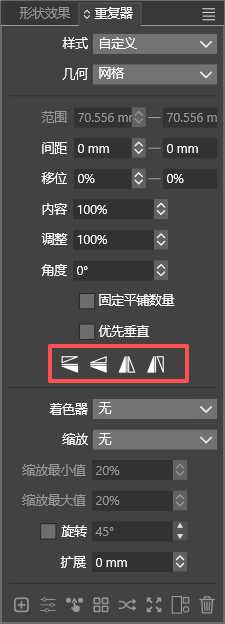
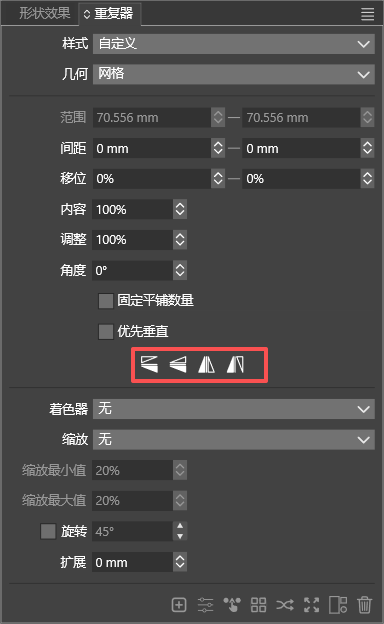
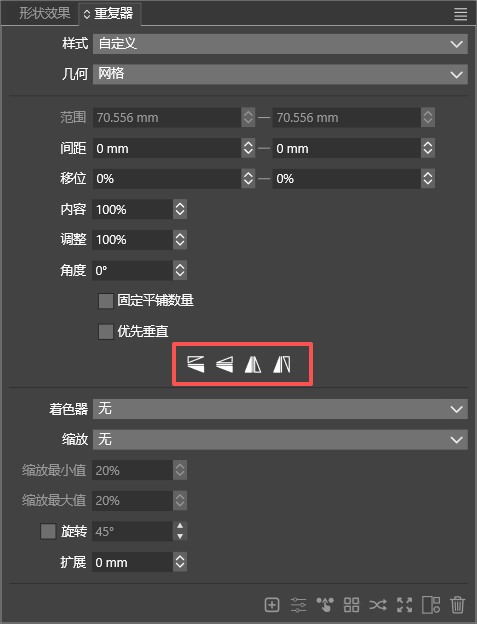
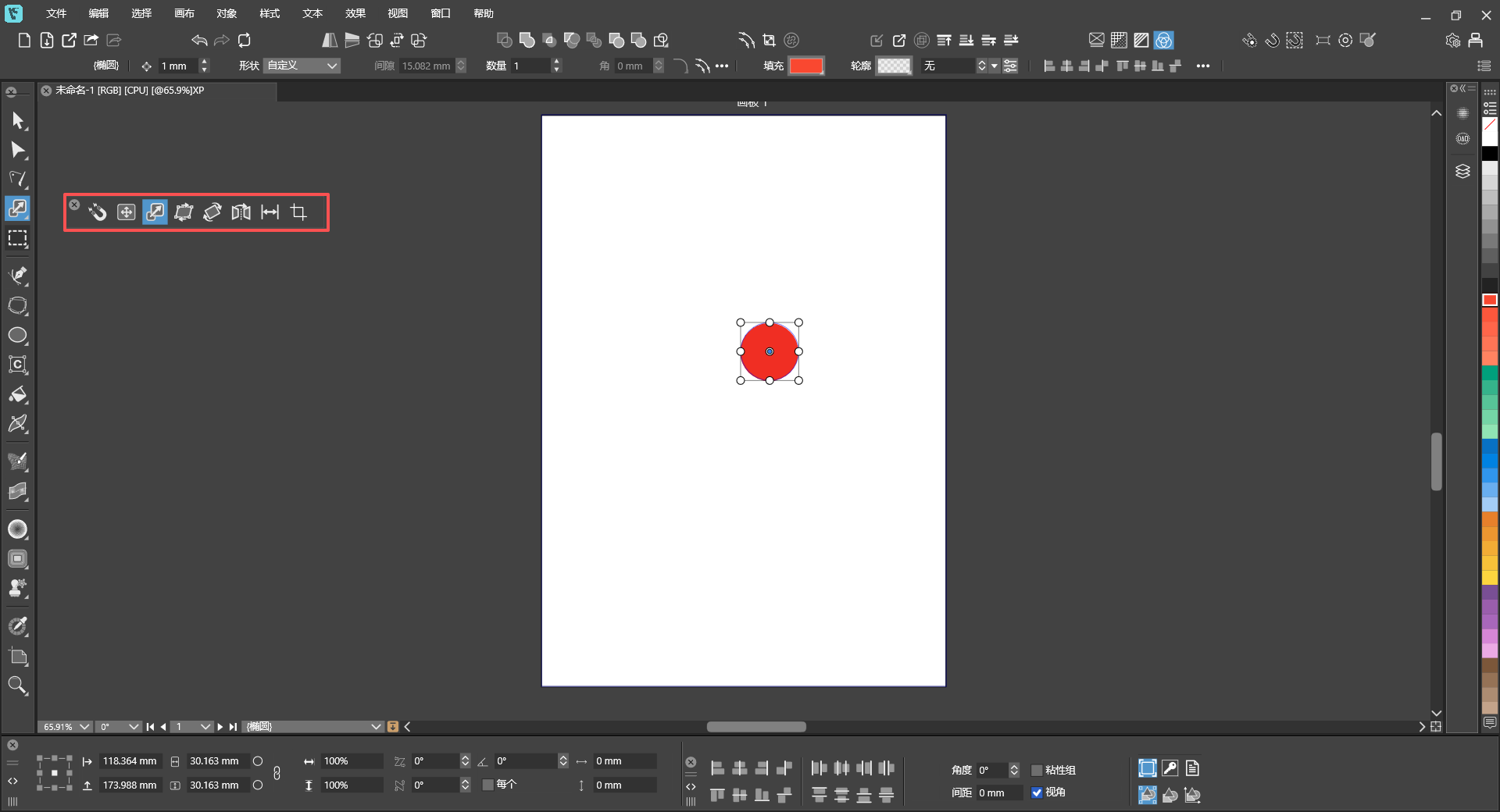
            Can you modify these four icons to equally distribute them adaptively according to the width of the panel. Otherwise, the overall look will be mismatched when the panel is stretched wider.

            VectorStylerV 1 Reply Last reply Reply Quote 1
            • VectorStylerV Offline
              VectorStyler @monsterfox
              last edited by

              @monsterfox said in Detail Optimizations for Version 1.3:

              Can you modify these four icons to equally distribute them adaptively according to the width of the panel.

              I will do so.

              M 1 Reply Last reply Reply Quote 0
              • M Offline
                monsterfox @VectorStyler
                last edited by

                @VectorStyler https://youtu.be/7PfHii2fm9o
                d1fc6e5d-4154-4647-882d-19b8a464a549-image.png
                40d9eba7-0550-4be6-a180-1f2a256152e9-image.png
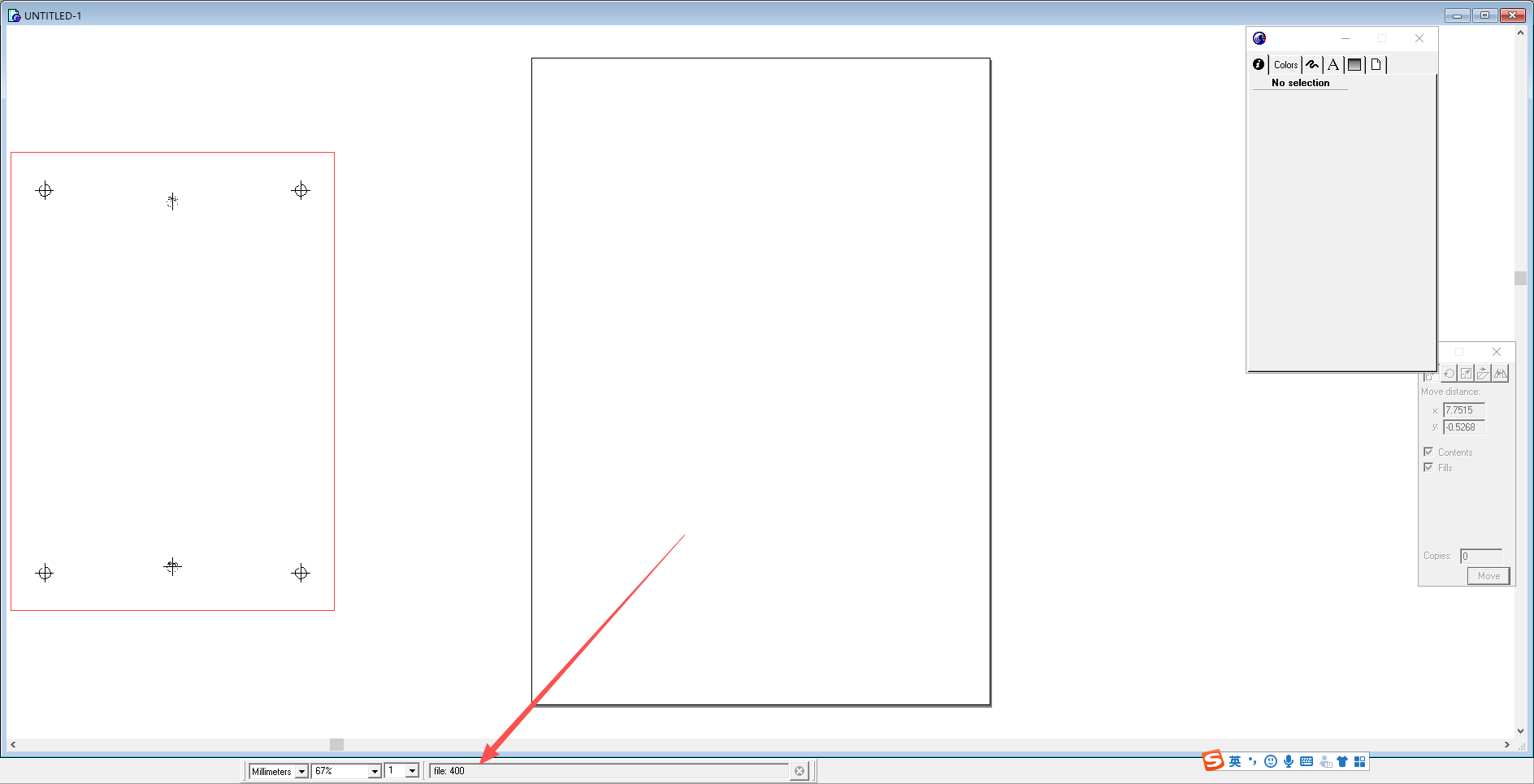
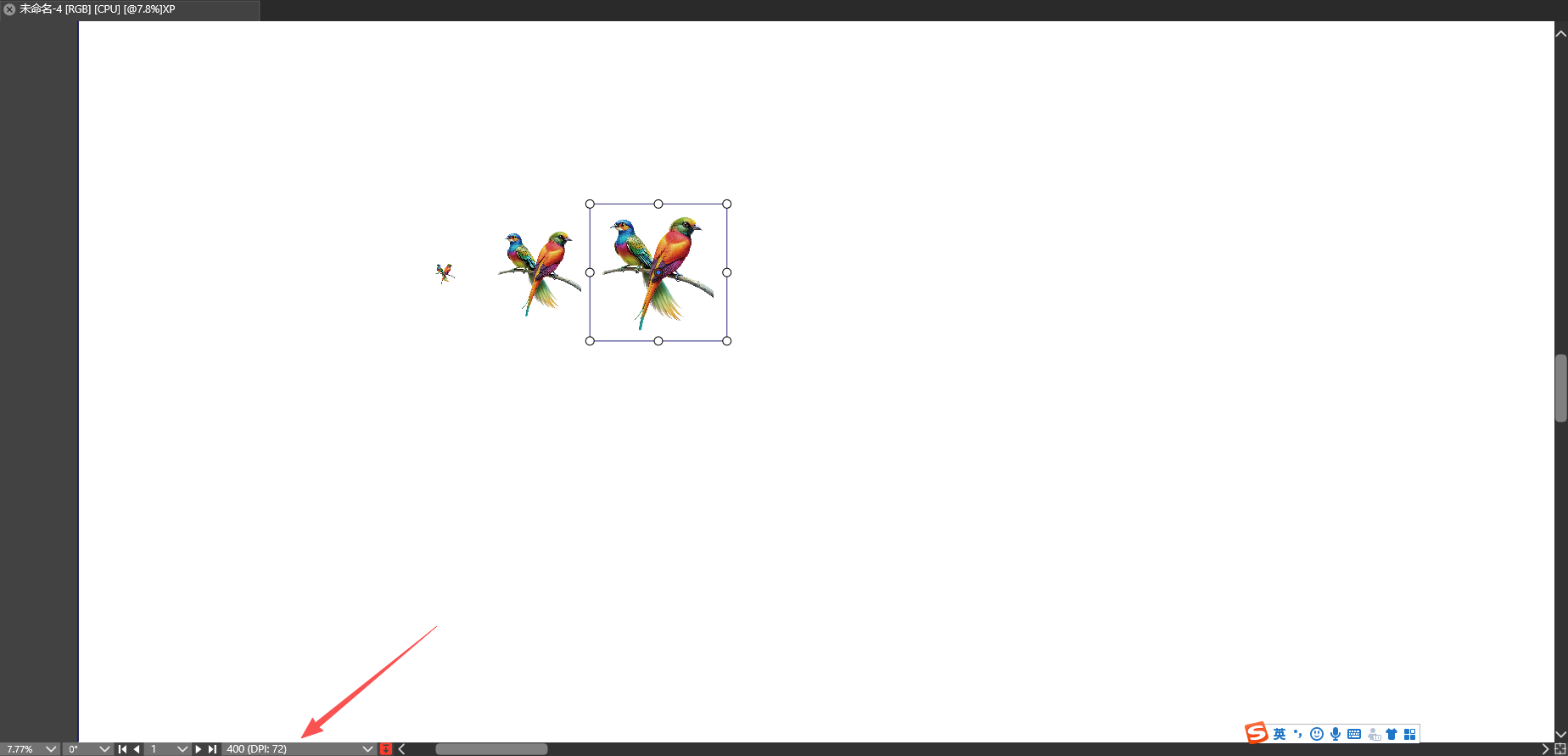
                When importing images in FreeHand 9, the current imported‑image filename can be viewed in the bottom info bar. VectorStyler does not have this feature. Could you please add this capability? Thank you.

                VectorStylerV 1 Reply Last reply Reply Quote 1
                • VectorStylerV Offline
                  VectorStyler @monsterfox
                  last edited by

                  @monsterfox said in Detail Optimizations for Version 1.3:

                  When importing images in FreeHand 9, the current imported‑image filename can be viewed in the bottom info bar. VectorStyler does not have this feature. Could you please add this capability? Thank you.

                  It show the file name, that is the "400" text, and attaches the DPI info.

                  M 1 Reply Last reply Reply Quote 0
                  • M Offline
                    monsterfox @VectorStyler
                    last edited by

                    @VectorStyler Please check the video. In FreeHand 9, the filename is displayed when importing, before you click on the canvas. VectorStyler does not support this yet. When importing multiple files, it would be much more convenient if there was text showing the name of the currently imported image.

                    VectorStylerV 1 Reply Last reply Reply Quote 1
                    • VectorStylerV Offline
                      VectorStyler @monsterfox
                      last edited by

                      @monsterfox This can be done only after the image was imported

                      M 1 Reply Last reply Reply Quote 0
                      • M Offline
                        monsterfox @VectorStyler
                        last edited by

                        @VectorStyler 778f57a6-ed6b-476d-84e6-ec4eb75e62b1-image.png
                        c6cdbf6d-dd1e-4309-9ecb-b56f7d0ea3f7-image.png
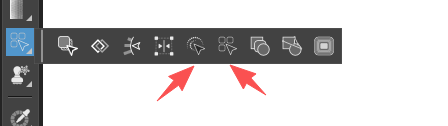
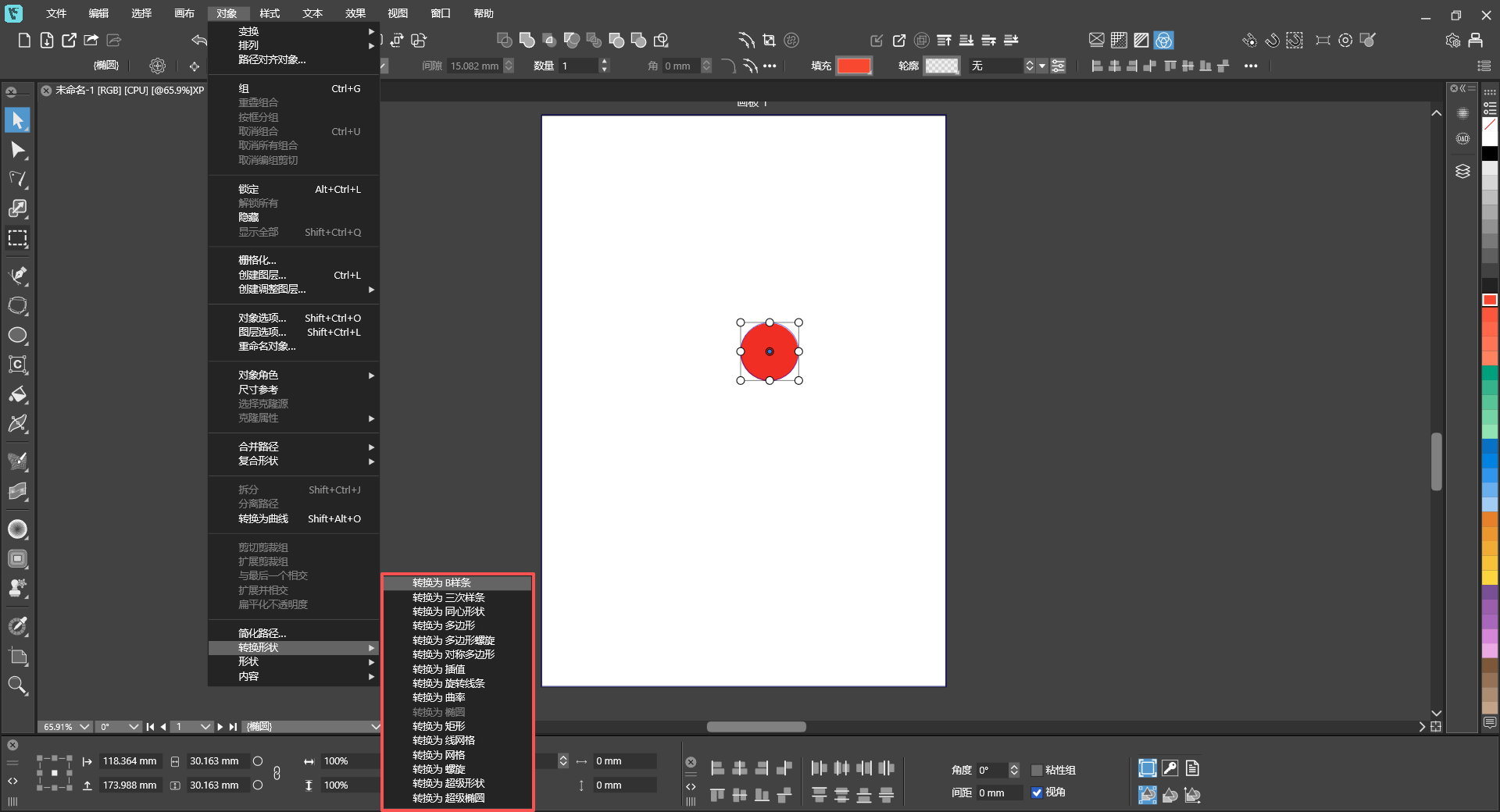


                        Could the menu operations also be made into pop-up panels like the toolbar? For certain special operations, there would be no need to keep clicking through the main menu repeatedly. We could directly access the submenus for more convenient workflow.

                        VectorStylerV 1 Reply Last reply Reply Quote 1
                        • VectorStylerV Offline
                          VectorStyler @monsterfox
                          last edited by

                          @monsterfox This should be doable with Customize Toolboxes.
                          There is a [+] icon next to the Toolbox dropdown, this can be used to create new toolboxes.

                          M 1 Reply Last reply Reply Quote 0
                          • M Offline
                            monsterfox @VectorStyler
                            last edited by

                            @VectorStyler I understand that. Normally, I create new toolboxes for my frequently‑used tools. But sometimes I need to repeatedly use certain menu functions that are not everyday tools, so it would be unnecessary to make a dedicated toolbox for them. A temporary solution for this would be sufficient.

                            1 Reply Last reply Reply Quote 0
                            • First post
                              Last post