Normalize Child Object Opacity to 100% (Group Cleanup Command)
-
I wanted to see about adding an easy way to change the unique individual opacities of multiple objects inside a group. I understand that group opacity differs from individual object opacity and so I'm not looking to change the existing group opacity model.
This topic came up in the past but I'm looking at a different solution to that problem here.
In VectorStyler, group opacity and object opacity are correctly treated as separate properties. However, in production workflows it is common for groups to contain child objects with varied reduced opacity values while the group itself remains at 100%.
This results in visually faded artwork even though the group opacity is already correct.
The only issue is non-uniform child object opacity values.
Requested command behavior
A editing command that:
Operates on the current selection
If a group is selected, recursively targets all child objects (including nested groups)
Sets object-level opacity = 100%
Preserves group opacity values
Does not modify blend modes, fills, strokes, or effects
Does not average or infer values, simply normalizes them
This should be treated as a data normalization operation rather than a visual adjustment.
Current limitation:
The current workflow requires entering groups, selecting all contents, and manually correcting opacity values. This is inefficient and error-prone in production environments with deep nesting.
Suggested placements (optional)
Object → Normalize → Object Opacity to 100%
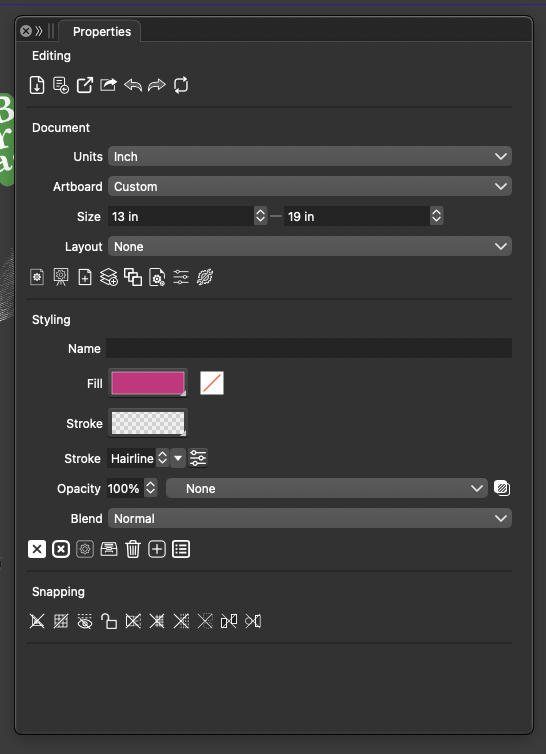
Utility action in the Properties panel
This command would improve reliability and speed for professional users while remaining fully consistent with VectorStyler’s existing object and group opacity architecture.
-
@Boldline said in Normalize Child Object Opacity to 100% (Group Cleanup Command):
However, in production workflows it is common for groups to contain child objects with varied reduced opacity values while the group itself remains at 100%.
Send me an example file with this case.

