General feedback on performance
-
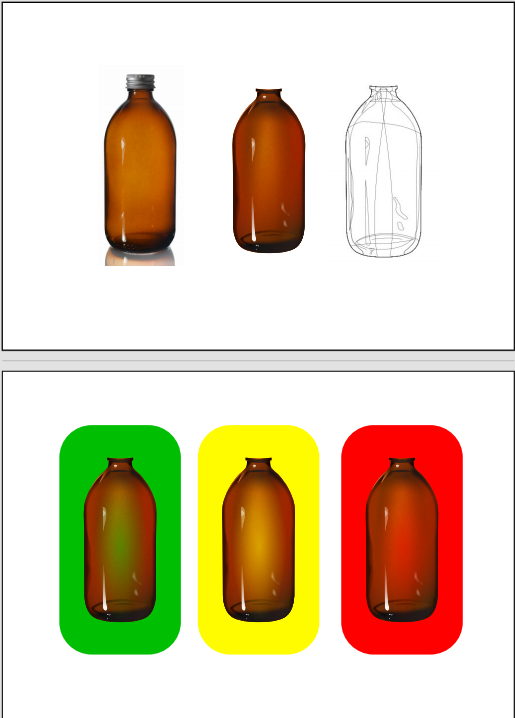
I wanted to give some feedback on VS 1.3 performance. I tried to recreate a photo realistic illustration of a bottle. There are just about 50 elements, and a combination of a variety of noises, masks and blurs. I have to say, VS could not keep up. Image FX remains the Achilles heel of the program. I ultimately couldn't complete the project in VS, and had to transfer over to Xara, which ran without any problems. @VectorStyler: I am unable to provide more detailed feedback. Let me know if you have any questions.
-
@Daniel A file that where performance issues happen might help
-
PS: Whilst working on the project I realised something Xara can do that VS presently cannot. It's the application of a second layer of transparency over an already transparency masked object. What I mean is this. Create an object. Apply a transparency mask to it. At this point, you can't create a group of an object with itself.
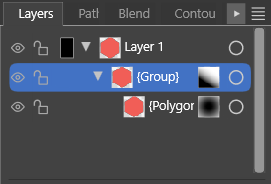
Like this. It is one of my favourite techniques for reducing the number of objects while creating complex fills. You can create a workaround. You create a duplicate of the object, create a group, and then delete the duplicate in the group, and you're left with a self-grouped object which you can mask on top of itself.
It would be quite useful to self-group the object.
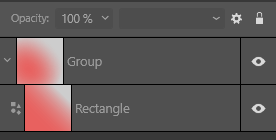
I checked Affinity. It is possible. It's possible very simply in Xara, without any layers panel intervention. And it's the default workflow in PL.
-
@Daniel So would this be solved by allowing the creation of groups from single objects?
-
@VectorStyler: Yup! Self-group is the solution.
Also, I accidentally hit don't save when I was prompted for the file. So I'll rebuild and share this weekend. Sorry.
-
I've noticed performance can vary quite a bit depending on document complexity. One thing that helped me was simplifying some live effects while editing and only enabling everything again before export. It would be great to see more optimization for larger projects though, especially when working with lots of nodes and layers.

