VectorStyler
    • Categories
    • Unread
    • Recent
    • Tags
    • Popular
    • Register
    • Login

    Connect Tool

    Scheduled Pinned Locked Moved Features and Ideas
    15 Posts 6 Posters 85 Views 6 Watching
    Loading More Posts
    • Oldest to Newest
    • Newest to Oldest
    • Most Votes
    Reply
    • Reply as topic
    Log in to reply
    This topic has been deleted. Only users with topic management privileges can see it.
    • L Online
      Li Xiao @VectorStyler
      last edited by

      @VectorStyler This is the online circuit board pattern generator (https://codepen.io/msurguy/pen/YPWZqoe).
      It would be great if the Repeater could generate circuit board patterns with variations in the intensity of the background image.

      1 Reply Last reply Reply Quote 0
      • 861475_VctSt8 Offline
        861475_VctSt @VectorStyler
        last edited by 861475_VctSt

        @VectorStyler

        deally, I'd like something that lets me freely draw each line by hand, rather than generating them by entering values on a panel.
        It would also be nice if I could input text along the lines.
        😃
        I'm eagerly awaiting it.

        LIc. 0 OS10.15.8
        MacBook Air (13-inch, Mid 2012) / Intel Core i5, 8GB / Intel HD Graphics 4000
        LIc. 1 OS15.7.4
        MacBook Pro (14-inch, 2023) / Apple M2 Pro, 16GB / Apple GPU

        1 Reply Last reply Reply Quote 0
        • L Offline
          larsherold @861475_VctSt
          last edited by

          @861475_VctSt
          Earlier I used OmniGraffle, https://www.omnigroup.com/omnigraffle
          for charts, diagrams, interface dialog structure and simple PCB-routing. Beautifully crafted software, check it out! Mac only though...

          BR/ Lars Herold

          861475_VctSt8 1 Reply Last reply Reply Quote 2
          • S Offline
            Subpath
            last edited by Subpath

            @li-xiao , @861475_vctst

            i like to add that you are able to create your own "Arrowhead"
            in vectorstyler

            select your Design for the arrow head and go to
            Menu > Styles > Create Styles > Create Arrow Styles

            dont remember which one was better Preset or Style
            but i manage to create a circuit like stroke this way
            .
            .
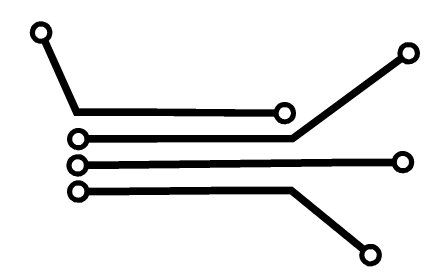
            Circuit  Arrow 1.png
            .
            .
            arrow styles.png

            Win 11
            CPU: AMD Ryzen 5 9600X, 6-core.
            GPU: Nvidia Geforce RTX 5070.

            L 1 Reply Last reply Reply Quote 3
            • L Online
              Li Xiao @Subpath
              last edited by Li Xiao

              @Subpath
              Thank you for the tips.
              What I'm looking for is unrelated to the theme; it's not a manual operation. I want to automatically generate circuit board pattern in a regular or random pattern based on the variations in intensity of background shapes or images, similar to the numbers and horse images I recorded in my video.
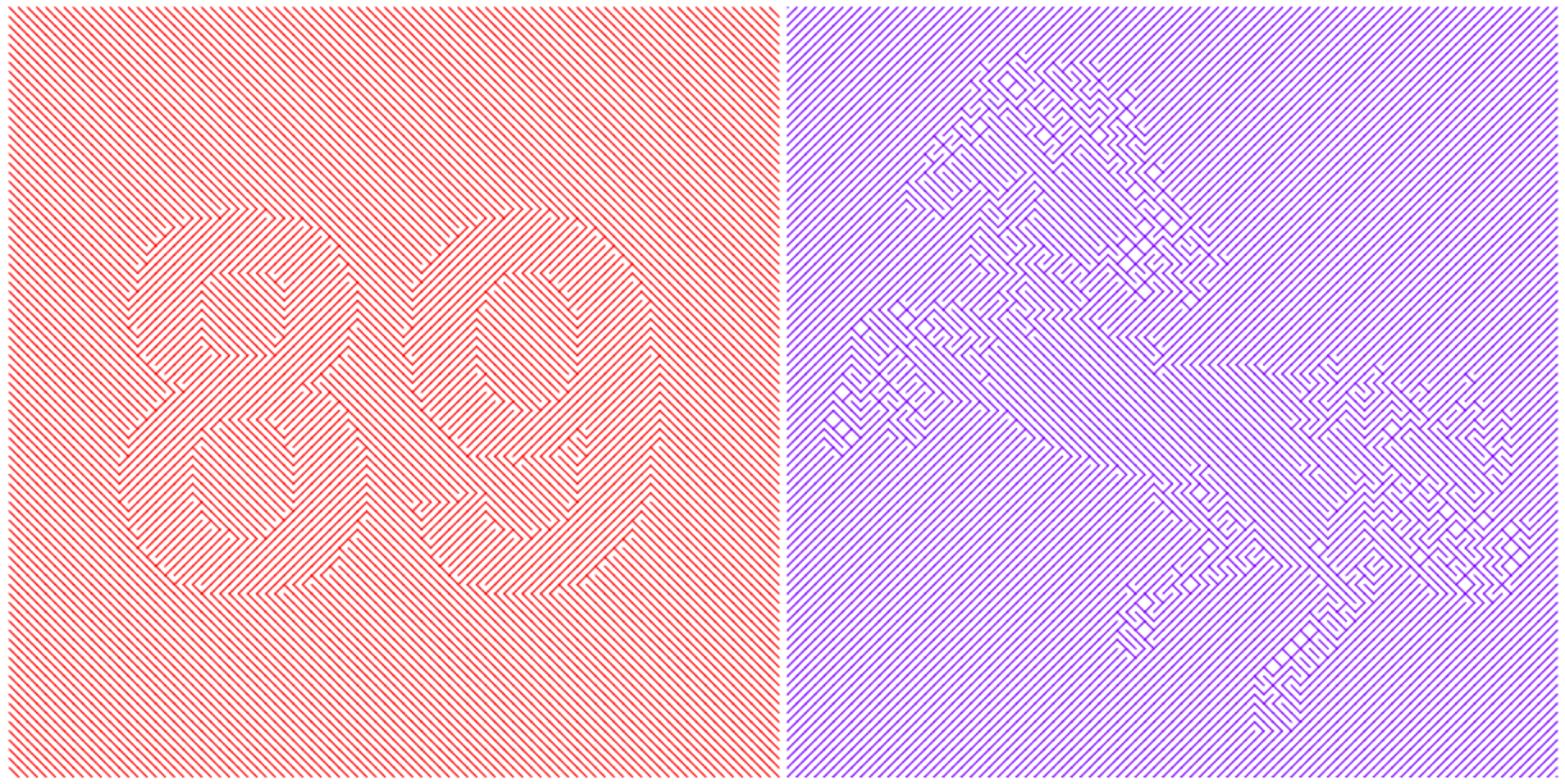
              Turtle.png
              https://youtu.be/i2g5R4UiS7g

              S 1 Reply Last reply Reply Quote 2
              • S Offline
                Subpath @Li Xiao
                last edited by

                @Li-Xiao

                This looks cool and interesting.
                I tried something, like your pics a while ago
                in "Paragraphic" but could never solve how to do it.

                Win 11
                CPU: AMD Ryzen 5 9600X, 6-core.
                GPU: Nvidia Geforce RTX 5070.

                L 1 Reply Last reply Reply Quote 0
                • L Online
                  Li Xiao @Subpath
                  last edited by

                  @Subpath said in Connect Tool:

                  @Li-Xiao

                  This looks cool and interesting.
                  I tried something, like your pics a while ago
                  in "Paragraphic" but could never solve how to do it.

                  Creating this kind of effect in VectorStyler is very simple and convenient.

                  1 Reply Last reply Reply Quote 0
                  • 861475_VctSt8 Offline
                    861475_VctSt @larsherold
                    last edited by

                    @larsherold

                    I've been using OmniGraffle since version 3 (OG) for over 20 years now. Diagrams created in OG can be copied and pasted into VS as vectors. (In my case, since it's Japanese, the text gets garbled and is completely unusable.) While OG is a useful tool to have, it just doesn't feel natural to me.
                    When drawing flowcharts, I mainly use a low-cost software called VisualDesigner2. It has a pre-modern UI, but the operation feels familiar. (This cannot be copied and pasted into VS.)

                    Anyway, my approach is not to generate with a generator, but to draw, adjust the balance, draw again............ a very 20th-century style of operation.

                    @Li Xiao
                    @Subpath

                    On the other hand, I don't use software that generates complex shapes with generators much, as my field is different.
                    Recently, there's FontLab's VEXY LINES, for example.
                    https://
                    www.vexy.art/lines/

                    LIc. 0 OS10.15.8
                    MacBook Air (13-inch, Mid 2012) / Intel Core i5, 8GB / Intel HD Graphics 4000
                    LIc. 1 OS15.7.4
                    MacBook Pro (14-inch, 2023) / Apple M2 Pro, 16GB / Apple GPU

                    S 2 Replies Last reply Reply Quote 2
                    • S Offline
                      Subpath @861475_VctSt
                      last edited by Subpath

                      @861475_VctSt

                      Thanks for the tip.

                      I think much, if not everything, that "Vexy Lines" offers is possible with
                      the Repeater in Vectorstyler.

                      Paragraphic is similar as well. But I'll definitely take a look.
                      Because that's exactly my area; I like to experiment. 🙂

                      Win 11
                      CPU: AMD Ryzen 5 9600X, 6-core.
                      GPU: Nvidia Geforce RTX 5070.

                      1 Reply Last reply Reply Quote 0
                      • S Offline
                        Subpath @861475_VctSt
                        last edited by Subpath

                        @861475_VctSt

                        Here a Tip, Diagram related.
                        The "yEd" Graph Editor is a free java based Diagram App.
                        (Win, Mac, Linux)

                        Here a Link
                        https://www.yworks.com/products/yed/download

                        Win 11
                        CPU: AMD Ryzen 5 9600X, 6-core.
                        GPU: Nvidia Geforce RTX 5070.

                        1 Reply Last reply Reply Quote 1
                        • E Online
                          EricP
                          last edited by EricP

                          Yes connectors would be a great addition to VS. Ones that stay connected to the shape or path when it is moved and keep a fixed angle to the normal of the connected path.

                          You can find various connector styles in draw.io
                          https://app.diagrams.net
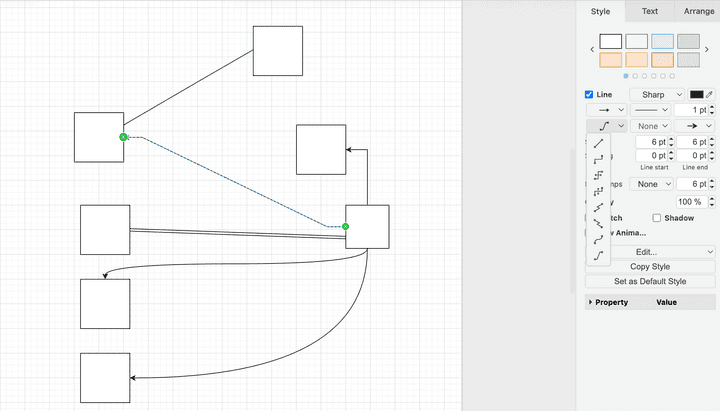
                          3c9ca95a-9425-4358-b35b-54ea247bf7cc-image.png

                          861475_VctSt8 1 Reply Last reply Reply Quote 0
                          • 861475_VctSt8 Offline
                            861475_VctSt @EricP
                            last edited by

                            @EricP

                            Thanks for the useful site info.😃
                            It's a handy web app.

                            @vectorstyler
                            When implementing it in VS, I expect something beyond PowerPoint.
                            When lines intersect, the detour method is crucial.

                            LIc. 0 OS10.15.8
                            MacBook Air (13-inch, Mid 2012) / Intel Core i5, 8GB / Intel HD Graphics 4000
                            LIc. 1 OS15.7.4
                            MacBook Pro (14-inch, 2023) / Apple M2 Pro, 16GB / Apple GPU

                            VectorStylerV 1 Reply Last reply Reply Quote 1
                            • VectorStylerV Offline
                              VectorStyler @861475_VctSt
                              last edited by

                              @861475_VctSt said in Connect Tool:

                              When lines intersect, the detour method is crucial.

                              That can make it more complicated.

                              1 Reply Last reply Reply Quote 0
                              • First post
                                Last post