Change Screen Mode does not work
-
This has always been a long-time challenge. Change Screen Mode is buggy as it does not function as expected.
-
When you switch from the default Normal Screen to the Full Screen Mode, there is no noticeable difference between the two.
-
If you switch to the Single Screen Mode, everything disappears and the screen goes blank (there is only a black screen). During this pickle you can create new documents by pressing Control+N but these won't show. Pressing the Escape key sometimes work but most of the time it doesn't. Currently, the only foolproof solution is to use the task manager to kill the VS process, restart VS and everything then goes back to normal.
HP•Windows 11 Pro•11th Gen Intel(R) Core(TM) i7-1165G7 @ 2.80GHz 2.70 GHz• RAM: 16.0 GB (DDR4)
-
-
@William-Kansepa I opened a bug on this.
The Normal Screen and Full Screen Mode might be the same on Windows if the application is already maximized.
-
@VectorStyler said in Change Screen Mode does not work:
The Normal Screen and Full Screen Mode might be the same on Windows if the application is already maximized.
For inspiration, please check out how Adobe's Screen Mode has been implemented. Even when an application is maximized and you switch modes, their Screen Mode will work as expected.
-
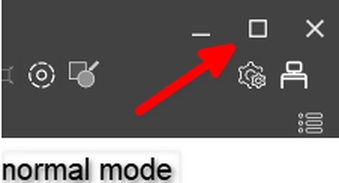
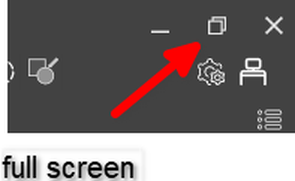
In Windows its like Vectorstyler wrote:
... The Normal Screen and Full Screen Mode might be the same on Windows if the application is already maximized ....There is a slight difference:
In normal mode, the window can be moved.
In full-screen mode, it cannot be moved.and the Icon is different:
-
@Subpath thank you for your response. What you pointed out is a standard Windows functionality. I am specifically after the application's functionality.
I suggest we redefine what do we mean by Screen Mode.
Closely examine how it has been implemented in Adobe... -
@William-Kansepa said in Change Screen Mode does not work:
If you switch to the Single Screen Mode, everything disappears and the screen goes blank
Is this the "Single Document View" mode? this should be inactive if no document is open.
-
@VectorStyler said in Change Screen Mode does not work:
Is this the "Single Document View" mode? this should be inactive if no document is open.
This is happening when I have open documents.
