VectorStyler
    • Categories
    • Unread
    • Recent
    • Tags
    • Popular
    • Register
    • Login

    Keyboard shortcut for "Break Shape"-option, how?

    Scheduled Pinned Locked Moved Questions and Support
    4 Posts 2 Posters 13 Views 2 Watching
    Loading More Posts
    • Oldest to Newest
    • Newest to Oldest
    • Most Votes
    Reply
    • Reply as topic
    Log in to reply
    This topic has been deleted. Only users with topic management privileges can see it.
    • RaaskotR Offline
      Raaskot
      last edited by Raaskot

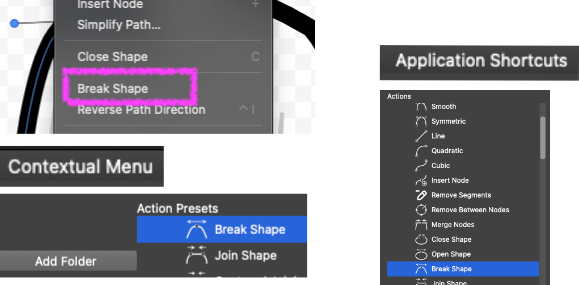
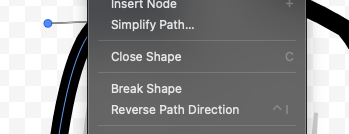
      I wan't to make a keyboard shortcut for "Break Shape"-option, but I can't find and apply it in the Contextual Menu list. Can you please help me?
      923e8e4f-de7e-4fb5-a934-ca91a6239b04-image.png d652af07-13b1-417a-b783-3a6d7a74d910-image.png

      VectorStylerV 1 Reply Last reply Reply Quote 1
      • VectorStylerV Offline
        VectorStyler @Raaskot
        last edited by

        @Raaskot

        For keyboard shortcuts you do not need to work with the "Contextual Menu"

        In the "Keyboard Shortcuts" view:

        • Leave the "Context" field to "Application Shortcuts" (for simplicity)
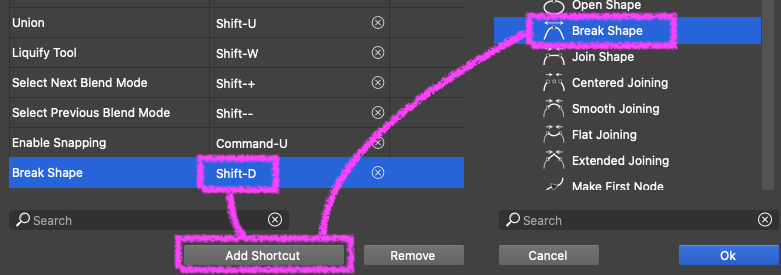
        • on the right side "Actions" list navigate to Object -> Shape -> Break Shape and select it
        • click on the "Add Shortcut" button (first in the bottom of the "Keyboard Shortcuts" view)
        • this will show and highlight the new shortcut item without an assigned key
        • click into the second column and press the keyboard shortcut you want to use
        • the you can confirm the "Keyboard Shortcuts" view

        I tested this here just now and it worked

        RaaskotR 2 Replies Last reply Reply Quote 0
        • RaaskotR Offline
          Raaskot @VectorStyler
          last edited by Raaskot

          @VectorStyler
          Ah, great. Got it.

          Update with a note: One have to check for conflicting shortkeys already set for other operations. Else it won't work.
          ee388d5e-42b9-4386-bcc5-a7e4371723f9-image.png

          1 Reply Last reply Reply Quote 1
          • RaaskotR Offline
            Raaskot @VectorStyler
            last edited by Raaskot

            This post is deleted!
            1 Reply Last reply Reply Quote 0
            • First post
              Last post
