Add an Intensity Setting to the Path Simplifier Tool
-
I would like to request an adjustable intensity setting for the Path Simplifier tool.
At the moment, there does not appear to be a direct numeric control for how aggressively the tool removes nodes or changes the curve. The brush size controls the area being affected, but it should be separate from the strength of the simplification.
There is already an option to use pen pressure, which may provide some control over the strength when using a pressure-sensitive tablet. However, pressure is difficult to reproduce consistently, and it does not help users working with a mouse or trackpad.
A dedicated intensity control would make the tool more predictable:
Low intensity for subtle cleanup while preserving the original shape
Medium intensity for general smoothing and node reduction
High intensity for more aggressive simplificationThis could be added to the Context panel as a percentage or numeric value.
The existing pressure option could remain available and work together with intensity. The intensity value could set the base simplification strength, while pen pressure temporarily varies that strength during the brush stroke.
This would provide consistent control for mouse users and more flexible control for tablet users.
Would this be possible to add?
🍎 macOS Tahoe 26.2, Mac mini (M1, 2020), Chip Apple M1, Memory 16 GB
Cintiq 27QHD Display and LG Ultra HD Display -
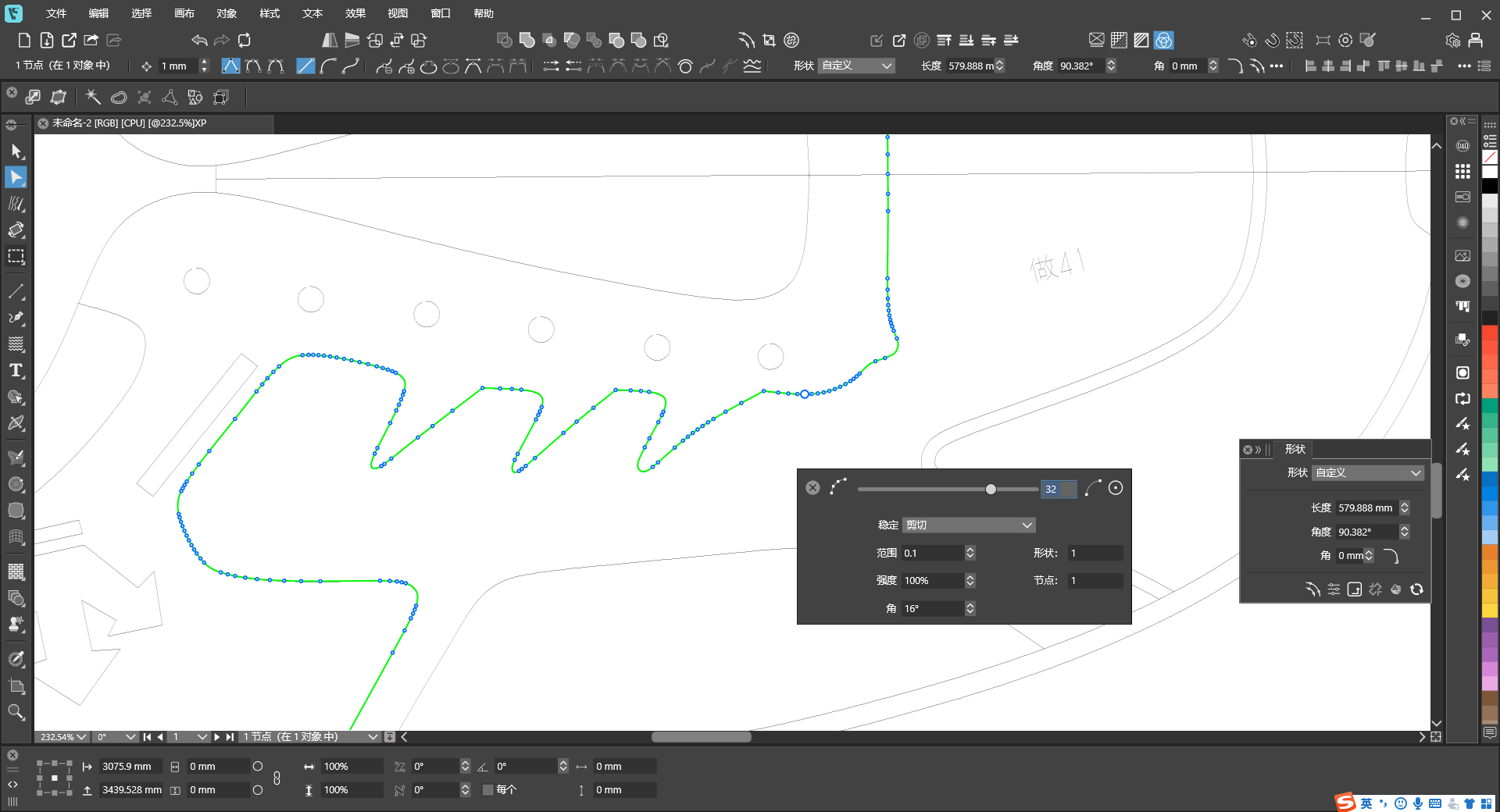
The Simplifier Tool still has numerous issues that need optimization. More often than not, it fails to deliver the results I want. Even minor adjustments to the size parameters drastically degrade the output quality. Additionally, the path simplification feature is extremely cumbersome to operate. When the parameter value is set low, there is virtually no visible change; when set high, the alterations become overly drastic, making it impossible to fine-tune the outcome to my satisfaction. I hope both of these simplification functions can be further improved. -
@Boldline
For the Path Simplifier tool (not the command), there should be a Smoothness option in the context panel, and also you can double click the tool icon for additional options.

