Additional Interactive Controls and Options for the Arc Tool
-
The Arc Tool already uses Option/Alt to cycle through its drawing modes:
Line → Half Arc → Arc → Reversed Arc Direction → repeat
I think it would be helpful if when switching through the drawing modes, the name of the current mode could show onscreen like it does when adjusting opacity:
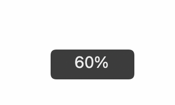
I would like to suggest additional controls that make the tool faster and more precise without changing this existing behavior.
Interactive controls while drawing
- Up/Down Arrow: Increase or decrease the arc bulge.
- Option for Keyboard shortcut: Flip the arc to the opposite side of its chord.
- Option for Keyboard shortcut: Toggle between an open arc and a closed shape.
- Shift: Constrain the chord angle or create a symmetrical arc.
- Display the current bulge, arc rise, or curvature value in the context panel.
The bulge adjustment should remain editable while the mouse button is held down, allowing the user to define the start and end points first and then adjust the curvature.
Arc Tool Options dialog
Double-clicking the Arc Tool icon could open a dialog with:
- Width
- Height or arc rise
- Open or closed
- Horizontal or vertical orientation
- Arc direction
- Preview
If a fill option is included, enabling it should automatically close the arc with a straight chord so that the result forms a valid filled shape.
These additions would preserve the Arc Tool’s current continuous drawing workflow while making it easier to create controlled individual arcs and exact geometric shapes.
-
@Boldline I will add this to the features backlog

