Improve the Line Drawing Tool with Dialog Box Options
-
@vectoradmin
In addition to using the Line Drawing Tool to Click and Drag to draw a line, I’d like to see VectorStyler improve it by being able to bring up a Line Drawing Dialog Box with added options.
With the Line Drawing Tool Selected from the Toolbox, simply Click (without dragging) at a position on the Artboard to make the Line Drawing Dialog Box pop up.
Here is what the Adobe Illustrator Line Segment Dialog Box Looks like:
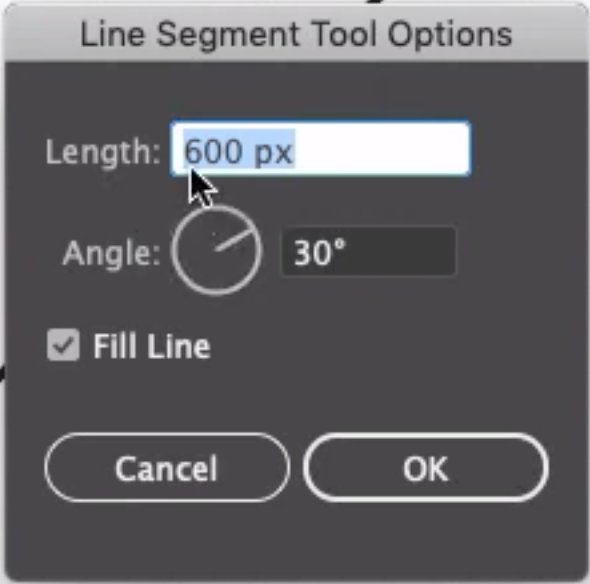
.The Angle Wheel Dial is a nice visual representation of the angle value, and it is functional in that you can click and drag on the Dial angle handle arm itself to rotate it and the angle degree value in the Entry Field will update live and you do so. Naturally, you can enter your desired angle value directly by typing it into the data entry field as well.
Of course, VectorStyler may choose improve upon this further by adding other capabilities right inside of the panel (Preview mode, Line Styles Stroke Setting options, Reference 9-Point locator box, etc.).