VectorStyler
    • Categories
    • Unread
    • Recent
    • Tags
    • Popular
    • Register
    • Login

    brush settings seem off

    Scheduled Pinned Locked Moved Questions and Support
    2 Posts 2 Posters 3.2k Views
    Loading More Posts
    • Oldest to Newest
    • Newest to Oldest
    • Most Votes
    Reply
    • Reply as topic
    Log in to reply
    This topic has been deleted. Only users with topic management privileges can see it.
    • BoldlineB Offline
      Boldline
      last edited by Boldline

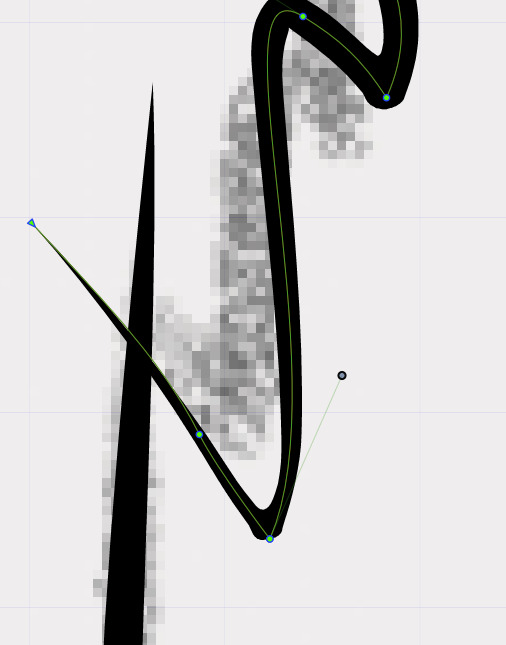
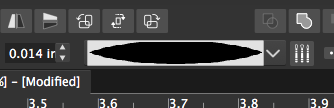
      I am using an imported double sided taper brush and getting these results - where the line seems far off from the stroke. Is this something that could get adjusted in the brush engine?
      Here is a video - it shows the wiggle in the line that also seems odd
      0_1635800450213_c0c17fd3-77bf-4148-9e21-c9ceacfd006f-image.png
      0_1635800496956_91bdc083-4574-46cf-8979-51f366184b97-image.png

      🍎 macOS Tahoe 26.2, Mac mini (M1, 2020), Chip Apple M1, Memory 16 GB
      Cintiq 27QHD Display and LG Ultra HD Display

      VectorStylerV 1 Reply Last reply Reply Quote 0
      • VectorStylerV Offline
        VectorStyler @Boldline
        last edited by

        @Boldline I checked this and it is normal brush behavior (bending at sharp corners).
        Setting the stroke corner to miter in the stroke panel (first of the 3 corner buttons) might mitigate this a bit (if the corner is not too sharp).


        1 Reply Last reply Reply Quote 0
        • First post
          Last post