VectorStyler
    • Categories
    • Unread
    • Recent
    • Tags
    • Popular
    • Register
    • Login
    1. Home
    2. Popular
    Log in to post
    • All Time
    • Day
    • Week
    • Month
    • All Topics
    • New Topics
    • Watched Topics
    • Unreplied Topics

    • All categories
    • C

      Pressure sensitive brush tool using a Wacom tablet?

      Watching Ignoring Scheduled Pinned Locked Moved Questions and Support
      19
      1 Votes
      19 Posts
      20k Views
      VectorStylerV
      @creative said in Pressure sensitive brush tool using a Wacom tablet?: More something like the pressure curve in Procreate on iPad. I will add this.
    • encartE

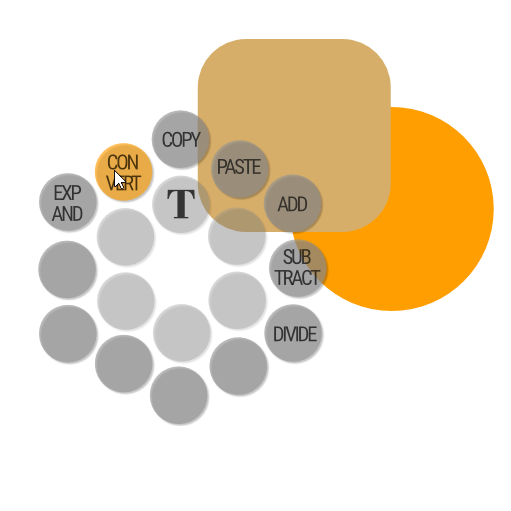
      Personalized popup menu with shortcuts and macros

      Watching Ignoring Scheduled Pinned Locked Moved Features and Ideas
      18
      1
      3 Votes
      18 Posts
      20k Views
      encartE
      @dezenho The only problem I have is that the side mouse buttons don't trigger.
    • B

      Adding noise to a colour in a simple way

      Watching Ignoring Scheduled Pinned Locked Moved Features and Ideas
      18
      0 Votes
      18 Posts
      15k Views
      E
      @ZATOPEK a couple things to consider when comparing noise effects : Affinity adds a white noise on a pixel basis (each pixel value seem independent of its neighbours), it is not a grain effect or 2D noise where neighboring pixels would have correlated values. document size in pixel will influence greatly the size of the noise "particles". A smaller document will have bigger noise particle size in relation to vector shape, than the same noise applied to the same shape on a higher resolution document Affinity rendering engine is very well optimized for fast rendering of multiple layers and uses dynamic image resampling based on display zoom. So, relative noise size will change as you zoom in and out. This can confuse you in thinking you have large noise grains at low zoom settings. But when you zoom in, you see the noise gets smaller and smaller same goes for exporting. If you export at low resolution, you will get large noise grains. If you export at higher resolution, you will get smaller noise grains. Noise grains are one pixel always a way to get a more accurate view in both AD and VS is to switch from vector to pixel view mode. You will avoid the display oversampling at high zoom settings. AD's noise in color chooser is smart and very easy to use, but it lacks configurability. On the other hand VS White Noise image effect is less immediate, but offers much more configurability (experiment with different noise types - random parameter, limit, amount, blend type ...) and you can get all sorts of variations. On SVG export, both AD and VS need to rasterize the noise into a clipping mask as noise is not a standard SVG attribute. [image: 1774688327207-scr-20260328-iyhh-resized.png]
    • BoldlineB

      Shortcuts for Boolean operations

      Watching Ignoring Scheduled Pinned Locked Moved General Discussion
      18
      0 Votes
      18 Posts
      30k Views
      S
      @b77 Well icons are not always clear either. In VS I just made experiments and looked at the results. Then I knew which icon to use and when. It is true that the terminology does not really have to bother, it just eases the learning process in some circumstances.
    • M

      New user: Issues or user error?

      Watching Ignoring Scheduled Pinned Locked Moved Resolved Issues
      18
      0 Votes
      18 Posts
      16k Views
      VectorStylerV
      @MajorTom The "Document Display Mode" should be set back to Metal. This does not affect the exporting issue, and the Software mode can be very slow for editing.
    • IngolfI

      Inspiration: Inkscape vs Affinity Designer review

      Watching Ignoring Scheduled Pinned Locked Moved General Discussion
      18
      3 Votes
      18 Posts
      31k Views
      IngolfI
      Also related when speaking of b-spline and spiro, the good old Bezigon tool from Macromedia Freehand: Bezigon demo (YouTube) Can also be found in the free to try Gravit Designer that as I understand is created by former Freehand users: Perhaps the bezigon tool is better explained here: Gravit Designer basics. Bezigon tool (YouTube) Explained in documentation (Gravit Designer homepage) Bezigon tool in Gravit Designer (Facebook video)
    • S

      Find/Replace Question

      Watching Ignoring Scheduled Pinned Locked Moved Questions and Support
      18
      1
      0 Votes
      18 Posts
      15k Views
      IngolfI
      @VectorStyler said in Find/Replace Question: Why not replace just the shape. Draw the new tile shape in one object, copy the shape to the clipboard and paste on multiple other objects. This will keep all local skew, rotation, scale of those other objects. And then do this for the color / style of that changes. I just tried with a single shape - Paste Shape didn’t preserve rotation, etc.? Anyway, neither roof tiles, leaves, bricks, nor windows I make are single shapes - they’re objects with embedded details, essentially groups of objects. There’s quite a bit of work behind the details in them. All the things that make the illustrations feel organic and less like clipart. But as mentioned, probably not a typical use case.
    • TorakikiiiT

      Hi! How is this coming along?

      Watching Ignoring Scheduled Pinned Locked Moved General Discussion
      18
      1 Votes
      18 Posts
      20k Views
      IngolfI
      You have to judge a programme on what it is, not what you want or think it is. Affinity Designer is not actually designed to be a vector design program. I am both annoyed and indignant that Serif markets it (also) as a vector design program. They are so aggressive in their marketing that it ends up on the edge of truth. Their labels "styles" and "vector brushes" are pure nonsense. "Styles" are apply once presets and "vector brushes" bitmap brushes on a vector path. etc. Designer is essentially a program that controls bitmaps via vector elements, and that even when you try to make vector-only outputs rasterizes way too much. There are no more vector features in Affinity Designer than in many small programs. They're just beautifully implemented. A shame. As a design program for more artistic complete designs that end up as bitmap, or is bitmap, Designer works excellently, bitmap and raster can be mixed without thinking about the technique, and the programs are lightning fast. If you look at the work done in Affinity, it is obvious that the program's potential is being exploited to the full. Out there. I haven't experienced real alternatives to Affinity Designer in the program's own true genre measured in ease of use, easy workflows and raw speed, while Illustrator and CorelDRAW may get unexpected competition from Vectorstyler one day.