Font issue after a period of time using VS
-
@vectoradmin this is related to the previous font issue I had emailed you about last week.
Using the newest build and with a default preferences (only a couple edits to that) - it still seems I occasionally get a font that begins by being recognized by VS as active, and after an hour or so work session, trying to use it again
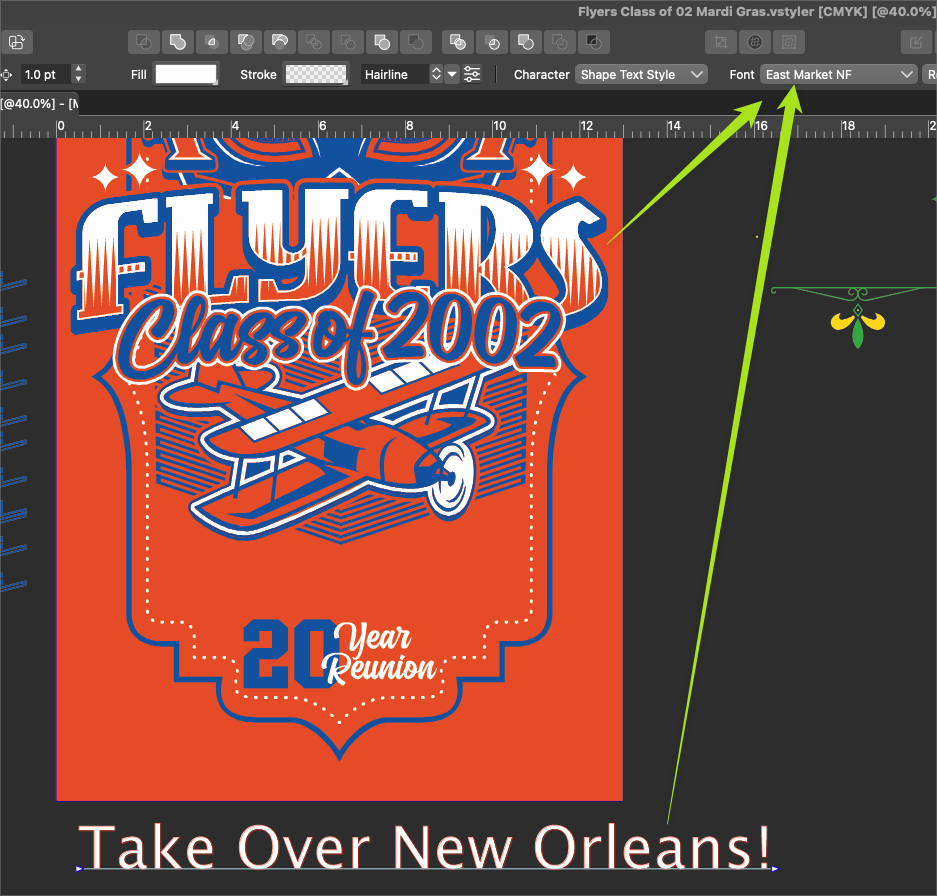
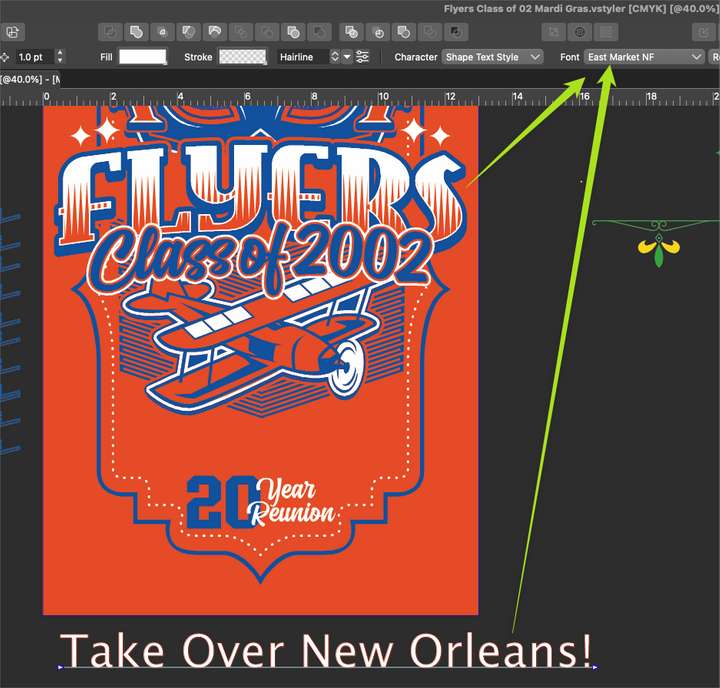
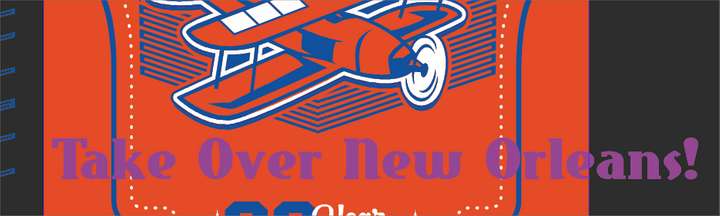
From this image below, you can see I used this font, "East Market NF" to create the word "Flyers". Later on, I was trying to convert the lower text, "Take oVer New Orleans!" to the same font. It shows in the list as the right name, but the actual font displayed is incorrect.
I checked with the font management program and it is still activated there.
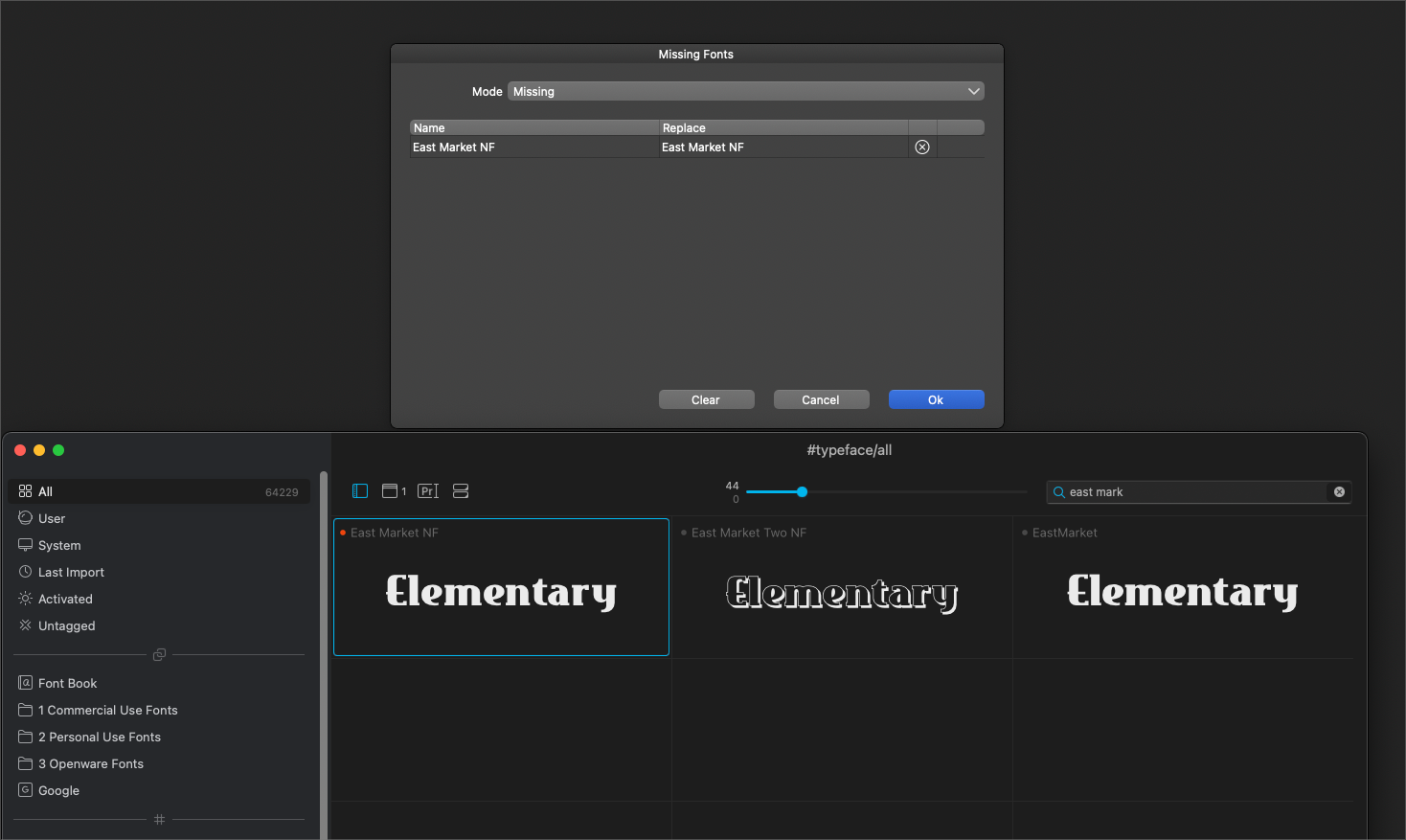
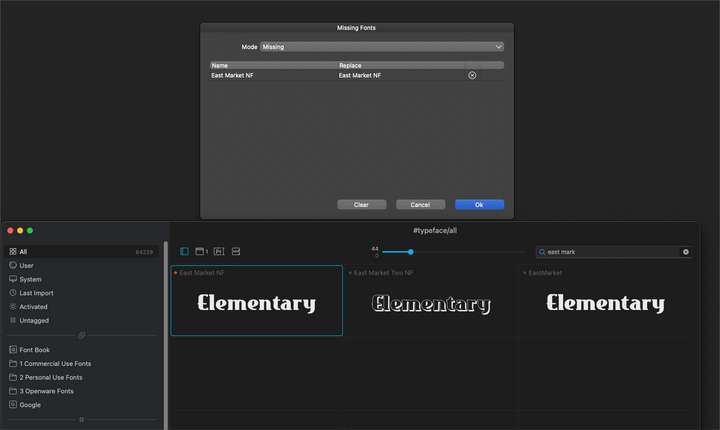
I saved my project and closed out VS and reopened it. This time I got a missing font dialog box showing the font used in the design was missing and offering to replace with the same font. That picture is also below in this post.
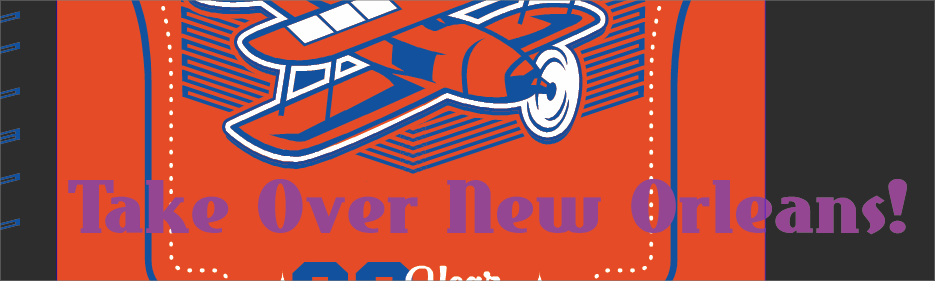
if I copy that text (that claims to be the correct font but is not displaying the correct appearance) and paste it in a new project entirely, I immediately get the missing fonts dialog box and it offers again like in the picture below, to replace the "missing" font with the same font. Even if I press "ok", it does not correct the appearance as it shouldUPDATE: If I copy the text into Affinity Designer and pull up the font, it works as expected. If I copy the text from Affinity Designer and paste it back into VS, it displays properly again. See pic below - the live text from Affinity is in purple
-
@Boldline I will try to replicate this.
-
Let me throw in my 5 cents.
A while ago I wanted to use the Birds of Paradise font, but VS did not detect it. To be sure, I checked if the font was installed on the system. It was, but there was no way I could use it in the program. Only after reinstallation in the system it appeared in VS. I checked a moment ago and it disappeared from the list again. It's available only when I'm using the fonts folder. -
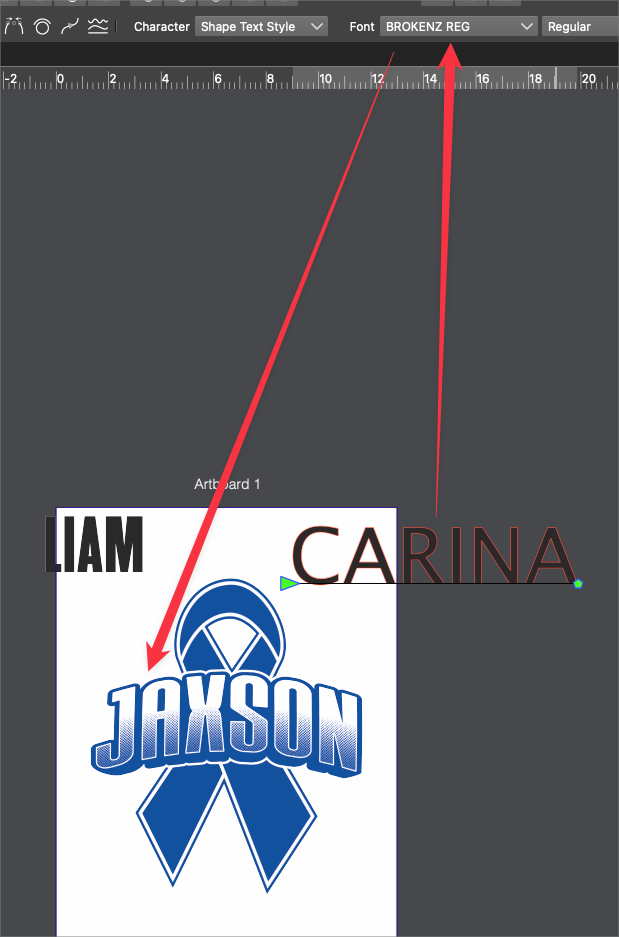
Just documenting the same issue occurs in build 33 same as earlier in this thread. Fonts that are used in a design inside VS suddenly stop displaying as the correct font later on. I tried restarting VS and that did not help. In this video example, I'm trying to make the two names in black be the same font as the name "Jaxson"
-
@Boldline Yes, this issue is till open, and I could not replicate it so far. Could you also send the settings.xml and workspace.xml files, there might be something with the current app state.
-
@vectoradmin no problem. I sent the requested files to you by email
UPDATE: After I sent the workspace and settings files to you I went ahead and reset it to the default and re-opened the same file and the words were automatically showing in the correct font as would be normally expected. So I would assume the issue lies somewhere within the settings I sent over?
-
@Boldline got the files, I will try to figure out what is going on.


