Adjustng stroke width tool , brusgh settings are affected with new strokes
-
I don't know if this is a bug or intended behaviour
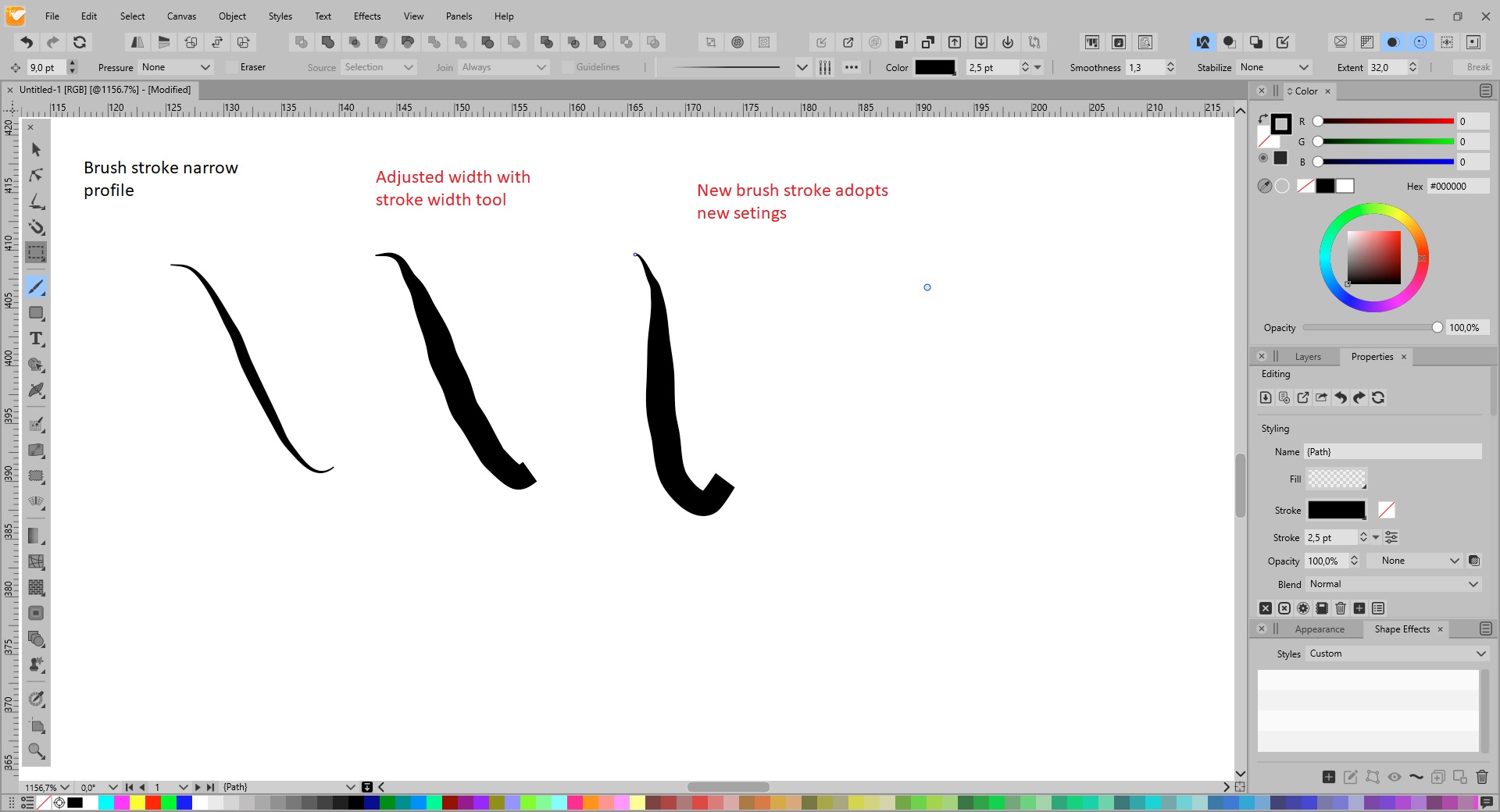
Example , brush stroke with narrow profile , when then adjusting a part of the line with the brush width tool , newly created strokes have adopted these new settings , iow overriden the brush stroke setting .
This is really an annoyance
-
@gentlecl I might be wrong but I don't think there is a setting for this.
But since the app uses the profile of the last selected brush stroke (if Preferences > Changing Options > 'Width Profile in New Objects' is enabled), you could select any other brush object with the profile you need before drawing another stroke.
-
@b77 said in Adjusting stroke width tool , brush settings are affected with new strokes:
But since the app uses the profile of the last selected brush stroke (if Preferences > Changing Options > 'Width Profile in New Objects' is enabled), you could select any other brush object with the profile you need before drawing another stroke.
I would like to see a reset button or something to reset the brush back to original settings - I run into this issue in the case @gentlecl mentioned, but also if I use the stroke width option - all future strokes retain that setting - which is great, but not easy to get it back to default mode after that
-
@Boldline said in Adjustng stroke width tool , brusgh settings are affected with new strokes:
I would like to see a reset button or something to reset the brush back to original settings - I run into this issue in the case @gentlecl mentioned, but also if I use the stroke width option - all future strokes retain that setting - which is great, but not easy to get it back to default mode after that
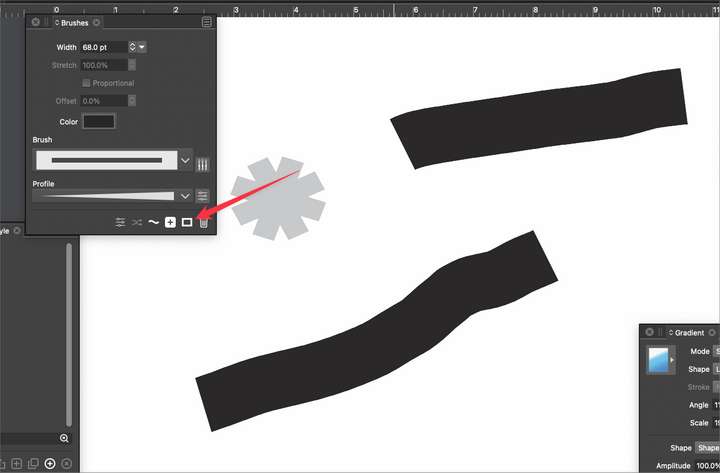
There is a "solid stroke" button in both the Brushes and Stroke panel (second last in the icon row).
-
@vectoradmin
ok thank you - that helps.
I notice though, that if I select that option, after my brush strokes return to default, the settings in the brush panel still show prior settings. If I go in and choose a new brush and/or choose a new brush profile, the brush panel catches up. Should this happen automatically?
-
@Boldline said in Adjustng stroke width tool , brusgh settings are affected with new strokes:
Should this happen automatically?
Looks like there is a bug in the brush panel, it should be showing the current selected attributes.


