VectorStyler
    • Categories
    • Unread
    • Recent
    • Tags
    • Popular
    • Register
    • Login

    Fill transparency in appearance
    Scheduled Pinned Locked Moved VectorStyler 1.1 Bugs
    8 Posts 3 Posters 7.5k Views 3 Watching
    Loading More Posts
    • Oldest to Newest
    • Newest to Oldest
    • Most Votes
    Reply
    • Reply as topic
    Log in to reply
    This topic has been deleted. Only users with topic management privileges can see it.
    • J Do not disturb
      Jayanta Das
      last edited by Jayanta Das

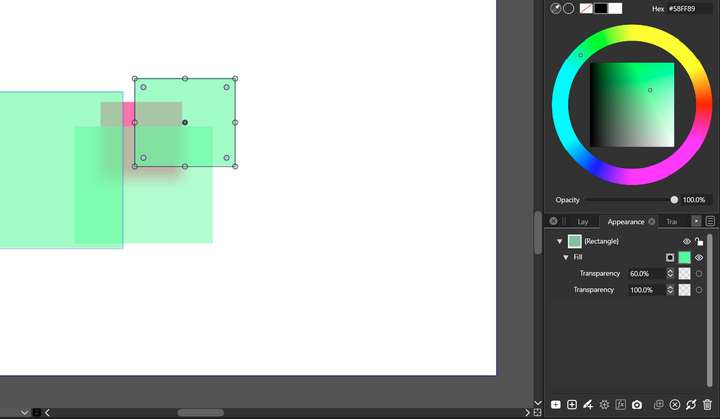
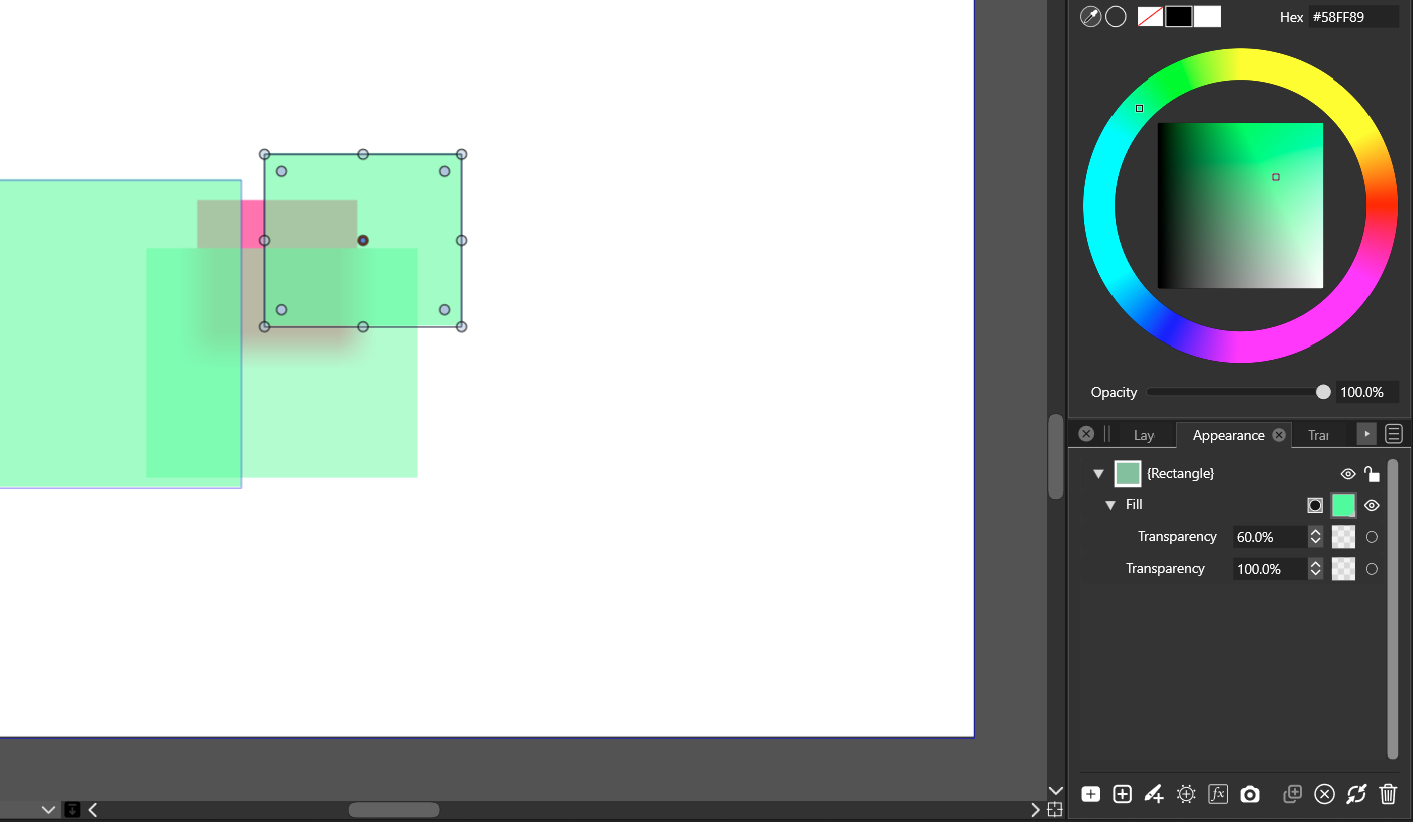
      After I change fill transparency of an object in appearance and make another object the new object retain the same transparency of the previous object, it doesnot reset value to 100%

      .0_1650470540682_Screenshot 2022-04-20 213131.png

      Mac Mini M4 Pro | 24Gb
      WIndows 11 | Intel i5 11Gen
      Wacom Intuos Pro

      b77B 1 Reply Last reply Reply Quote 0
      • b77B Offline
        b77 @Jayanta Das
        last edited by b77

        @Jayanta-Das This is by design — new objects adopt the basic properties of the last selected object (fill, stroke, opacity).

        If you need the opacity of new objects at 100%, modify it afterwards for the new object or select a fully opaque object before drawing.

        MacBook Pro (Intel) running Monterey 12.6.4

        J 1 Reply Last reply Reply Quote 1
        • J Do not disturb
          Jayanta Das @b77
          last edited by

          @b77 I know that. I am not taking about the opacity of the object, I am taking about the fill opacity of the object in appearance.

          Mac Mini M4 Pro | 24Gb
          WIndows 11 | Intel i5 11Gen
          Wacom Intuos Pro

          VectorStylerV 1 Reply Last reply Reply Quote 0
          • VectorStylerV Offline
            VectorStyler @Jayanta Das
            last edited by

            @Jayanta-Das The fill opacity is part of the fill attributes, and as such it is reused by the next object.

            J 1 Reply Last reply Reply Quote 1
            • J Do not disturb
              Jayanta Das @VectorStyler
              last edited by

              @vectoradmin Is there any setting in preferences where I can make it reset whenever I make a new object? Object transparency carries the previous object's colour, stroke fill, but fill transparency in appearance is just like an effect apply to the particular object. It would be nice if it reset to default for new object like other program do. It will save some extra mouse click.😜

              Mac Mini M4 Pro | 24Gb
              WIndows 11 | Intel i5 11Gen
              Wacom Intuos Pro

              VectorStylerV 1 Reply Last reply Reply Quote 0
              • VectorStylerV Offline
                VectorStyler @Jayanta Das
                last edited by

                @Jayanta-Das I will add an option to reset the opacity of Fill and Stroke attributes for new elements. Added this to the backlog.

                J 1 Reply Last reply Reply Quote 0
                • J Do not disturb
                  Jayanta Das @VectorStyler
                  last edited by

                  @vectoradmin said in Fill transparency in appearance:

                  I will add an option to reset the opacity of Fill and Stroke attributes for new elements. Added this to the backlog.

                  Is this implemented?

                  Mac Mini M4 Pro | 24Gb
                  WIndows 11 | Intel i5 11Gen
                  Wacom Intuos Pro

                  VectorStylerV 1 Reply Last reply Reply Quote 0
                  • VectorStylerV Offline
                    VectorStyler @Jayanta Das
                    last edited by

                    @Jayanta-Das said in Fill transparency in appearance:

                    Is this implemented

                    Not yet. It is in the current feature backlog, features to be implemented for 1.2, more on this later 🙂

                    1 Reply Last reply Reply Quote 0
                    • First post
                      Last post