VectorStyler
    • Categories
    • Unread
    • Recent
    • Tags
    • Popular
    • Register
    • Login

    Playing with "Outline Path" Shape Effect

    Scheduled Pinned Locked Moved Tutorials
    11 Posts 2 Posters 16.1k Views 2 Watching
    Loading More Posts
    • Oldest to Newest
    • Newest to Oldest
    • Most Votes
    Reply
    • Reply as topic
    Log in to reply
    This topic has been deleted. Only users with topic management privileges can see it.
    • S Offline
      Subpath
      last edited by Subpath

      I decided to make a separate thread didn't want to blow up
      @Victor-Vector thread too much with my attempts.

      His Thread is here:
      https://www.vectorstyler.com/forum/topic/1993/shape-weaving-over-under-paths
      .

      This is not meant as a Tutorial.
      Its more like a play through where i share some finds and ideas.
      Everyone is welcome to post their ideas about it here also.
      .

      To apply the "Outline Path" Shape Effect create a Shape
      with no fill and a thin contour 0.35 will fit.

      Select your Shape, go to MenΓΌ -> Effects -> Outline
      -> Outline Path and play with the Parameters.
      The parameter stripe is interesting and the option double stripe.
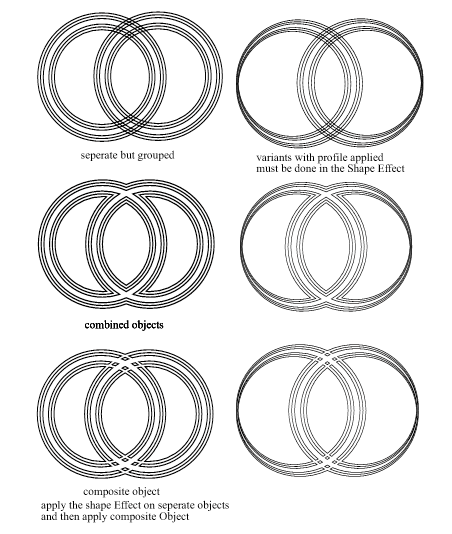
      0_1652164887414_Outline-Path-Variants.png

      Win 11
      CPU: AMD Ryzen 5 9600X, 6-core.
      GPU: Nvidia Geforce RTX 5070.

      1 Reply Last reply Reply Quote 5
      • S Offline
        Subpath
        last edited by Subpath

        you could use the Shape Builder Tool with it
        .
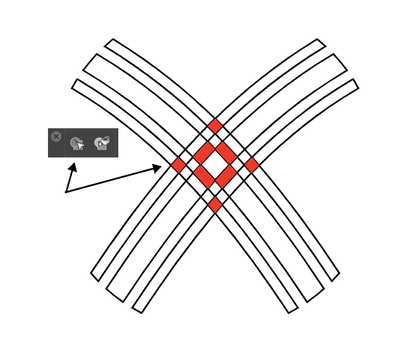
        0_1652172155452_Shape-Builder-Tool.png

        Win 11
        CPU: AMD Ryzen 5 9600X, 6-core.
        GPU: Nvidia Geforce RTX 5070.

        1 Reply Last reply Reply Quote 3
        • S Offline
          Subpath
          last edited by Subpath

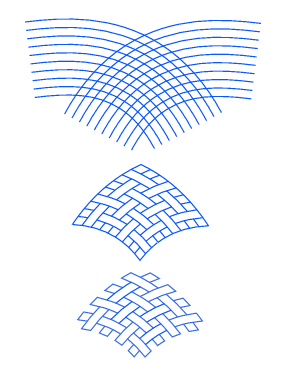
          The Shape Effect Menu -> "Outline" -> "Offset Path" fits very well
          to "Outline Path"

          and then I used the Trim Tool to create the Pattern

          Edited:
          I insert a Picture of the Trim and Join Tool
          .
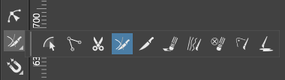
          0_1652271509100_Trim-and-Join-Tool.png
          .
          0_1652196484247_Offset-Path-1.png
          .
          .
          0_1652196502864_Offset-Path-2.png

          Win 11
          CPU: AMD Ryzen 5 9600X, 6-core.
          GPU: Nvidia Geforce RTX 5070.

          1 Reply Last reply Reply Quote 6
          • Victor VectorV Offline
            Victor Vector
            last edited by Victor Vector

            @Subpath,
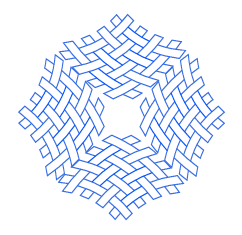
            Your creations are exciting and inspirational and I appreciate you sharing them with us. You also got me to explore tools and shapes I have never really tried, like the Line Grid Shape and the Trim Tool. The Trim Tool is very handy.

            So I tried to replicate what you came up with, and spent some time to join it all together to see what kind of workflow I could come up with. All very informative and useful!
            Here is my result:
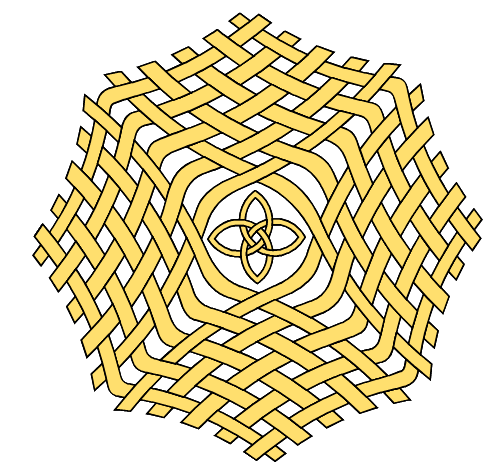
            0_1652203403050_1ea16d3b-9bef-423a-a074-2afc3794efb7-image.png (It needed something in the middle) πŸ˜‰

            Thank you!

            S 1 Reply Last reply Reply Quote 5
            • S Offline
              Subpath @Victor Vector
              last edited by Subpath

              @Victor-Vector

              Your welcome and anyone too.
              Your Shape is sooo coool. Great Result. πŸ‘

              Well, I can only repeat myself the credit goes to @VectorStyler.
              I think it's incredible what features he has built in and that you
              can combine them in so many ways. Its insane.

              As you said, ideas very often come through communication here on the forum.
              One initiates a topic, others share their ideas. And so one thing gives rise to another.
              I am curious to see what results we will see πŸ™‚

              Win 11
              CPU: AMD Ryzen 5 9600X, 6-core.
              GPU: Nvidia Geforce RTX 5070.

              1 Reply Last reply Reply Quote 1
              • S Offline
                Subpath
                last edited by Subpath

                As @Victor-Vector mentioned the Line Grid Shape in his Post above,
                which also fits very well with the Outline and Offset Shape Effect
                i call this "Line-Grid-Turn" (made with the Line Grid Shape)
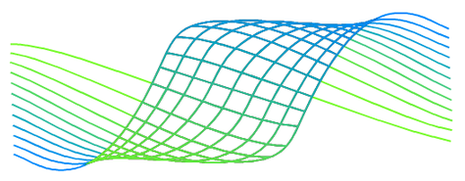
                0_1652357625996_line-grid-turn-1.png

                How it was made will follow

                Win 11
                CPU: AMD Ryzen 5 9600X, 6-core.
                GPU: Nvidia Geforce RTX 5070.

                1 Reply Last reply Reply Quote 2
                • S Offline
                  Subpath
                  last edited by Subpath

                  Here is how i made the "Line-Grid-Turn"

                  used:

                  0_1652710134973_line-grid.png
                  Line Grid Shape
                  .
                  0_1652710171283_Envelope.png
                  Envelope Tool
                  .
                  0_1652710209351_TrimandJoin.png
                  Trim and Join Tool
                  .
                  0_1652710249877_BlendTool.png
                  Blend Tool.
                  .
                  0_1652710275330_Color-Picker.png
                  Color Picker

                  some editing by Hand

                  I think that shapes were mirrored is clear.

                  The shape was not so complicated, it is the Grid Line Shape
                  with the Envelope Tool and then the shapes were connected
                  Edited with the Trim Tool so that I got these parts
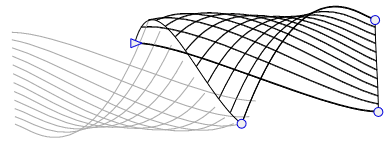
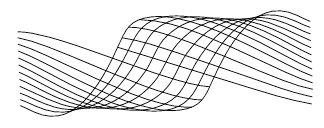
                  0_1652356850598_Turn-1.png

                  0_1652356889003_Turn-2.png

                  .
                  The gradient was a little more work (there may be other ways to do it).
                  I did it this way

                  Two lines blended with the Blend Tool for a Color Blend.
                  Then transfer the colors with the Color Picker to the actual lines.
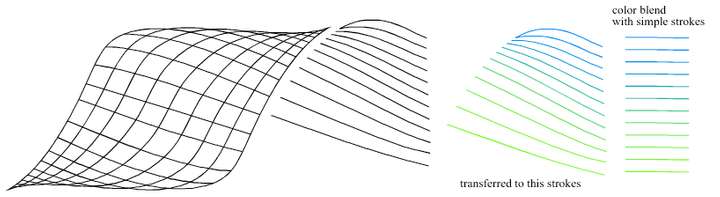
                  0_1652357001987_Turn 3.png

                  .
                  For the middle part, convert the strokes into shapes (Styles -> Expand Stroke)
                  and connect them with Boolean Union.

                  Again, blend two lines for a color blend. The strokes can be thick.
                  Apply Image Effect "Gaussian Blur on the result.

                  Copy the gradient to the clipboard with Ctrl+x. Double click on the middle part
                  for isolation/clip mode. Copy the gradient back. And the center part has his gradient.

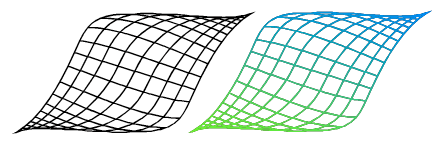
                  0_1652357458665_Turn 4b.png

                  0_1652357140030_Turn 5.png

                  .
                  Finally, put all pieces together and group them
                  the Result is above.

                  Win 11
                  CPU: AMD Ryzen 5 9600X, 6-core.
                  GPU: Nvidia Geforce RTX 5070.

                  Victor VectorV 1 Reply Last reply Reply Quote 4
                  • Victor VectorV Offline
                    Victor Vector @Subpath
                    last edited by

                    @Subpath Thank you for giving back to the community and sharing your techniques. They are definitely inspiring and puts me in the spirit of experimentation.
                    Cheers to you for expanding our horizons!

                    S 1 Reply Last reply Reply Quote 2
                    • S Offline
                      Subpath @Victor Vector
                      last edited by

                      @Victor-Vector

                      Glady.
                      Very often I learn something new myself, by sharing πŸ™‚

                      Win 11
                      CPU: AMD Ryzen 5 9600X, 6-core.
                      GPU: Nvidia Geforce RTX 5070.

                      1 Reply Last reply Reply Quote 0
                      • S Offline
                        Subpath
                        last edited by

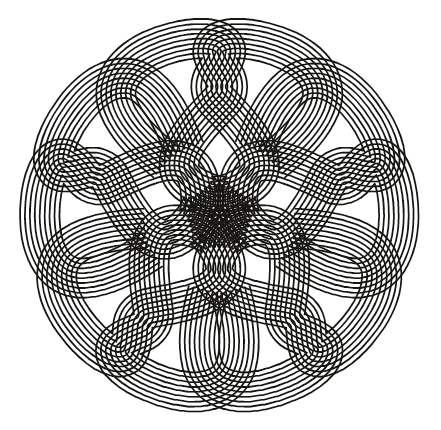
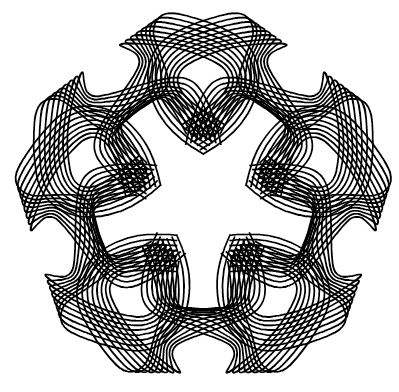
                        As I said before, I like Celtic design/ornament.
                        So here some Celtic inspired designs.
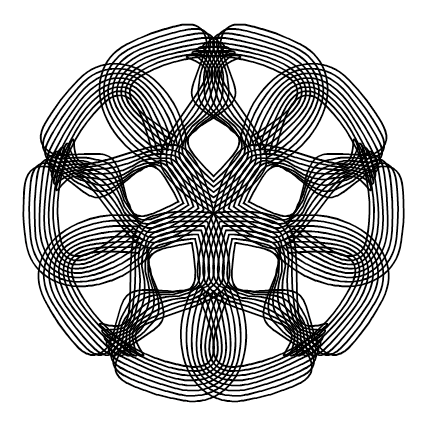
                        0_1652449684210_Celtic-inspired-3.png
                        .
                        0_1652449700054_Celtic-inspired-2.png
                        .
                        0_1652449717280_Celtic-inspired-1.png

                        Win 11
                        CPU: AMD Ryzen 5 9600X, 6-core.
                        GPU: Nvidia Geforce RTX 5070.

                        1 Reply Last reply Reply Quote 4
                        • S Offline
                          Subpath
                          last edited by Subpath

                          And here the stroke I used

                          Is the same stroke for picture 1 and 3
                          just a different position
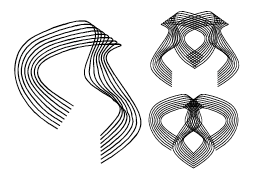
                          0_1652451764346_Stroke-used-1.png
                          .
                          the Stroke from Picture 2 here

                          0_1652451806648_Stroke-used-2.png

                          Win 11
                          CPU: AMD Ryzen 5 9600X, 6-core.
                          GPU: Nvidia Geforce RTX 5070.

                          1 Reply Last reply Reply Quote 1
                          • First post
                            Last post