VectorStyler
    • Categories
    • Unread
    • Recent
    • Tags
    • Popular
    • Register
    • Login

    Cannot get rid of stroke and it changes color in odd ways in the color panel
    Scheduled Pinned Locked Moved Resolved Issues
    7 Posts 3 Posters 7.2k Views 2 Watching
    Loading More Posts
    • Oldest to Newest
    • Newest to Oldest
    • Most Votes
    Reply
    • Reply as topic
    Log in to reply
    This topic has been deleted. Only users with topic management privileges can see it.
    • BoldlineB Offline
      Boldline
      last edited by

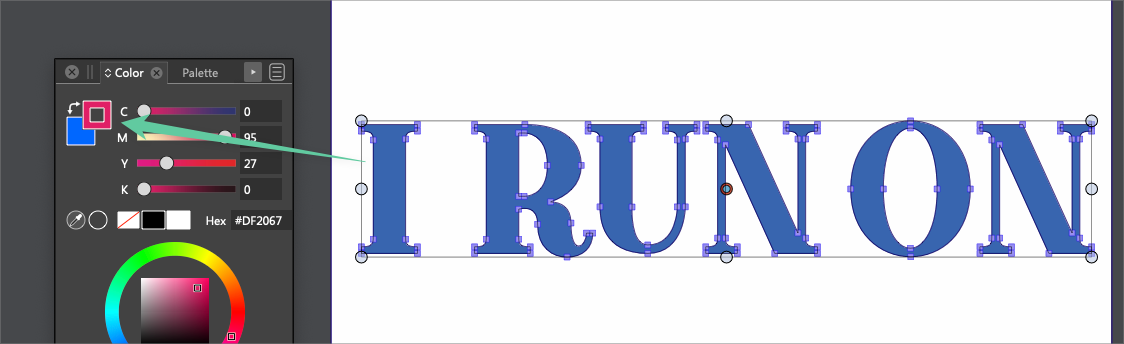
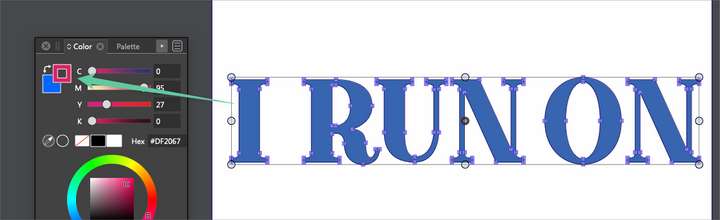
      I am working with some expanded text and it seems to have a stroke attached to it that cannot be removed... I don't know if it's related to it being a compound path
      0_1652812196980_test6.vstyler

      0_1652812705927_d1b343ad-0301-4451-8af6-f330c88741a9-BLD 2022-05-17 at 14.37.58.png

      🍎 macOS Tahoe 26.2, Mac mini (M1, 2020), Chip Apple M1, Memory 16 GB
      Cintiq 27QHD Display and LG Ultra HD Display

      b77B VectorStylerV 2 Replies Last reply Reply Quote 0
      • b77B Offline
        b77 @Boldline
        last edited by

        @Boldline Maybe it has two strokes? Check the Appearance panel, or post the file here.

        MacBook Pro (Intel) running Monterey 12.6.4

        BoldlineB 1 Reply Last reply Reply Quote 0
        • BoldlineB Offline
          Boldline @b77
          last edited by Boldline

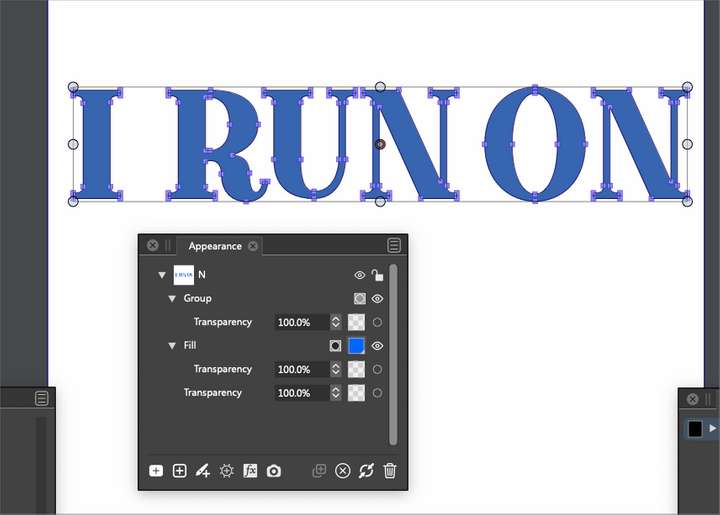
          @b77 file is posted - the link is right above the image. is there a better spot I should put the link?

          I did check the appearance panel and I did not see any strokes listed there
          0_1652813691164_3f50e699-626a-4086-bbda-699b8dda756a-BLD 2022-05-17 at 14.54.27.png

          🍎 macOS Tahoe 26.2, Mac mini (M1, 2020), Chip Apple M1, Memory 16 GB
          Cintiq 27QHD Display and LG Ultra HD Display

          b77B 1 Reply Last reply Reply Quote 0
          • VectorStylerV Offline
            VectorStyler @Boldline
            last edited by

            @Boldline At least here, this seems to be a clipping group, containing some red outlines also.

            BoldlineB 1 Reply Last reply Reply Quote 1
            • b77B Offline
              b77 @Boldline
              last edited by b77

              @Boldline Sorry, too much blue from the video link above and I didn't see it. 🙂

              Strange. Once you change the stroke width to something else, a stroke attribute is assigned and changing its color works as it should.

              MacBook Pro (Intel) running Monterey 12.6.4

              BoldlineB 1 Reply Last reply Reply Quote 1
              • BoldlineB Offline
                Boldline @VectorStyler
                last edited by

                @VectorStyler said in Cannot get rid of stroke and it changes color in odd ways in the color panel:

                @Boldline At least here, this seems to be a clipping group, containing some red outlines also.

                interesting - I was going to clip it next but had not done so yet - just made it a combined shape

                🍎 macOS Tahoe 26.2, Mac mini (M1, 2020), Chip Apple M1, Memory 16 GB
                Cintiq 27QHD Display and LG Ultra HD Display

                1 Reply Last reply Reply Quote 0
                • BoldlineB Offline
                  Boldline @b77
                  last edited by

                  @VectorStyler the original expanded text is in the large file I emailed to you about an hour ago if you want to compare and contract it. I may have done some editing since that time on it before moving it to a new file to see if the issue continued there.

                  🍎 macOS Tahoe 26.2, Mac mini (M1, 2020), Chip Apple M1, Memory 16 GB
                  Cintiq 27QHD Display and LG Ultra HD Display

                  1 Reply Last reply Reply Quote 1
                  • First post
                    Last post
