VectorStyler
    • Categories
    • Unread
    • Recent
    • Tags
    • Popular
    • Register
    • Login

    Misleading use of check marks in Panels menu

    Scheduled Pinned Locked Moved Resolved Issues
    4 Posts 3 Posters 5.8k Views 3 Watching
    Loading More Posts
    • Oldest to Newest
    • Newest to Oldest
    • Most Votes
    Reply
    • Reply as topic
    Log in to reply
    This topic has been deleted. Only users with topic management privileges can see it.
    • IngolfI Offline
      Ingolf
      last edited by

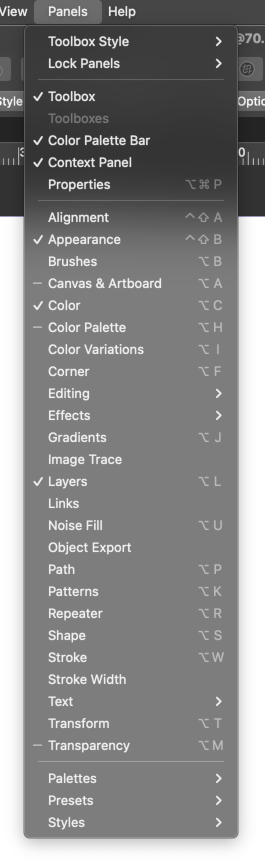
      I only now discovered that the icon next to used panels in the Panel menu only appears next to panels that are active in a group of panels.

      The icon should be displayed next to all used panels.
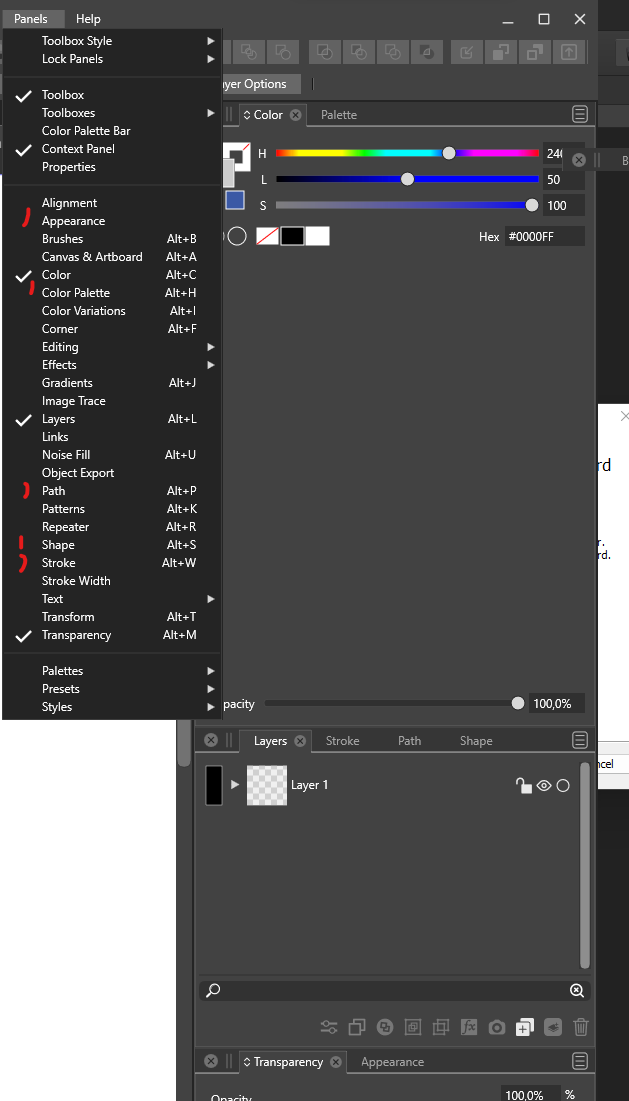
      0_1654549151429_a3a69908-f675-4ebb-abd2-c75e343c1152-image.png

      VS 1.1.042 macOS and Win

      ๐Ÿ™‚

      ๐Ÿ macOS Sequoia Apple Silicon

      VectorStylerV 1 Reply Last reply Reply Quote 2
      • VectorStylerV Offline
        VectorStyler @Ingolf
        last edited by

        @Ingolf Not sure about this. In Affinity it is as you say, in AI it is as in VS.
        The problem here is that if a checkbox is shown, the user may expect the panel to be visible somewhere on the screen and it is not.

        Lets see what others think.

        IngolfI 1 Reply Last reply Reply Quote 0
        • IngolfI Offline
          Ingolf @VectorStyler
          last edited by Ingolf

          @VectorStyler said in Misleading use of check marks in Panels menu:

          @Ingolf Not sure about this. In Affinity it is as you say, in AI it is as in VS.
          The problem here is that if a checkbox is shown, the user may expect the panel to be visible somewhere on the screen and it is not.

          Lets see what others think.

          Hm, you're right. It's probably introduced after the panels could be minimized to icons too.

          That's okay. The methodology doesn't break anything. And it might be useful if VS one day goes the icon route too.

          ๐Ÿ macOS Sequoia Apple Silicon

          b77B 1 Reply Last reply Reply Quote 1
          • b77B Offline
            b77 @Ingolf
            last edited by b77

            Would three states for the checkmarks work for this or confuse users?
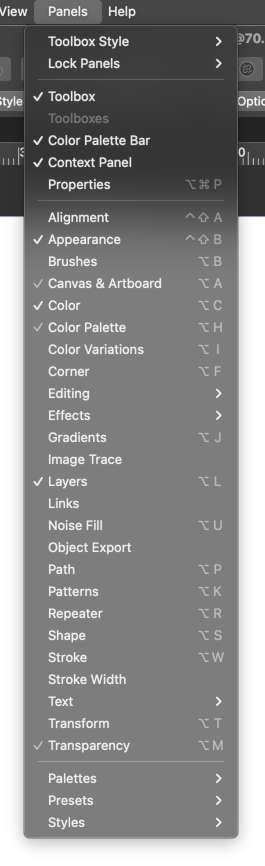
            0_1654597127379_3st.png

            Or a hyphen/line instead?

            0_1654597658494_4st.png

            In any case, the checkmarks look too big on Windowsโ€ฆ I would pick some smaller checkmark glyph that has a smaller than 90ยฐ angle, like on the Mac.

            MacBook Pro (Intel) running Monterey 12.6.4

            1 Reply Last reply Reply Quote 0
            • First post
              Last post