Custom toolboxes added to main toolbox

-
When I load a custom toolbox it is added to the main toolbox.

- What I did was I reset the preferences (just to see what the defaults are)
- Then loaded my favorite preferences file
- Then loaded one custom toolbox and it was "added"
- Tried another one and it was "added" too
Toolboxes saved several releases ago - never had this issue before
🍏 macOS Sequoia Apple Silicon
-
Total poltergeist.
The first thing I did was to disable lock context panel - nothing happened. Just including that step.
- Deselecting one of them made it float again. I then closed it.
- The other one could not be deselected - no active symbol shown in menu.
- Deselected the main toolbox.
- Main toolbox disappeared and the last custom toolbox was now floating.
- I closed it.
- Enabling main toolbox restored it in mint condition.
Enabling the custom toolboxes works now but they are always docked in the top of the screen above all other toolbars.
-
Docking the toolbar to the left, enabling one of the custom toolbars restarts this circus.
Will post movie later this week. Have to work.
🍏 macOS Sequoia Apple Silicon
-
@Ingolf This looks like a bug, I will try to replicate it using this description
-
Sometimes you need to restart VectorStyler to get the desired changes in Toolboxes.
You set what you need in the menu like: horizontal/vertical/2 column etc. and then restart the app.
For example an additional Toolbox doesn't react to "vertical/horizontal" changes. -
@plrang said in Custom toolboxes added to main toolbox:
an additional Toolbox doesn't react to "vertical/horizontal" changes.
One way to change the direction of a toolbox is to dock on the top/bottom or left/right margins of the main document view.
The vertical/horizontal menu options will act on the main toolbox only. This is because there could be all sorts of other vertical/horizontal toolboxes opened on the screen, and (I think) it would not be good to change all these to the same orientation.
-
@Ingolf said in Custom toolboxes added to main toolbox:
Docking the toolbar to the left, enabling one of the custom toolbars restarts this circus
Could you send the workspace.xml file by email to csraba at vectorstyler.com The file contains workspace customization line toolboxes, shortcuts, menus, panel positions on screen, etc.
The file can be found in ~/Library/Application Support/NumericPath/VectorStyler1.0/vector/data/resources/ folder.
-
@VectorStyler said in Custom toolboxes added to main toolbox:
One way to change the direction of a toolbox
To keep things simple and easily maintainable for you, a Toolbox should have an icon (or a double click) to switch the direction. Then no need for that in the dropdown menu. Also a visible name would be useful.
Also an individual setting for 1 or 2 columns.Here is a funny side effect I found. Although not very useful, I'd love Toolboxes and Panels could be able to DOCK SIDE BY SIDE.
2 Toolboxes docked.
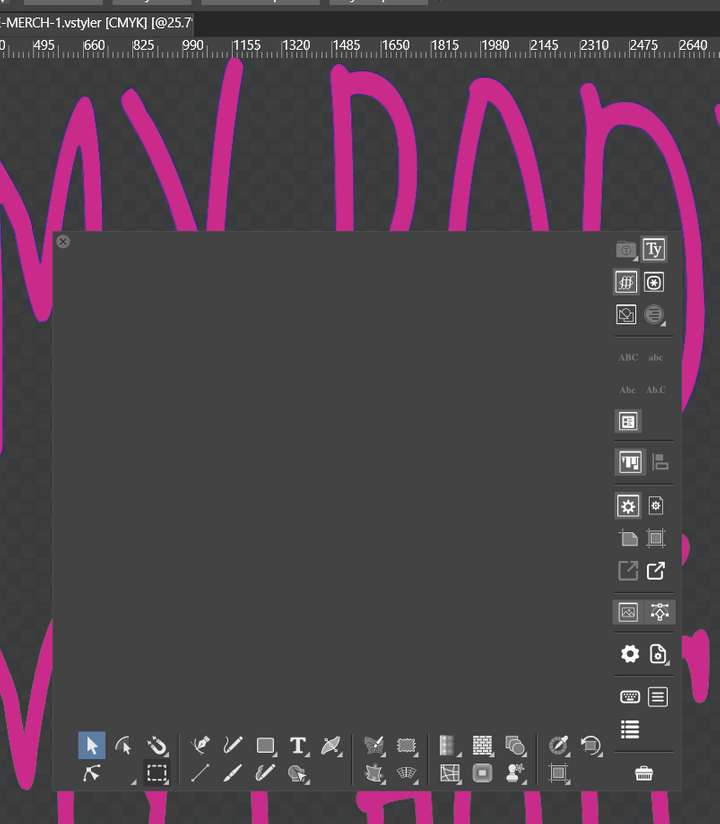
-
@plrang Yes, this looks like a bug.
-
@Ingolf Toolboxes should not be able to dock into each other in build 1.1.049
-
@VectorStyler said in Custom toolboxes added to main toolbox:
@Ingolf Toolboxes should not be able to dock into each other in build 1.1.049
Fixed, yes.

