VectorStyler
    • Categories
    • Unread
    • Recent
    • Tags
    • Popular
    • Register
    • Login

    Failing to access Windows taskbar

    Scheduled Pinned Locked Moved Resolved Issues
    24 Posts 8 Posters 46.8k Views 6 Watching
    Loading More Posts
    • Oldest to Newest
    • Newest to Oldest
    • Most Votes
    Reply
    • Reply as topic
    Log in to reply
    This topic has been deleted. Only users with topic management privileges can see it.
    • G Offline
      Gremriel @Boldline
      last edited by

      @Boldline When I said panels disappearing, I meant it more like parts of a panel were gone until I moved them around again, so more a glitch than a panel actual disappearing.

      WIndows 11

      1 Reply Last reply Reply Quote 1
      • VectorStylerV Offline
        VectorStyler @William Kansepa
        last edited by

        @William-Kansepa I uploaded a fix for the taskbar issues with VS.
        Please use "Help - Check for Updates" (Windows only) to update for the new version.

        W 1 Reply Last reply Reply Quote 2
        • W Offline
          William Kansepa @VectorStyler
          last edited by

          @vectoradmin said in Failing to access Windows taskbar:

          @William-Kansepa I uploaded a fix for the taskbar issues with VS.
          Please use "Help - Check for Updates" (Windows only) to update for the new version.

          @vectoradmin that was a swift response!
          I can confirm that the issues are now sorted out. Thank you.

          HP•Windows 11 Pro•11th Gen Intel(R) Core(TM) i7-1165G7 @ 2.80GHz 2.70 GHz• RAM: 16.0 GB (DDR4)

          1 Reply Last reply Reply Quote 1
          • encartE Offline
            encart
            last edited by

            @vectoradmin From what I can see the fix worked.

            Aside from that. I have an update bug if there are any documents open in the program.

            • I search for an update using 'Check for updates'
            • the update is downloaded
            • a popup appears about saving or closing the file without saving.
            • I choose 'Don't save'
            • VS freezes and I need to restart it.

            After rebooting, the update process works fine.
            It happened in previous builds as well.

            MacBook Air M4 24Gb, Tahoe 26.2

            G VectorStylerV 2 Replies Last reply Reply Quote 1
            • G Offline
              Gremriel @encart
              last edited by

              @encart I reported that a few days ago.

              WIndows 11

              1 Reply Last reply Reply Quote 1
              • VectorStylerV Offline
                VectorStyler @encart
                last edited by

                @encart said in Failing to access Windows taskbar:

                I have an update bug if there are any documents open in the program.

                yes, this issue is still open.

                1 Reply Last reply Reply Quote 0
                • M Offline
                  Mongeuse
                  last edited by Mongeuse

                  I am also having this problem, but, interestingly, it depends on which monitor the program is fullscreen. On my computer's primary #1 monitor, I do not have this problem at all, though for some reason the very top of the monitor is not filled by the program (2160x1440 resolution & 27" if that matters). 0_1649046986429_2022-04-03_22-28-45.png
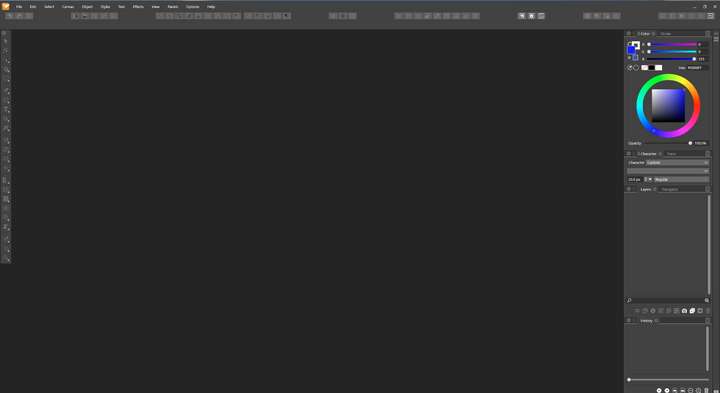
                  On monitors #2 & #3, the taskbar is hidden when fullscreen. Windows 10

                  VectorStylerV 1 Reply Last reply Reply Quote 1
                  • VectorStylerV Offline
                    VectorStyler @Mongeuse
                    last edited by

                    @Mongeuse I will try to replicate this with a dual monitor setup.

                    1 Reply Last reply Reply Quote 1
                    • M Offline
                      Mongeuse
                      last edited by

                      Very small addition to this problem, but it seems the very top of monitor #1 not being filled by the program only occurs when monitor #3, a display tablet positioned below monitor #1, is connected. When it is disconnected, restarting the program and using fullscreen then properly fills the very top.

                      This doesn't help with the main hidden taskbar when fullscreen on monitors #2 or #3 problem, of course, but it at least clarifies the cause of this other problem.

                      1 Reply Last reply Reply Quote 1
                      • VectorStylerV Offline
                        VectorStyler @William Kansepa
                        last edited by

                        @William-Kansepa This problem should be fixed in 1.1.048

                        1 Reply Last reply Reply Quote 0
                        • First post
                          Last post