I cannot convert a text frame to curves
-
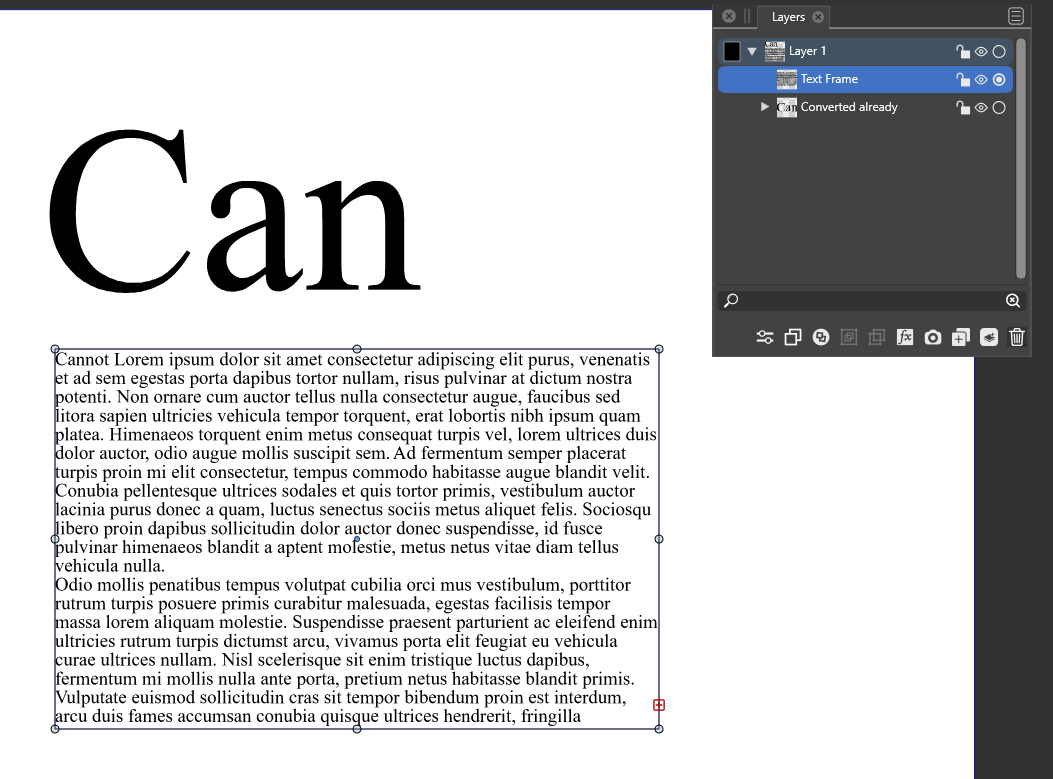
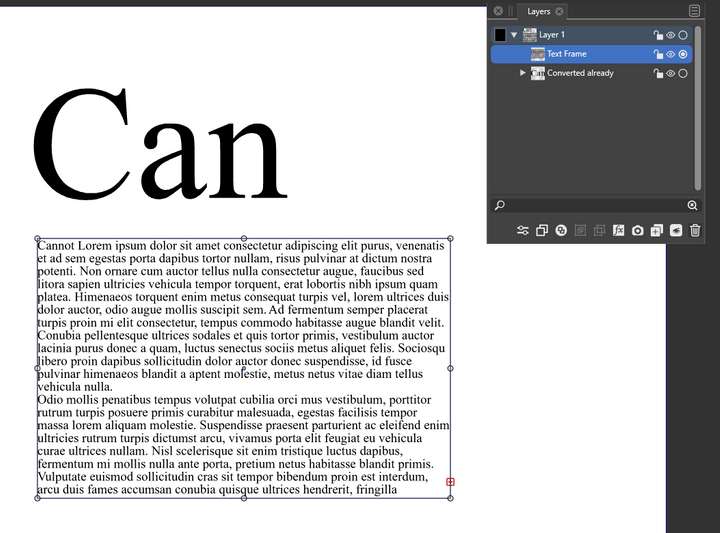
I can select convert to curves, but it doesn't do anything. After that convert to curves is grayed out. But artistic text can be vectorized. Windows.
-
Try : text-> "Convert to Shape Text" first, before converting into curves
-
@Devil-Dinosaur said in I cannot convert a text frame to curves:
Try : text-> "Convert to Shape Text" first, before converting into curves
Thanks. And then I can convert it to curves.
But I guess it is a bug, @VectorStyler? I should be able to convert it to curves in one go via object->convert to curves?
🍏 macOS Sequoia Apple Silicon
-
@Ingolf said in I cannot convert a text frame to curves:
But I guess it is a bug, @VectorStyler? I should be able to convert it to curves in one go via object->convert to curves?
It is not a bug. When a text frame is selected, the convert to curves will act on the "frame" shape.
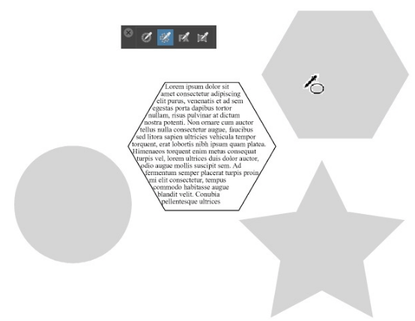
BTW: it is possible to copy/paste any parametric shape (ellipse, polygon, star) onto a text frame as the shape of the frame and then edit the shape parameters.
-
@Ingolf said in I cannot convert a text frame to curves:
@Devil-Dinosaur said in I cannot convert a text frame to curves:
Try : text-> "Convert to Shape Text" first, before converting into curves
Thanks. And then I can convert it to curves.
But I guess it is a bug, @VectorStyler? I should be able to convert it to curves in one go via object->convert to curves?
I will agree with @Ingolf here... This issue becomes a nightmare if you have a text frame with more than one column or row and the suggested method of Convert to Shape Text will not work. The layout of the text frame is altered.
As already suggested by @Ingolf, wouldn't it be better if one could just click on the Convert to Curves command to efficiently and accurately get the job done? -
@William-Kansepa said in I cannot convert a text frame to curves:
As already suggested by @Ingolf, wouldn't it be better if one could just click on the Convert to Curves command to efficiently and accurately get the job done?
Since the Convert to Curves in this case works on the text frame, what about having a separate action (menu item) for converting the content of a text frame to curves?
-
I would expect it to convert text frame and contents together.
VS could also ask the user what to convert rather than populate the user interface with more choices and items.

🍏 macOS Sequoia Apple Silicon
-
@VectorStyler said in I cannot convert a text frame to curves:
It is not a bug. When a text frame is selected, the convert to curves will act on the "frame" shape.
Now that I understand it better, I would not expect it to convert text frame and contents together.
This makes sense to me and I like having that control over the bounding shape itself. Putting them together in one action may be "easier" for some, but would also limit the options available to the end user.
This is one of those features that probably needs to be mentioned specifically in the documentation describing the action to avoid confusion.@VectorStyler said in I cannot convert a text frame to curves:
Since the Convert to Curves in this case works on the text frame, what about having a separate action (menu item) for converting the content of a text frame to curves?
This seems like a great solution and the fact that the specific option is listed should help users understand there is a difference between converting the frame and converting the text within the frame
-
@Ingolf said in I cannot convert a text frame to curves:
VS could also ask the user what to convert rather than populate the user interface with more choices and items.
@Ingolf Aren't you usually the one wanting to populate the user interface with more choices and items to avoid learning keyboard shortcuts while also wanting it simplified and the UI reduced at the same time?

-
@VectorStyler said in I cannot convert a text frame to curves:
BTW: it is possible to copy/paste any parametric shape (ellipse, polygon, star) onto a text frame as the shape of the frame and then edit the shape parameters.
@VectorStyler Would you be able to elaborate on this some? I was looking in the documentation for the steps to replace a text frame with a parametric shape but nothing I tried seemed to work. Most likely user error on my part.
But this ability sounds awesome and I'd like to do it🍎 macOS Tahoe 26.2, Mac mini (M1, 2020), Chip Apple M1, Memory 16 GB
Cintiq 27QHD Display and LG Ultra HD Display -
@Boldline Select a shape and Edit -> Attributes -> Copy Shape. Then select the text frame and Edit -> Attributes -> Paste Shape.
-