Sudden scroll jump of the document to its extremes
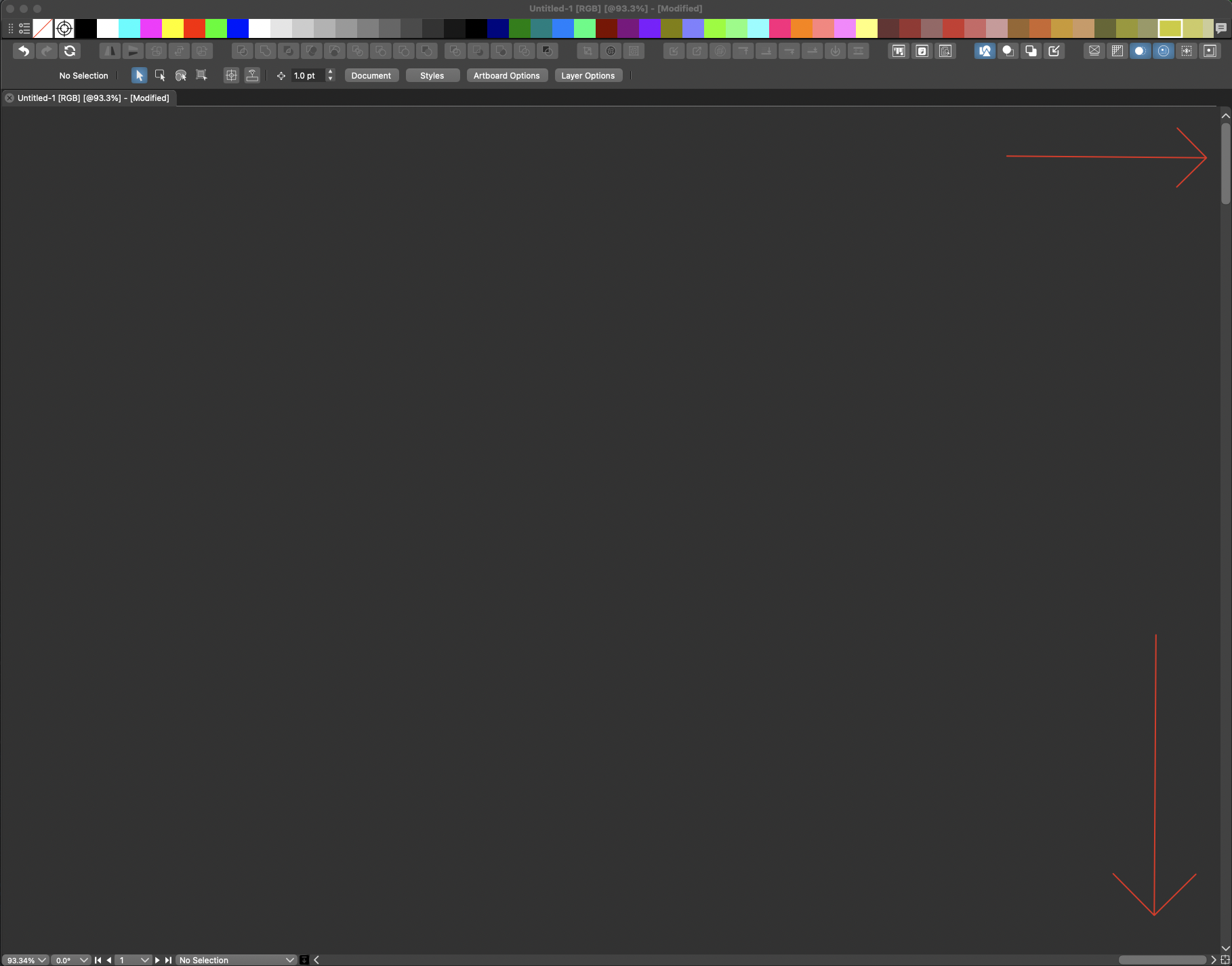
-
@ncic Was there any isolation mode editing of groups? or artboard creation undo / redo?
-
i just tried to replicate after being in idle mode. luckily i read this thread just before.
so i went into vstyler that was open in the background since yesterday
double clicked an object (not grouped) to get into isolation mode
and it happened yes, it shoot the scrollbars to the extremes and the dark gray outskirts of the document fills the screen.tried the cmd 0 shortcut and it zoomed out and centered the entire artboard as expected
and doubleclicking the same object now after this works as normal. no scrollbar extremes.so yes
it seems to be connected to going into isolation mode and the program being unused for a while.
thats the only two factors i can think of for now -
@ncic the isolation double click is a known issue, will be fixed ASAP.
-
It just happened again
but this time not on a isolation double clickthis time i returned to vstyler after som time
and i performed a cut command as soon as i entered
i cut (cmd x) a text object into the clipboard memory
and the document jumped to its scrollbar extremeshere is an interesting thing
i did an undo cmd z
and the document this time jumped back to its previous state where i see the artwork
in other words the view jumped back -
@ncic I will add this to the bug.
-
@ncic This issue should be fixed in build 1.1.062
-
hey thanks
unfortunately i encountered it on mac today again, twice
im on version 1.1.063same as previously described, when the application had been idle in the background for a while
but i noticed an interesting aspect today.
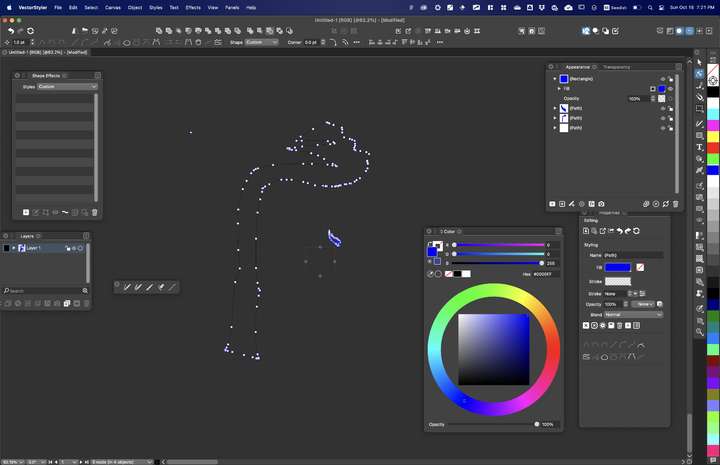
when i pressed down the cmd key to take a screenshot, even if the document was at its extremes i saw the entire armature of the vector shape appear with its anchor points and all, here in the outskirts of the document
even if the actual shape was in an artboard somewhere else in the middle of the doc.
but its the same position in relation to the screen boundries as it had been prior to the jump.
so some type of ghost of the vector path but responsive to the cmd key pressi took a screenshot
the other time was interesting too becuase i had had my computer connected to an external display
when i disconnected the display vstyler was still larger than my computer screen
so i double cliked the top list of the document window to scale it to the screen size
and then it jumped to its extremes -
@ncic Then it seems that this one is a different error than the one with the isolation mode.
I open an other bug on this, and will try to replicate it.EDIT: from the screenshot, it looks like the fills were not displayed. Is that also the problem?
-
@VectorStyler
at the moment so far not seen any problems with the fillsthis display of the curve was the special edge case (pun intended) when the document reached its extremes
nothing was visible except the gray background
until i pressed the cmd key down this path appeared while i was holding the cmd key downtook my screenshot
then i pressed cmd zero and got back to the center of my document my shapes were displayed normally with fillsand correct
nothin was in isolation on this one
actually my first operation was go into the help menu klicked on an item got direced to chrome
cmd tab back into vstyler and the document jumped to the extremes -
one more situation detected
went into preferences to try and change the appearance theme of the program
clicked ok
got the dialog that the program needs to restart to see the change while in the background the scrollbars jumped to its extremes -
@ncic Can you send me by email a vstyler document where this jumping occurs. I tried to replicate here, but did not succeed.
email is csraba at vectorstyler.com