VectorStyler
    • Categories
    • Unread
    • Recent
    • Tags
    • Popular
    • Register
    • Login

    Brush tool doesn't respond on stylus pressure Xp Pen Deco 01 V2 tablet and Win 10

    Scheduled Pinned Locked Moved Questions and Support
    25 Posts 3 Posters 72.7k Views 3 Watching
    Loading More Posts
    • Oldest to Newest
    • Newest to Oldest
    • Most Votes
    Reply
    • Reply as topic
    Log in to reply
    This topic has been deleted. Only users with topic management privileges can see it.
    • H Offline
      Harry
      last edited by

      After system and registry cleaning with CCleaner, I got my pen pressure back.
      It is - as previous - only in pencil tool AND only with Windows Ink enabled.

      My observations:

      1. with pencil tool every pressure mode like: None, Selected, Pressure, Velocity and Inverted Velocity work good,
      2. with brush tool all pressure modes work good, but only for "base" - simplest brush,
      3. with brush tool using other types of brushes (artistic, bristle etc.), pressure mode seems to be stuck in "Selected" - no "none", no pen pressure, no velocity,
      4. with "Brushes with the Pencil tool" option enabled in Preferences\Changing Opotions there is no change - everything works like in points 1-3 above.

      VS is currently my only vector/graphic app with which I have to turn on the Windows Ink in order to get stylus pressure working. I would like to avoid Windows Ink.

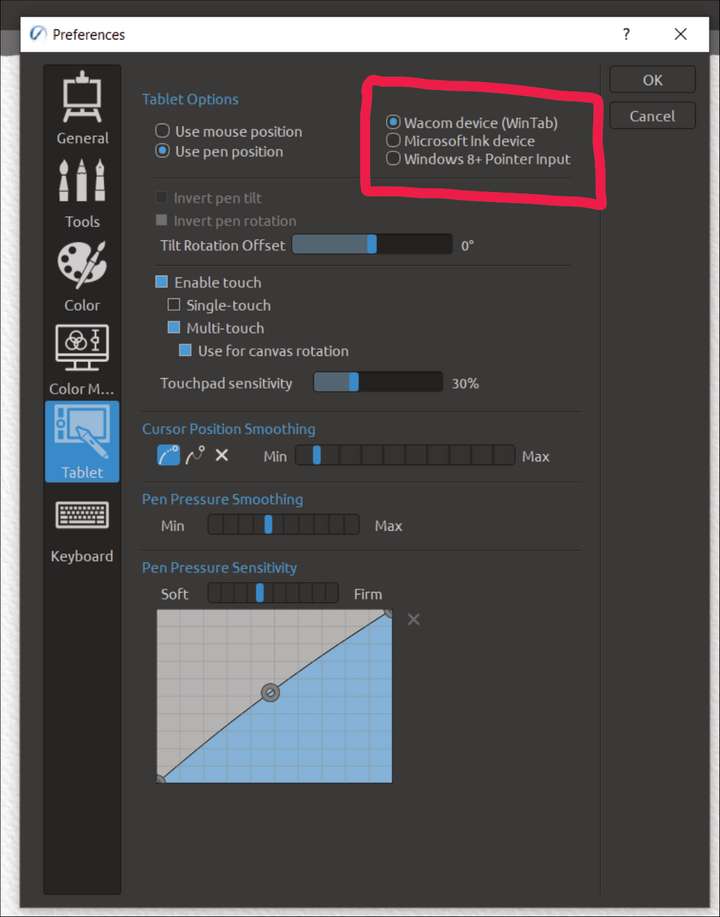
      I wondered if we could have some choice with tablet's driver input ex. like in Krita:
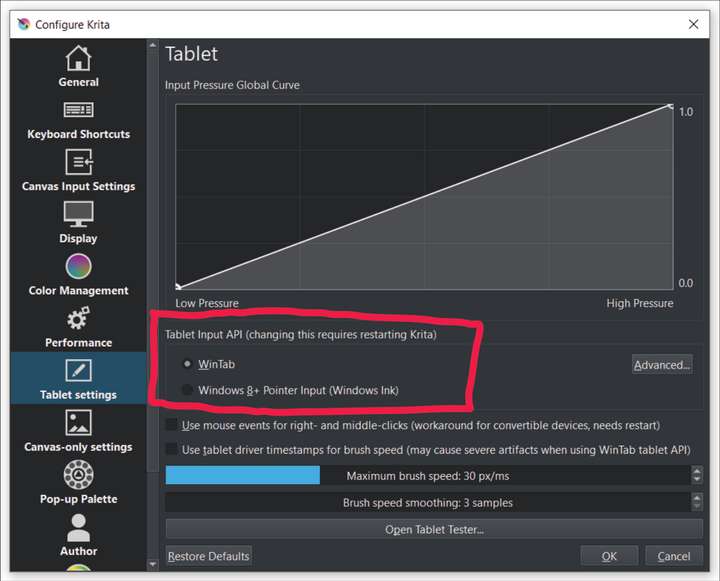
      0_1669717196755_30a6404c-1601-4a63-9d3e-b332e73bf0d4-image.png

      or like in Rebelle:
      0_1669717904574_99f1515f-5ee2-4f03-ac67-95f3dc6230ae-image.png

      Win 11, XP Pen Deco 01 V2 graphic tablet

      VectorStylerV 1 Reply Last reply Reply Quote 1
      • VectorStylerV Offline
        VectorStyler @Harry
        last edited by

        @Harry Found the problem, fix will be available soon.

        1 Reply Last reply Reply Quote 0
        • J Offline
          Jayanta Das @Harry
          last edited by

          I noticed that in VS I have problems with flyout and drop down menus - sometimes I have to select the command few times or press stylus hard). Moreover, after hovering on command icon, it's description doesn't pop up (but it pops up while hovering with mouse).

          I am also having same issues with Wacom Tablet in Windows 11.

          Mac Mini M4 Pro | 24Gb
          WIndows 11 | Intel i5 11Gen
          Wacom Intuos Pro

          VectorStylerV 1 Reply Last reply Reply Quote 0
          • VectorStylerV Offline
            VectorStyler @Jayanta Das
            last edited by

            @Jayanta-Das said in Brush tool doesn't respond on stylus pressure Xp Pen Deco 01 V2 tablet and Win 10:

            I am also having same issues with Wacom Tablet in Windows 11.

            Are there issues only with the Brush tool, or the Pen tool also?

            J 1 Reply Last reply Reply Quote 0
            • J Offline
              Jayanta Das @VectorStyler
              last edited by

              Are there issues only with the Brush tool, or the Pen tool also?

              Pressure is working with other brushes also. The issues are with Wacom pen can be seen in this video:

              1. Hovering over tools and command in tool bar and context bar sometimes the description doesn't show.
              2. Sometime I have to click 2/3 times to select a from the horizontal list of tools.
              3. Scrolling by clicking the Scroll bar closes the list (ex. recording)

              Mac Mini M4 Pro | 24Gb
              WIndows 11 | Intel i5 11Gen
              Wacom Intuos Pro

              J 1 Reply Last reply Reply Quote 1
              • J Offline
                Jayanta Das @Jayanta Das
                last edited by

                Are there issues only with the Brush tool, or the Pen tool also?

                Update: Pressure doesn't work all the time with other brushes.

                Mac Mini M4 Pro | 24Gb
                WIndows 11 | Intel i5 11Gen
                Wacom Intuos Pro

                VectorStylerV 1 Reply Last reply Reply Quote 1
                • VectorStylerV Offline
                  VectorStyler @Jayanta Das
                  last edited by

                  @Jayanta-Das said in Brush tool doesn't respond on stylus pressure Xp Pen Deco 01 V2 tablet and Win 10:

                  Update: Pressure doesn't work all the time with other brushes.

                  Yes, I just found this out yesterday, and this one can be replicated.
                  Fix will be available soon.

                  1 Reply Last reply Reply Quote 1
                  • H Offline
                    Harry
                    last edited by

                    My observations in build 1.1.068: (windows Ink enabled)

                    1.I got pen pressure for brushes - great!
                    2. no more "cotton buds" lines - great!
                    3. after changing brush fill or outline color in Color panel, brush width is reset to default - a bug?
                    4. various problems with the mouse (existed also in previous builds):

                    • after fresh VS start mouse works ok, but after some drawing with stylus (changing to pencil tool might be a problem) there are following problems:
                    • no panning with mouse wheel click
                    • cannot move / edit nodes, objects etc
                    • can only draw straight lines with the mouse
                    1. problems with stylus sensitivity still exist
                    2. stylus pressure works only with Windows Ink enabled

                    Win 11, XP Pen Deco 01 V2 graphic tablet

                    VectorStylerV 1 Reply Last reply Reply Quote 0
                    • VectorStylerV Offline
                      VectorStyler @Harry
                      last edited by

                      @Harry said in Brush tool doesn't respond on stylus pressure Xp Pen Deco 01 V2 tablet and Win 10:

                      1. various problems with the mouse (existed also in previous builds):

                      How to replicate these?

                      H 1 Reply Last reply Reply Quote 0
                      • H Offline
                        Harry @VectorStyler
                        last edited by

                        @VectorStyler said in Brush tool doesn't respond on stylus pressure Xp Pen Deco 01 V2 tablet and Win 10:

                        @Harry said in Brush tool doesn't respond on stylus pressure Xp Pen Deco 01 V2 tablet and Win 10:

                        1. various problems with the mouse (existed also in previous builds):

                        How to replicate these?

                        Tested on Win 10 and XP Pen Deco 01 v2:

                        • run VS with new document - mouse works ok
                        • click on the fly out menu with the stylus and select Pencil tool - mouse has no panning with wheel click, cannot move / edit nodes, objects etc., can only draw straight lines with the mouse

                        Win 11, XP Pen Deco 01 V2 graphic tablet

                        VectorStylerV 1 Reply Last reply Reply Quote 1
                        • VectorStylerV Offline
                          VectorStyler @Harry
                          last edited by

                          @Harry I will try to replicate this.

                          H 1 Reply Last reply Reply Quote 1
                          • H Offline
                            Harry @VectorStyler
                            last edited by

                            @VectorStyler Update as of Build 1.1.076:

                            • stylus pressure works!
                            • "calligraphic strokes" are much better now!
                            • after VS fresh start, I can draw with stylus with no problems

                            but:

                            • when I change any value with drop down menu or slider using the stylus (like brush width, font size etc.), my problems with the mouse are starting right away.

                            That means:

                            • no panning with mouse wheel click
                            • cannot move / edit nodes, objects etc
                            • can only draw straight lines with the mouse (no diagonals means I can't draw most of the shapes)

                            And since it is still hard to pick drop down menus / values and impossible to select flyout menus with the stylus, it makes VS workable only with the mouse.

                            I don't want to be a PIA, byt is there any slightest chance to fix stylus sensitivity for XP Pen graphic tablets?

                            Win 11, XP Pen Deco 01 V2 graphic tablet

                            VectorStylerV 1 Reply Last reply Reply Quote 1
                            • VectorStylerV Offline
                              VectorStyler @Harry
                              last edited by

                              @Harry I try to fix these, but I have to replicate first.

                              H 1 Reply Last reply Reply Quote 0
                              • H Offline
                                Harry @VectorStyler
                                last edited by

                                @VectorStyler said in Brush tool doesn't respond on stylus pressure Xp Pen Deco 01 V2 tablet and Win 10:

                                @Harry I try to fix these, but I have to replicate first.

                                Can I help you somehow?

                                Win 11, XP Pen Deco 01 V2 graphic tablet

                                VectorStylerV 1 Reply Last reply Reply Quote 0
                                • VectorStylerV Offline
                                  VectorStyler @Harry
                                  last edited by

                                  @Harry This description is detailed enough for now.
                                  I will try to find a solution for this before the next build.

                                  One thing: does it depend on what is in the current drawing?
                                  Can this be replicated with an empty document? (maybe with just a rectangle in it).

                                  H 1 Reply Last reply Reply Quote 0
                                  • H Offline
                                    Harry @VectorStyler
                                    last edited by

                                    @VectorStyler Drawing content doesn't matter.
                                    This can be replicated with an empty document.

                                    Win 11, XP Pen Deco 01 V2 graphic tablet

                                    1 Reply Last reply Reply Quote 1
                                    • First post
                                      Last post