VectorStyler
    • Categories
    • Unread
    • Recent
    • Tags
    • Popular
    • Register
    • Login

    Stroke width tool defaults to zero width using stylus
    Scheduled Pinned Locked Moved VectorStyler 1.1 Bugs
    5 Posts 3 Posters 5.0k Views 2 Watching
    Loading More Posts
    • Oldest to Newest
    • Newest to Oldest
    • Most Votes
    Reply
    • Reply as topic
    Log in to reply
    This topic has been deleted. Only users with topic management privileges can see it.
    • BoldlineB Offline
      Boldline
      last edited by

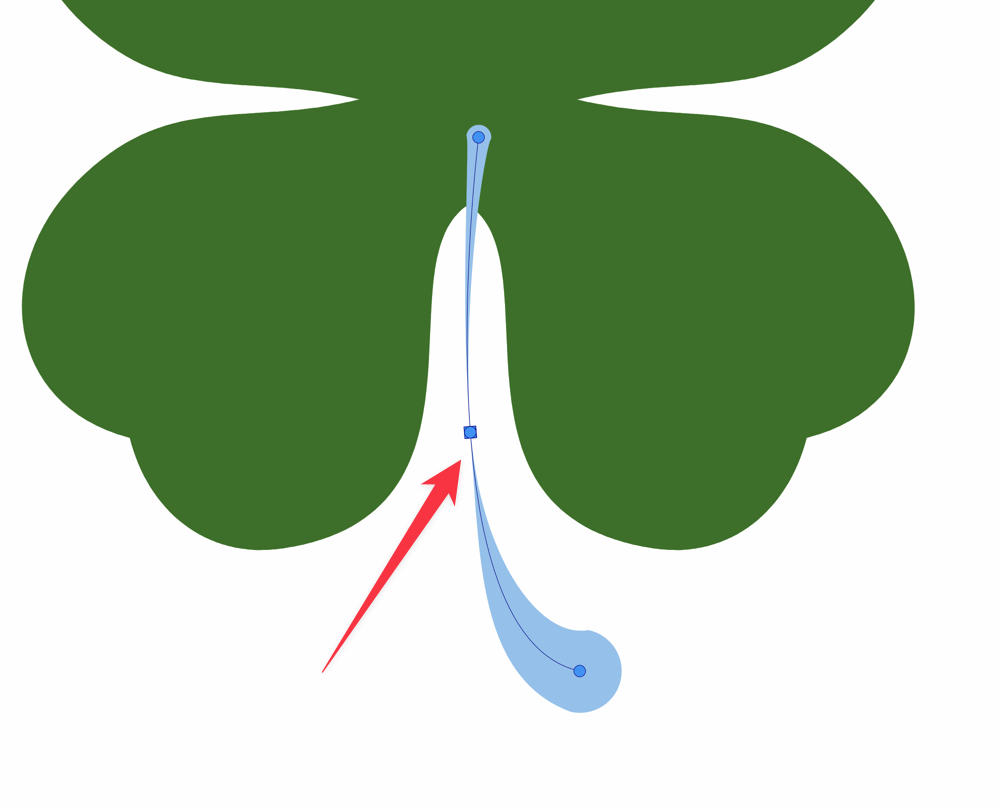
      Using the stylus, when I add a node using the stroke width tool, it defaults to a zero width automatically.
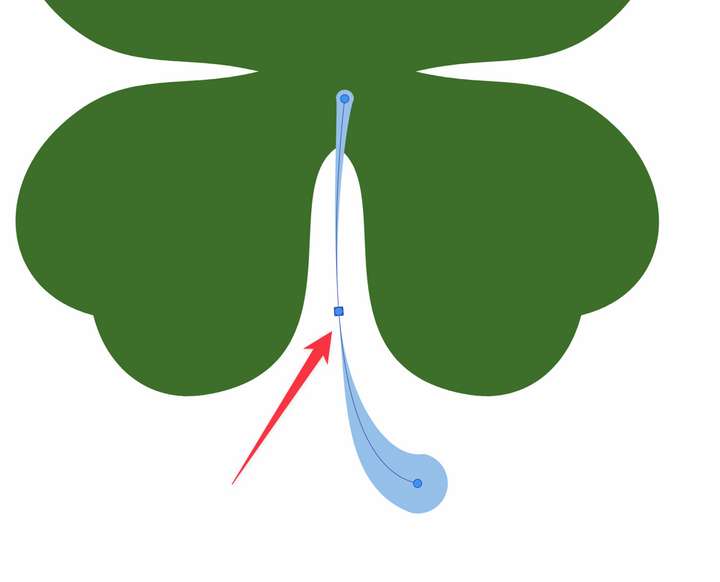
      0_1671304303108_de03b35c-c3c7-4718-a187-8205cffce312-CleanShot 2022-12-17 at 14.03.34.png

      0_1671305634151_path width issue.vstyler

      🍎 macOS Tahoe 26.2, Mac mini (M1, 2020), Chip Apple M1, Memory 16 GB
      Cintiq 27QHD Display and LG Ultra HD Display

      S VectorStylerV 2 Replies Last reply Reply Quote 0
      • S Offline
        Subpath @Boldline
        last edited by Subpath

        @Boldline

        thats with the Mouse also
        seems like the normal behavior in VS

        i guess the reason for this is that you are close
        to underlying Middle Curve and this define
        the width of the Stroke for that moment when you
        set a point

        my solution is:
        when i set a Point i keep holding the Mouse Button down (eg the Pen)
        and slide the Mouse away from that middle Curve this will change the Stroke width

        Win 11
        CPU: AMD Ryzen 5 9600X, 6-core.
        GPU: Nvidia Geforce RTX 5070.

        BoldlineB 1 Reply Last reply Reply Quote 1
        • BoldlineB Offline
          Boldline @Subpath
          last edited by

          @Subpath Thanks for checking that as well. I understand the way you do it by not letting go and pulling immediately to avoid the issue. I would think it would be better if you were to click and release, for it to do nothing at all rather than set the width to zero like that. when you click - especially because it becomes really difficult to pull the handles to widen the width when it's in that position.

          🍎 macOS Tahoe 26.2, Mac mini (M1, 2020), Chip Apple M1, Memory 16 GB
          Cintiq 27QHD Display and LG Ultra HD Display

          1 Reply Last reply Reply Quote 0
          • VectorStylerV Offline
            VectorStyler @Boldline
            last edited by

            @Boldline Added this to the backlog. I think it might depend on which side of the stroke the node is dragged towards.

            1 Reply Last reply Reply Quote 0
            • S Offline
              Subpath
              last edited by Subpath

              @Boldline

              I'm posting here some finds I found while experimenting
              with the Width Tools a while ago. Maybe it is helpful for you
              or anybody else.

              See this Video here

              this is just a pic from the video
              with the Stroke Width Panel on the left
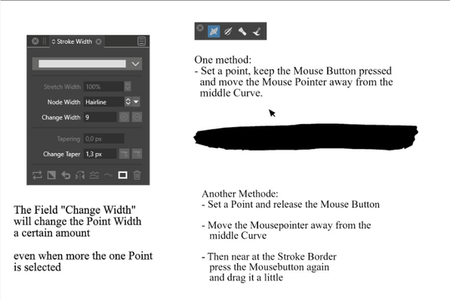
              0_1671357199492_Stroke-Width.png

              Win 11
              CPU: AMD Ryzen 5 9600X, 6-core.
              GPU: Nvidia Geforce RTX 5070.

              1 Reply Last reply Reply Quote 1
              • First post
                Last post
